
The best budget laptop for most New Zealanders in 2026 is the Lenovo IdeaPad Slim 3, because it pairs a recent AMD Ryzen 5 chip, 8GB of memory and a fast 512GB SSD in one affordable 15.6 inch package. The right pick depends on what you do: students on a tight budget, people who want a big screen, and anyone chasing all-day battery each have a better match below.
Quick comparison
| Laptop | Best for | Screen | Processor | RAM / Storage |
|---|---|---|---|---|
| Lenovo IdeaPad Slim 3 | Best overall value | 15.6″ FHD IPS | Ryzen 5 7520U | 8GB / 512GB SSD |
| HP 14 Micro-Edge | Cheapest first laptop | 14″ HD | Intel N4120 | 4GB / 128GB + card |
| Dell Precision 5560 (Renewed) | Best for power users | 15.6″ WUXGA 1920×1200 | Core i7-11850H | 32GB / 512GB SSD |
| ASUS Vivobook Go 15 | Best basic 15.6″ with SSD | 15.6″ FHD anti-glare | Pentium N6000 | 8GB / 256GB SSD |
| HP 17.3″ Laptop | Biggest screen | 17.3″ FHD anti-glare | Core i5-1334U | 16GB / 512GB SSD |
| ASUS Vivobook Go 14 | Lightest to carry | 14″ FHD | Pentium N6000 | 4GB / 64GB eMMC |
| ACEMAGIC LX15 | Best-reviewed budget pick | 15.6″ FHD | Intel N95 | 16GB / 256GB SSD |
| MOMENTPLUS 16 | Big screen + RAM | 16″ FHD 1920×1200 | Intel N95 | 16GB / 512GB SSD |
1. Lenovo IdeaPad Slim 3 Laptop
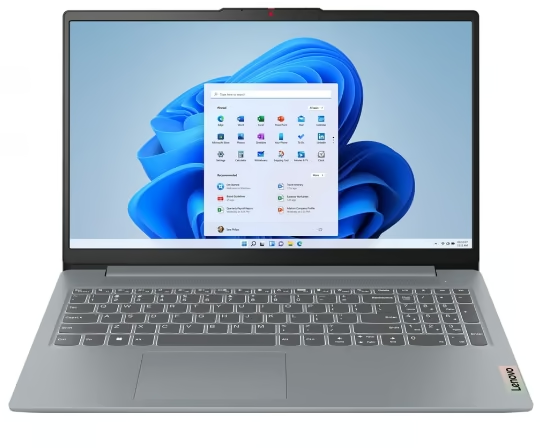
Best for: the shopper who wants the most balanced everyday laptop without overspending.
This is the pick to beat at the budget end of the market. The IdeaPad Slim 3 15AMN8 runs a four-core AMD Ryzen 5 7520U with 8GB of LPDDR5 memory and a 512GB SSD, so Windows 11 Home feels responsive for browsing, Office, email and video calls rather than the sluggish crawl you get from cheaper eMMC machines.
The 15.6 inch chassis is a normal full-size footprint at roughly 360 x 235 x 18mm and about 1.6kg, finished in a plain Arctic Grey plastic that looks tidy rather than flashy. Owners rate the 300-nit FHD IPS panel as clear and bright enough for indoor work, and the backlit keyboard with number pad plus a fingerprint reader are welcome at this price.
The honest catch is the memory. 8GB is soldered LPDDR5, so it is not upgradeable later; heavy multitaskers with dozens of browser tabs will feel the ceiling. Battery life from the 47Wh cell is middling at around 6 hours of real use, so it is a desk-and-occasional-outings laptop, not an all-day roamer.
Pros:
- Recent Ryzen 5 chip and fast 512GB SSD for the money
- Bright FHD IPS screen, backlit keyboard, fingerprint reader
- Wi-Fi 6 and USB-C for future-proofing
Cons:
- 8GB memory is soldered and cannot be upgraded
- Only average battery life
- Plastic build, no premium feel
Key specs: Model 82XQ00VCAU. AMD Ryzen 5 7520U, 8GB LPDDR5, 512GB SSD, 15.6″ FHD IPS 300 nits, Wi-Fi 6, Windows 11 Home, Arctic Grey.
If you spend most of your day in a browser and Google apps, it is worth weighing this against a Chromebook, which can be even cheaper for pure web use.
2. HP 14 Micro-Edge Laptop
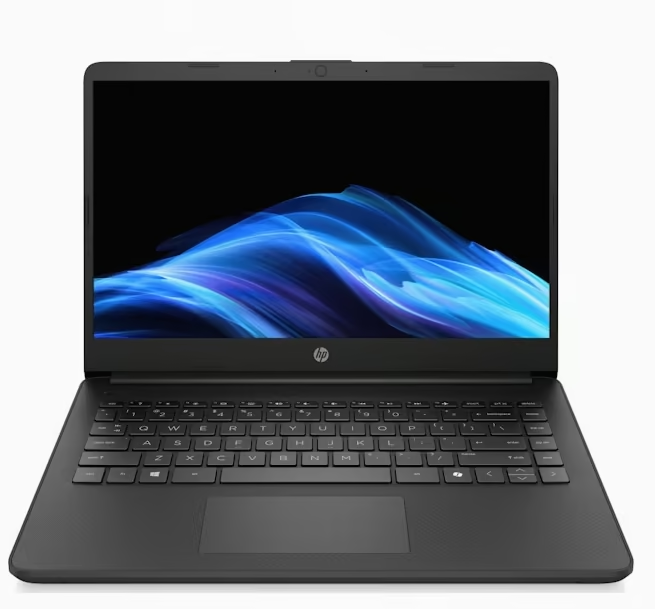
Best for: a first laptop, a spare, or a child who only needs the web and homework.
The cheapest way onto this list, the HP 14 Micro-Edge is built for light duty only. Its Intel N4120 is an entry Celeron-class chip with 4GB of RAM, so it handles one or two browser tabs, Google Docs and streaming, but stutters the moment you push it.
Storage is the quirk buyers must understand: the headline 192GB is 128GB of onboard eMMC plus a 64GB card, not a single fast drive. eMMC is slower than an SSD and, being soldered, cannot be upgraded. The 14 inch HD (1366 x 768) micro-edge panel is fine for its size but low resolution by 2026 standards.
It ships in Windows 11 in S Mode, which only runs apps from the Microsoft Store. Reviewers note that is genuinely safer and faster for a student device, but you can switch S Mode off for free if you need software from outside the Store (the switch is one-way). At about 1.4kg it is easy to carry, and owners report the battery comfortably clears a school day.
Pros:
- Lowest entry price of any pick here
- Light and easy to carry for a 14 inch machine
- S Mode adds safety for a child or student device
Cons:
- Only 4GB RAM: slows down with multitasking
- eMMC storage plus a card is slower than an SSD
- Low 1366 x 768 screen resolution
Key specs: Intel Celeron N4120, 4GB DDR4, 128GB eMMC + 64GB card (192GB total), 14″ HD micro-edge, Windows 11 Home in S Mode.
3. Dell Precision 5560 (Renewed)
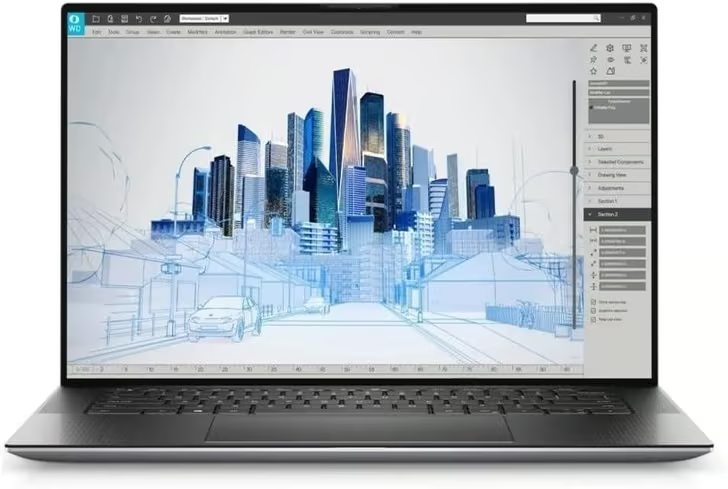
Best for: power users who want workstation performance and are happy to buy renewed.
The Precision 5560 is a renewed Dell mobile workstation, and it brings far more power than anything else here. It runs an 8-core Intel Core i7-11850H (up to 4.8GHz) with 32GB of DDR4 and a 512GB SSD, plus dedicated NVIDIA graphics, so it copes with photo and video editing, CAD and heavy multitasking that would bog down the budget machines on this list.
The 15.6 inch WUXGA (1920 x 1200) anti-glare screen is taller than a standard full HD panel and covers 100% sRGB, which suits colour-sensitive work. The chassis is slim at about 1.2cm thick, with a large 86Wh battery and two Thunderbolt ports.
Being renewed, condition and battery health vary by unit, and stock is very limited. The listing is also inconsistent about the graphics chip, naming both an NVIDIA T1200 and an RTX A2000, so confirm which one you are getting. Port details are thin too; plan on USB-C adapters if you need HDMI or Ethernet.
Pros:
- Workstation-class 8-core i7 with 32GB of RAM
- Dedicated NVIDIA graphics
- 1920 x 1200 anti-glare screen with 100% sRGB
- Large 86Wh battery and Thunderbolt ports
Cons:
- Renewed stock: condition and battery health vary
- Listing names two different graphics chips
- Limited port information, adapters likely needed
Key specs: Dell Precision 5560 (Renewed). Intel Core i7-11850H, 32GB DDR4, 512GB SSD, dedicated NVIDIA graphics (T1200 or RTX A2000 per listing), 15.6″ WUXGA 1920×1200 100% sRGB anti-glare, 86Wh battery, 2 x Thunderbolt, Windows 11.
4. ASUS Vivobook Go 15
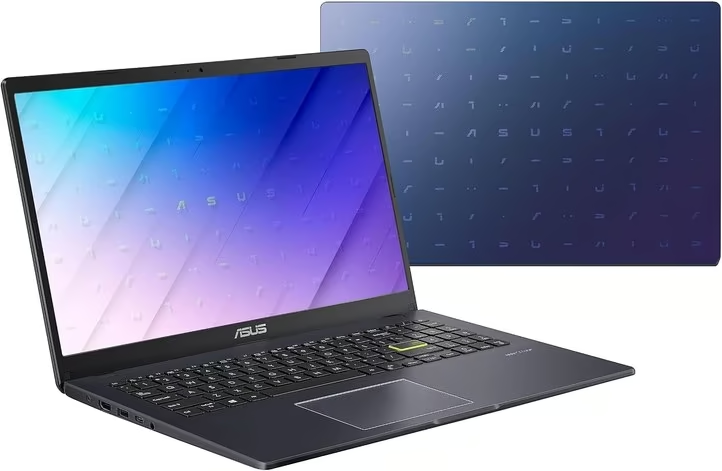
Best for: students and home users who want a full-size screen and an SSD for simple everyday tasks.
The Vivobook Go 15 (E510KA) is a straightforward 15.6 inch laptop for browsing, email, streaming and schoolwork. It pairs an Intel Pentium Silver N6000 (four cores, up to 3.3GHz) with 8GB of DDR4 and a 256GB SSD, so it boots and opens apps faster than the eMMC budget machines on this list.
The full HD (1920 x 1080) anti-glare screen is sharp for the size, though at a listed 220 nits and 45% colour gamut it looks dim and muted next to better panels. At 1.57kg and about 1.8cm thick it is easy to carry, with Wi-Fi, Bluetooth, HDMI, three USB ports (USB 2.0 and USB 3.2 Gen 1) and a memory card slot.
The Pentium N6000 is an entry-level chip, so it slows with heavy multitasking or photo editing, and the listing gives 8GB as the maximum memory. It ships in Windows 11 Home in S Mode, which you can switch off for free if you need apps from outside the Microsoft Store. It has 15 reviews averaging 4.1 stars.
Pros:
- SSD storage, faster than eMMC rivals
- 8GB of RAM for everyday multitasking
- Full HD anti-glare 15.6″ screen
- Light for a 15.6 inch laptop at 1.57kg
Cons:
- Entry-level Pentium processor
- Dim 220-nit screen with limited colour
- 8GB is the listed maximum memory
Key specs: ASUS Vivobook Go 15 E510KA-EJ134W. Intel Pentium Silver N6000, 8GB DDR4, 256GB SSD, 15.6″ FHD anti-glare 220 nits, 42Wh battery, Windows 11 Home in S Mode, Peacock Blue.
If you work at home a lot, adding one of the best computer monitors gives you far more room than any 15 inch panel.
5. HP 17.3-inch Laptop
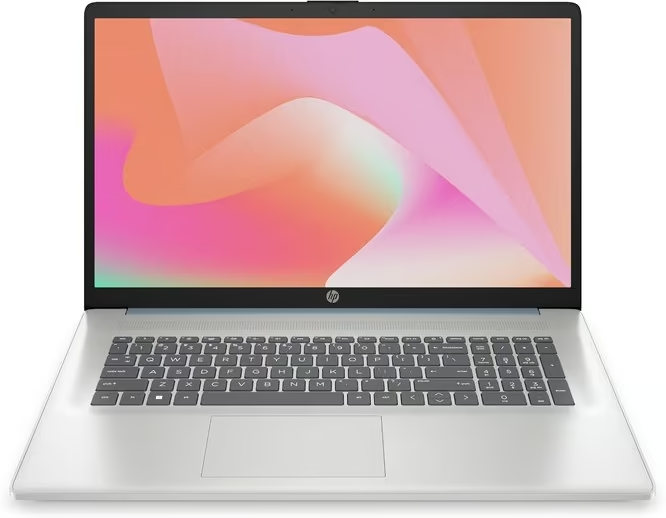
Best for: anyone who wants a big 17.3 inch screen and plenty of memory for home or office work.
This HP is the big-screen pick, with a 17.3 inch full HD anti-glare display that gives spreadsheets, documents and video more room than the 14 and 15.6 inch laptops above. It runs a 13th-gen Intel Core i5-1334U with 16GB of DDR4 and a 512GB SSD, a solid everyday spec that handles lots of browser tabs and Office work comfortably.
The panel uses DC dimming rather than cycling the backlight, which HP says removes flicker for more comfortable long sessions, and the low-gloss finish cuts reflections. The listing says memory can be expanded to 32GB, and it comes in Natural Silver.
There is no touchscreen, and at about 35.9 x 24.2 x 1.8cm it is a large laptop to carry, so it suits a desk more than a backpack. It has only four reviews so far at 3.9 stars, and the listing gives little detail on ports or battery, so check those before buying.
Pros:
- Large 17.3″ FHD anti-glare screen
- 16GB RAM, expandable to 32GB
- 13th-gen Core i5 with a 512GB SSD
- Flicker-free DC dimming
Cons:
- No touchscreen
- Bulky to carry around
- Few reviews and limited port and battery detail
Key specs: HP 17.3″ Laptop 9T0L1PA. Intel Core i5-1334U, 16GB DDR4 (max 32GB), 512GB SSD, 17.3″ FHD anti-glare with DC dimming, Windows 11 Home, Natural Silver.
6. ASUS Vivobook Go 14
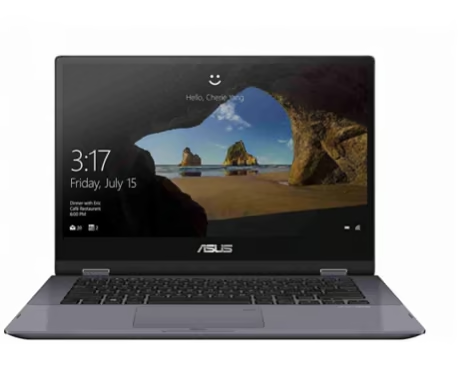
Best for: students who want the lightest, most portable machine for notes and browsing.
The Vivobook Go 14 (E410KA) is the featherweight of the group at roughly 1.3kg with a fanless, silent design. It runs an Intel Pentium Silver N6000 with 4GB of RAM, so like the HP 14 it is a light-tasks laptop for notes, web and streaming rather than real multitasking.
Where it scores is the screen and battery. Unlike most cheap 14 inch laptops it has a full HD (1920 x 1080) panel, which is sharper than the HD screens on similarly priced rivals, and owners report up to around 12 hours of light use. The bundle here totals 224GB by adding a 160GB docking-station drive to the small 64GB of onboard eMMC.
The compromises are the same budget story: 4GB of RAM and slow eMMC mean it is happiest with a handful of tasks, and the base storage fills quickly, so you will lean on the docking drive or cloud. It is a confirmed current ASUS model in Australia and New Zealand.
Pros:
- Very light and completely silent (fanless)
- Full HD screen, sharper than most budget rivals
- Long battery life for study days
Cons:
- 4GB RAM limits multitasking
- Small 64GB eMMC base storage
- Relies on the bundled docking drive for space
Key specs: ASUS Vivobook Go 14 E410KA. Intel Pentium Silver N6000, 4GB LPDDR4X, 64GB eMMC + 160GB dock (224GB), 14″ FHD, Windows 11.
If portability is your top priority, also consider whether a tablet fits your needs: our roundup of the best tablets covers lighter options for reading and browsing on the go.
7. ACEMAGIC LX15
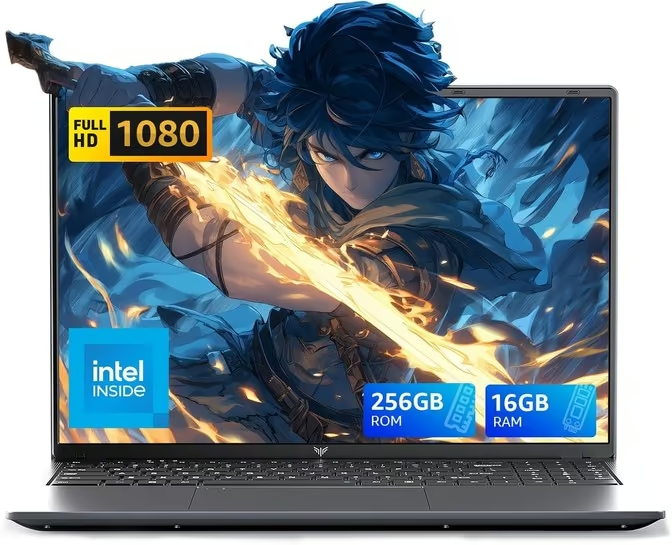
Best for: budget buyers who want 16GB of memory and Windows 11 Pro in a full-size laptop.
The ACEMAGIC LX15 is a budget 15.6 inch laptop that puts 16GB of DDR4 and a 256GB SSD behind an Intel N95 processor, with Windows 11 Pro pre-installed. The extra memory gives it more multitasking headroom than the 4GB and 8GB budget machines here, and the SSD keeps it responsive.
The full HD (1920 x 1080) screen folds back a full 180 degrees, handy for showing something to the person across the table. It weighs 1.56kg, has Bluetooth 5.0, USB 3.2 Type-C, USB-A, HDMI and a memory card slot, and comes with a 2-year warranty. It has 199 reviews averaging 4.4 stars.
The N95 is an efficiency chip, fine for office work, browsing and video but not for demanding software. The battery is only quoted as 5000mAh with no hours given, so don’t count on all-day use, and the listing contradicts itself on Wi-Fi, saying Wi-Fi 5 in the title and Wi-Fi 6 in the specs. ACEMAGIC is also a lesser-known brand than the big names here.
Pros:
- 16GB RAM and an SSD at a budget level
- Windows 11 Pro included
- 180-degree hinge
- 199 reviews averaging 4.4 stars
Cons:
- Entry-level N95 processor
- Battery life not clearly stated
- Lesser-known brand and unclear Wi-Fi spec
Key specs: ACEMAGIC LX15. Intel N95, 16GB DDR4 (max 32GB), 256GB SSD, 15.6″ FHD, 180° hinge, Wi-Fi and Bluetooth 5.0, USB-C, HDMI, Windows 11 Pro, 1.56kg.
Budget laptops with modest storage lean on the cloud and accessories; a compact power bank can also keep a light laptop topped up away from a wall socket.
8. MOMENTPLUS 16
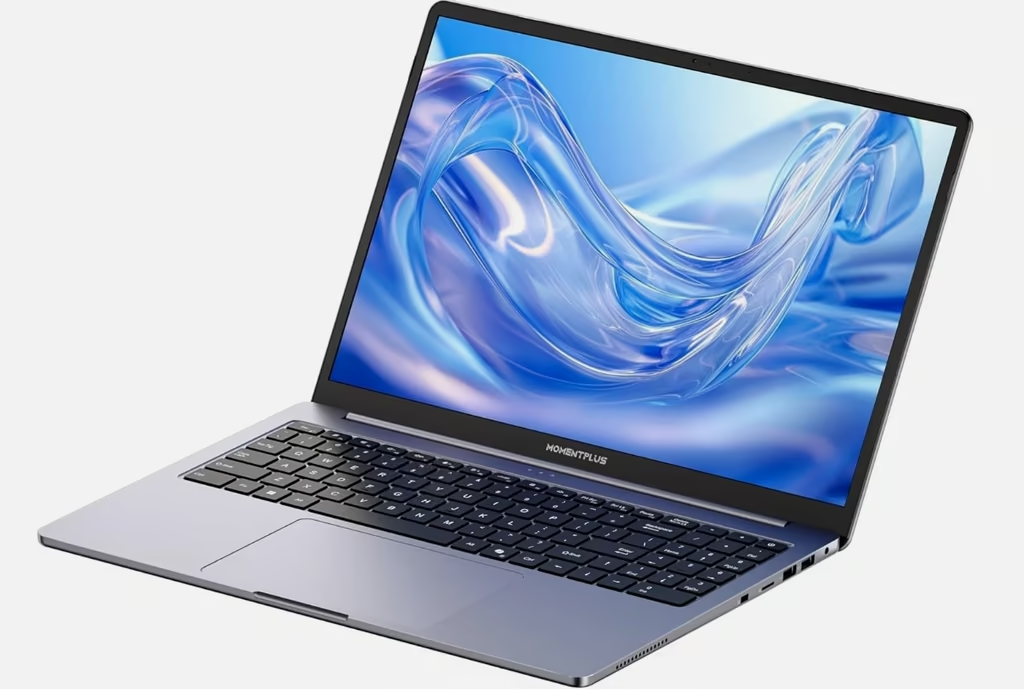
Best for: the buyer who wants a big screen and plenty of memory for the least money.
If screen size and memory matter most, the MOMENTPLUS 16 delivers both cheaply: a large 16 inch full HD (1920 x 1200) display and a generous 16GB of DDR4 RAM, double most of the budget picks here, backed by a fast 512GB NVMe SSD.
The tall 1920 x 1200 panel gives extra vertical space for documents and spreadsheets, and 16GB of RAM means it multitasks more comfortably than the 4GB and 8GB machines above. The Intel N95 is a modern Alder Lake budget chip, quick enough for office work, browsing and video, and the SSD keeps Windows feeling snappy. A backlit keyboard is included, and at about 1.7kg it stays reasonably portable for a 16 inch laptop.
The honest picture: the N95 is an efficiency chip, not a performance one, so it is fine for everyday tasks but not photo-heavy or demanding work, and it uses older Wi-Fi 5 rather than Wi-Fi 6. MOMENTPLUS is also a lesser-known brand, so support and long-term reliability are less certain than with Lenovo, Dell, HP or ASUS. Confirm the exact configuration and warranty before buying.
Pros:
- Big 16″ 1920×1200 screen with extra vertical space
- 16GB RAM, double most budget picks here
- Fast 512GB NVMe SSD and a backlit keyboard
Cons:
- N95 is a budget efficiency chip, not for heavy work
- Older Wi-Fi 5, not Wi-Fi 6
- Lesser-known brand: less certain support and warranty
Key specs: MOMENTPLUS 16 (VIE16). Intel N95, 16GB DDR4, 512GB NVMe SSD, 16″ FHD 1920×1200, backlit keyboard, Wi-Fi 5, Windows 11.
How we chose Laptop
This is a research-based buying guide, and a hands-on review. To rank them we compared each model’s official manufacturer specifications, cross-checked availability and configuration against New Zealand and Australian retailer listings and the manufacturers’ own sites, and read verified owner reviews and independent measurements (for example battery-life testing by review labs) to sanity-check the real-world claims.
We prioritised what matters most on a budget: a modern processor, a fast SSD where possible, screen quality, memory headroom, battery life and honest value. Where a pick has a real weakness, such as slow eMMC storage, a spinning hard drive, only 4GB of RAM or a lesser-known brand, we flag it plainly. Prices change constantly and Amazon does not allow us to quote them, so we leave price out and focus on what each laptop is genuinely good for.
The verdict
For most New Zealand shoppers the Lenovo IdeaPad Slim 3 is the best all-round budget laptop, thanks to its recent Ryzen 5 chip, 8GB of memory and fast 512GB SSD. Choose the HP 17.3-inch laptop if you want the biggest screen, the ACEMAGIC LX15 for 16GB of memory and Windows 11 Pro on a budget, or the renewed Dell Precision 5560 if you need workstation power for editing or design work. On the tightest budgets the HP 14 and the ASUS Vivobook Go 14 and Go 15 cover light study and browsing, while the MOMENTPLUS 16 gives you a big 16 inch screen and 16GB of RAM for the money. Whichever you pick, confirm the exact model and configuration on the listing first.
A fast machine on a slow connection still feels slow, and in most homes the bottleneck is an aging ISP box rather than the laptop, which is where better wifi routers earn their money.
Frequently Asked Questions
How much RAM do I need in a laptop?
For basic browsing, email and Office, 8GB is the sensible minimum in 2026 and keeps Windows 11 smooth. 4GB still works for very light use and one or two tabs, but it slows quickly. If you multitask heavily or edit photos, aim for 16GB, like the MOMENTPLUS pick above.
Is eMMC storage as good as an SSD?
No. eMMC is a cheaper, slower type of flash storage, with read speeds around 200 to 300 MB/s versus 500 MB/s or more for an SSD. It is fine for light, cloud-first use, but feels sluggish with large apps and, being soldered, cannot be upgraded later. Prefer an SSD where you can.
Is Windows 11 in S Mode good enough?
For a student or child device, often yes. S Mode only runs verified Microsoft Store apps, which makes it safer and faster on modest hardware. If you need software from outside the Store, you can switch S Mode off once, for free, but you cannot turn it back on. Several picks here ship in S Mode.
How much should I spend on a laptop in New Zealand?
For everyday tasks like web, Office and streaming, a well-chosen budget laptop is enough and you do not need to overspend. Look for a modern processor, 8GB of RAM and an SSD rather than chasing the cheapest sticker. Paying a little more for an SSD over eMMC is usually the best-value upgrade.
Do these laptops ship to New Zealand?
Many of these models are listed on Amazon Australia, which ships eligible orders to New Zealand free once the order clears its minimum spend, so most laptops here qualify. Always confirm the model code, exact configuration and shipping details on the listing before ordering, as availability changes often.
Is 8GB of RAM enough in 2026?
For most people, yes. 8GB comfortably handles browsing, Office, video calls and streaming, which covers the Lenovo and ASUS Vivobook Go 15 picks here. The limit shows with dozens of tabs or photo and video editing, where 16GB is worth it. On several picks the 8GB is soldered and cannot be upgraded.
