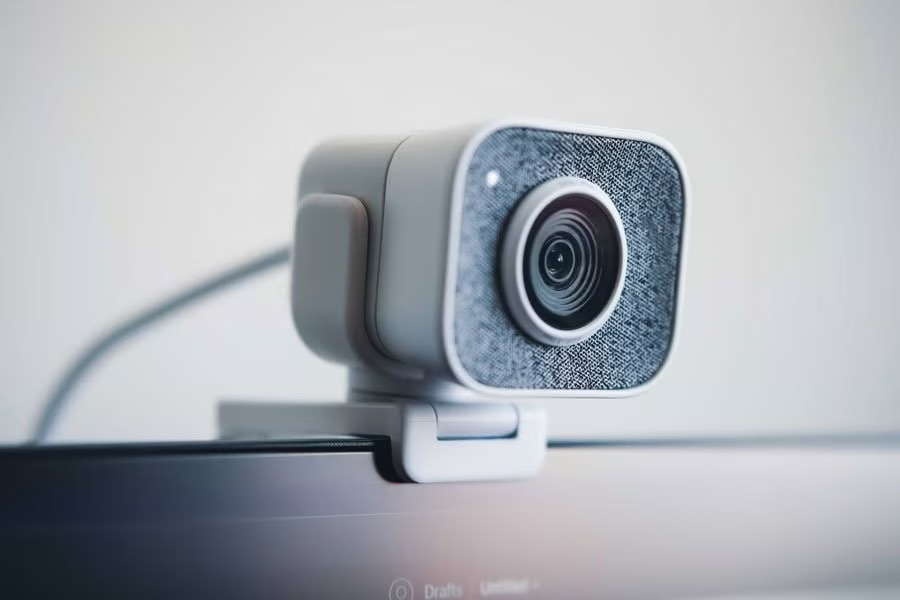
The best webcam in NZ overall is the Logitech Brio 500, thanks to 1080p video at 30fps from a 4-megapixel sensor and a detachable mount with a micro-suction pad that grips the back of a monitor.
A good webcam matters more than ever, whether it is for daily video calls, hybrid meetings, or streaming. We compared ten current webcams, from simple 1080p models built for reliability through to 4K cameras and AI-powered PTZ systems, to help you match a camera to how you actually use it.
Every pick below is currently available with fast, reliable shipping to New Zealand, and we have grouped them by what each one does best rather than by price alone.
Quick comparison
| Webcam | Best For | Max Resolution | Autofocus |
|---|---|---|---|
| Logitech Brio 500 | Best Overall | 1080p/30fps | Yes |
| Logitech Brio 100 | Best Budget | 1080p/30fps | No |
| Logitech HD Pro Webcam C920 | Best for Reliability and Compatibility | 1080p/30fps | Yes |
| Logitech Brio 300 | Best Privacy Shutter | 1080p/30fps | No |
| UGREEN 4K Webcam | Best Budget 4K | 4K/30fps | Yes (PDAF) |
| EMEET SmartCam C960 4K | Best Value 4K | 4K/30fps | Yes (PDAF) |
| EMEET SmartCam S600 | Best for Content Creators | 4K/30fps | Yes (PDAF) |
| EMEET PIXY | Best PTZ and AI Tracking | 4K/30fps | Yes (dual-cam) |
| OBSBOT Meet SE | Best AI Auto-Framing | 1080p/100fps | Yes |
| Insta360 Link 2C | Best Premium Fixed 4K Webcam | 4K/30fps | Yes (PDAF) |
1. Logitech Brio 500 – Best Overall
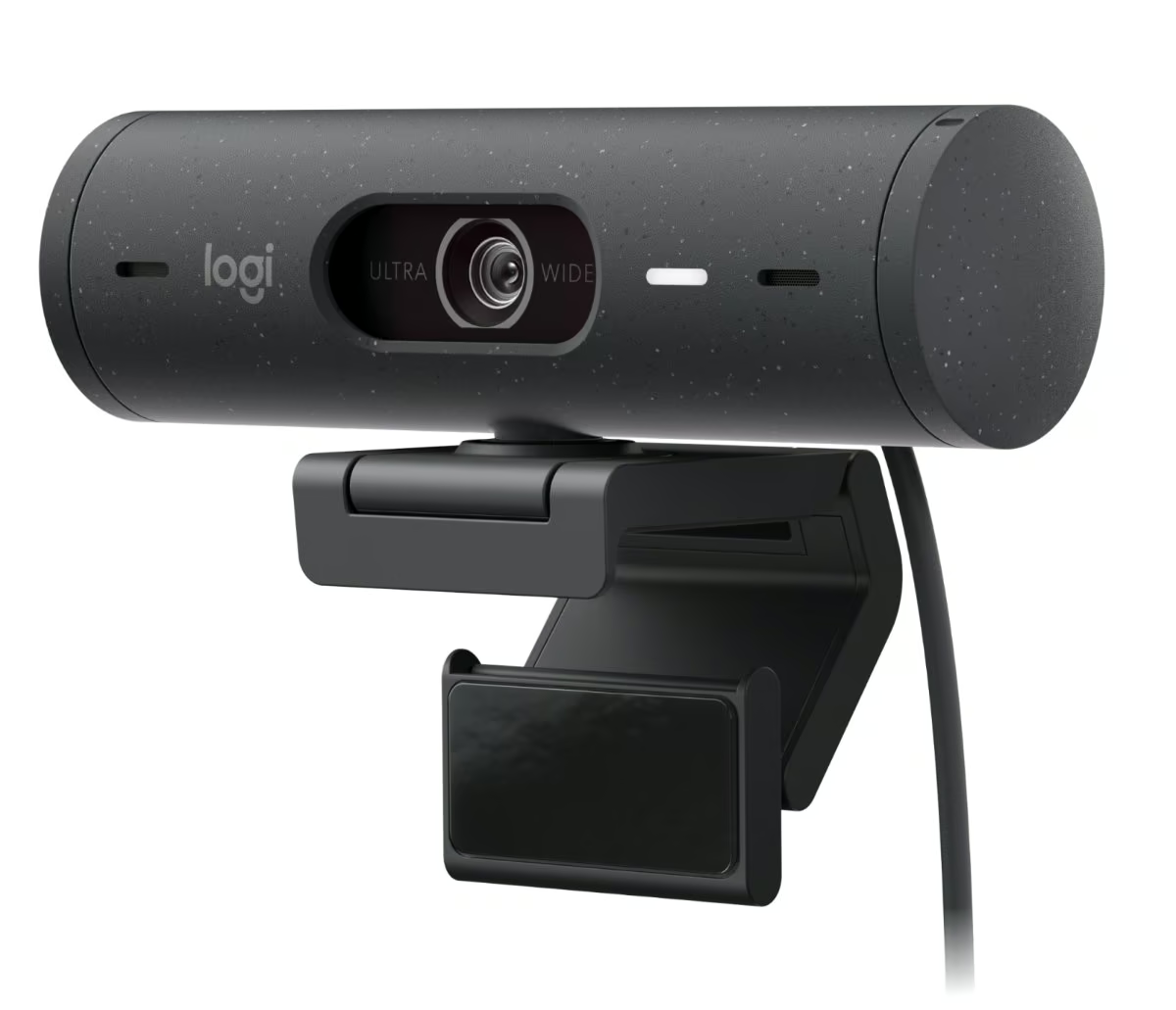
The Brio 500 uses a compact cylindrical housing available in graphite, rose, and off-white, and ships with a detachable mount that includes a micro-suction pad for attaching to the back of a monitor. It records at 1080p at up to 30 frames per second from a 4 megapixel sensor, with a 720p mode available at up to 60 frames per second. RightLight 4 with HDR is built in to keep footage evenly exposed across a range of lighting conditions.
A glass lens with autofocus keeps the subject sharp, and the diagonal field of view can be switched between 90, 78, and 65 degrees, which is useful for framing just a face tightly or including more of the desk and background. Dual noise-reducing stereo microphones cover a range of up to 1.22 metres, and an integrated privacy shutter rotates shut to physically block the lens. A dedicated Show Mode tilts the view down so the camera can present sketches or objects on the desk, which is enabled through the Logi Tune app.
Maximum resolution tops out at 1080p rather than 4K, and the zoom is digital only rather than optical, so buyers chasing the sharpest possible still image should look further up Logitech’s range. For most home workers and hybrid teams, though, the combination of adjustable framing, a hardware privacy shutter, and genuinely useful extras like Show Mode makes it an easy all-rounder to organise a desk setup around.
Pros
- Three selectable diagonal field of view settings (90/78/65 degrees)
- Integrated rotating privacy shutter
- Show Mode for presenting objects on the desk
- RightLight 4 with HDR for varied lighting
Cons
- Caps out at 1080p rather than 4K
- Zoom is digital (4x) rather than optical
- Show Mode requires the Logi Tune app to enable
Key specs: 1080p at up to 30fps (or 720p at up to 60fps) from a 4MP sensor with an autofocus glass lens, three selectable diagonal FOV settings (90/78/65 degrees), stereo microphones, USB-C connection, and a detachable mount with an integrated rotating privacy shutter.
2. Logitech Brio 100 – Best Budget
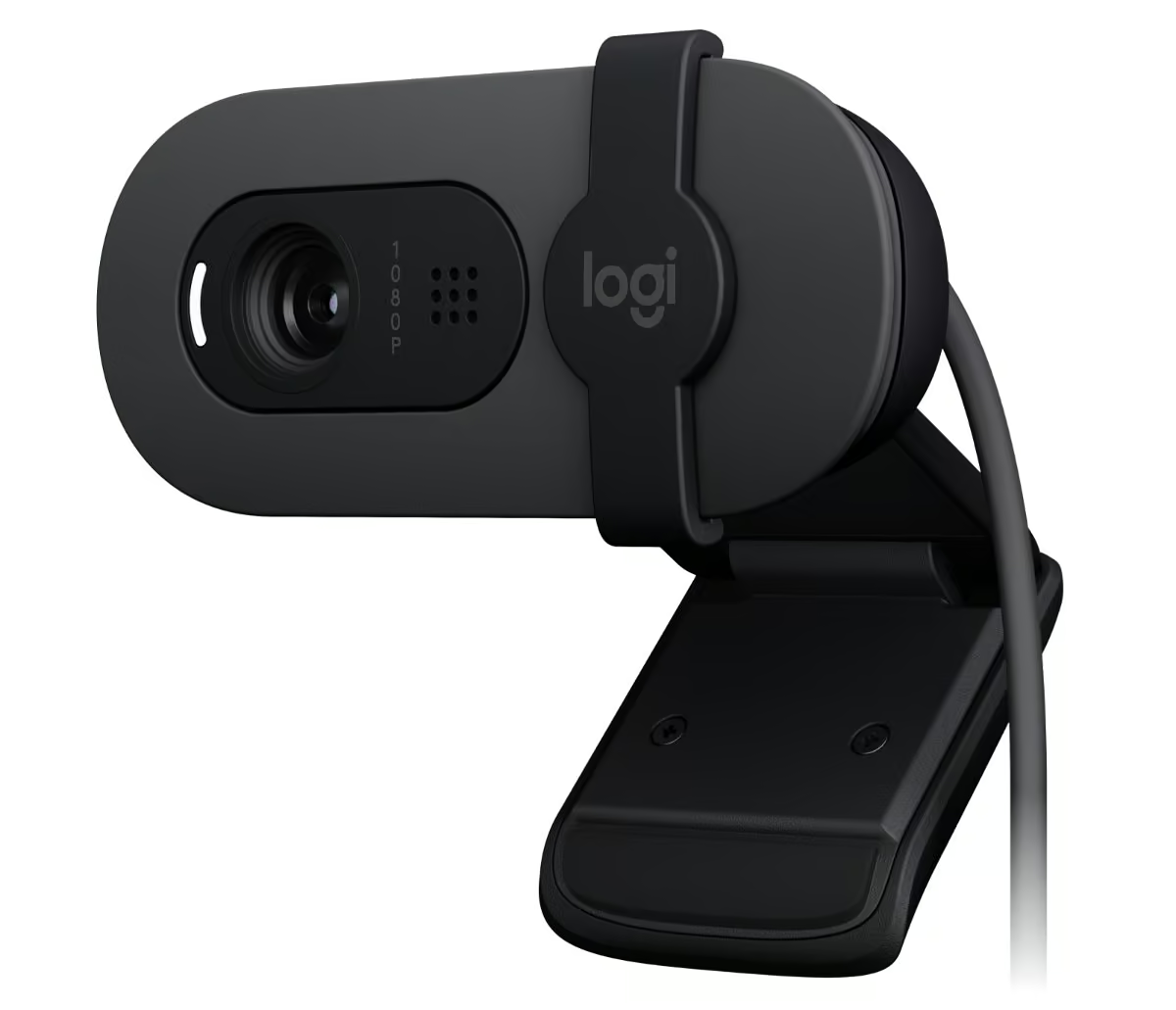
The Brio 100 is a small, light clip-on webcam weighing 75 grams for the camera alone, built around a fixed-focus 4-element plastic lens with an anti-reflective coating. It captures 1080p at 30 frames per second or 720p at 30 frames per second from a 2 megapixel sensor, and connects over USB-A rather than USB-C.
Because the lens is fixed focus rather than autofocus, framing is set once and does not re-adjust automatically, and the diagonal field of view is a single fixed 58 degrees with no zoom control. An omni-directional microphone covers a range of up to about a metre, and RightLight 2 handles automatic brightness balancing in mixed indoor lighting. A slide-style integrated privacy shutter closes over the lens between calls.
It trades autofocus, an adjustable field of view, and stereo sound for a simpler, cheaper design, so image and audio quality sit noticeably behind the rest of Logitech’s webcam range. It suits students, casual video callers, or anyone who mainly wants dependable Full HD video for occasional calls without paying for extra framing or zoom features.
Pros
- Integrated slide privacy shutter
- RightLight 2 auto-light balance
- Compact and lightweight (75g camera only)
- Simple USB-A plug-and-play setup
Cons
- Fixed focus rather than autofocus
- Single fixed 58 degree field of view with no zoom
- Omni-directional mic rather than stereo
Key specs: 1080p at 30fps (or 720p at 30fps) from a 2MP fixed-focus lens with a 58 degree diagonal FOV, omni-directional microphone, USB-A connection, RightLight 2, and an integrated slide-style privacy shutter.
3. Logitech HD Pro Webcam C920 – Best for Reliability and Compatibility
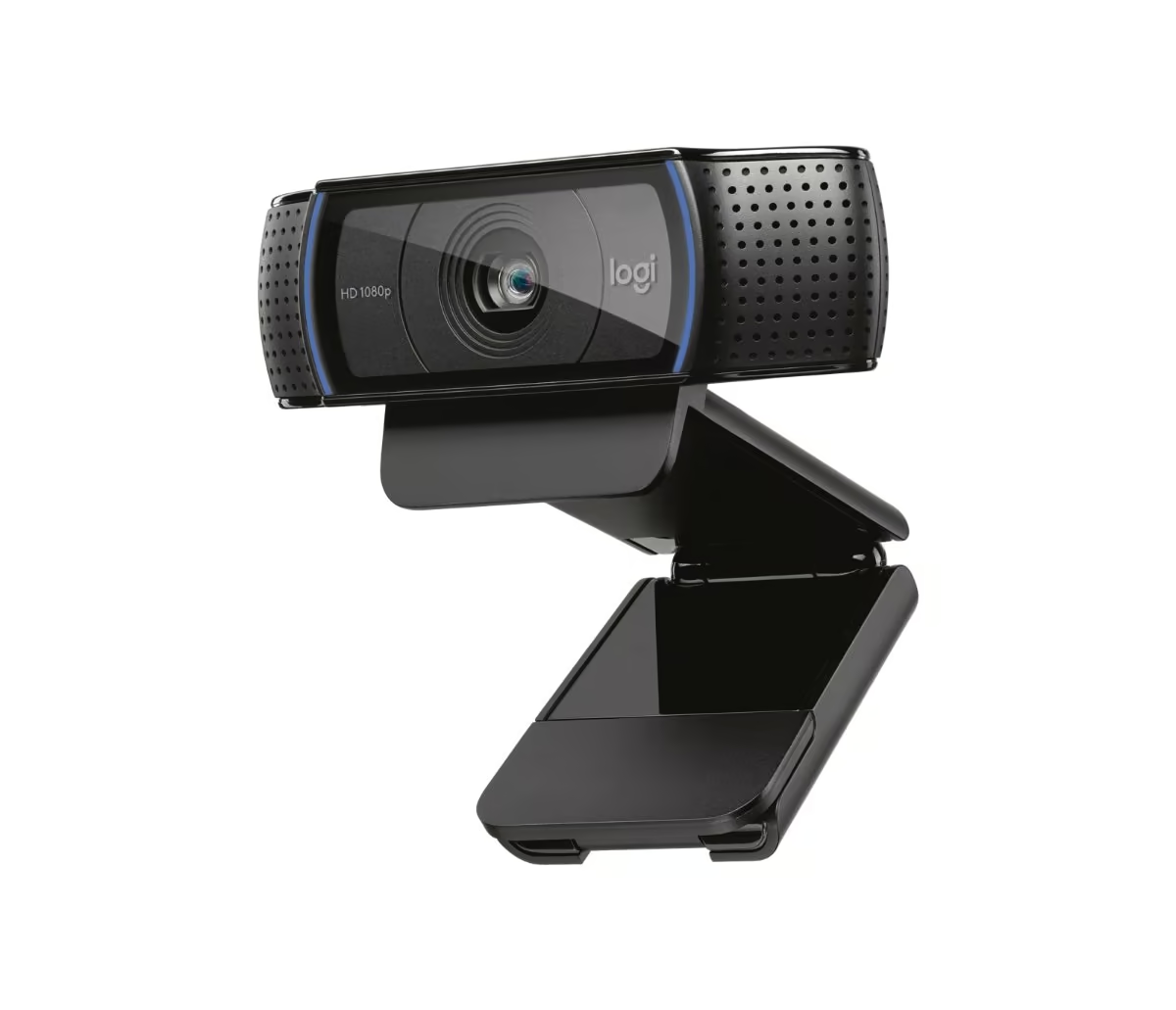
The C920 uses a long-running clip-on cylindrical design, measuring roughly 43mm high, 94mm wide, and 71mm deep including its tripod-ready mounting clip, and weighing 162 grams with a 1.5 metre attached cable. It records at 1080p at 30 frames per second or 720p at 30 frames per second through a five-element glass lens with autofocus, driven by a 3 megapixel sensor.
The lens holds focus automatically as subjects move, and the fixed diagonal field of view sits at 78 degrees. Two microphones positioned either side of the lens capture stereo sound over a range of up to about a metre, and Logitech’s HD auto light correction fine-tunes exposure to keep footage bright and contrasted even in dimmer rooms.
There is no privacy shutter, no HDR mode, and no adjustable field of view, and it connects over USB-A rather than USB-C, so it lacks the extras found on newer Brio models. What it does offer is a long track record of broad compatibility across older and newer computers alike, making it a dependable pick for anyone who wants a webcam that just works across a wide range of systems and software.
Pros
- Five-element glass lens with autofocus
- Dual stereo microphones
- Tripod-ready mounting clip
- Long-established compatibility across platforms and software
Cons
- No privacy shutter
- No HDR or adjustable field of view
- USB-A only, no USB-C
Key specs: 1080p at 30fps (or 720p at 30fps) from a 3MP sensor with a five-element glass lens and autofocus, 78 degree diagonal FOV, stereo microphones, USB-A connection, and a tripod-ready mounting clip.
4. Logitech Brio 300 – Best Privacy Shutter
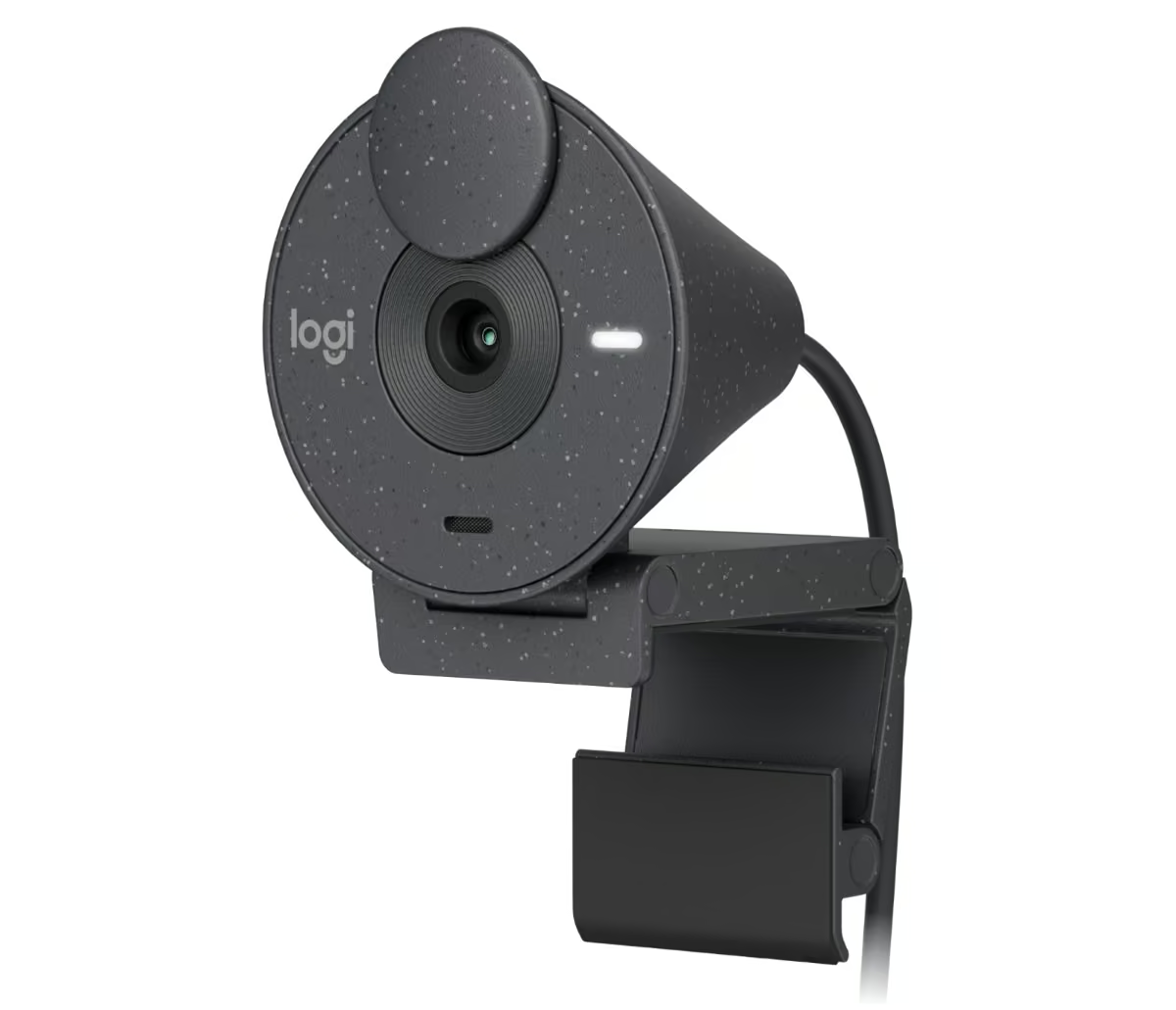
The Brio 300 has a small, rounded body available in graphite, rose, and off-white, with plastic housing made from a minimum of 48 percent recycled plastic, and connects over USB-C. It captures 1080p at 30 frames per second or 720p at 30 frames per second from a 2 megapixel sensor, using a custom 4-element lens with anti-reflective coating.
The lens is fixed focus with a 70 degree diagonal field of view and 1x digital zoom, so there is no optical zoom or autofocus adjustment during a call. A single built-in microphone covers a range of up to 1.22 metres, and RightLight 2 automatically balances brightness and contrast in tricky lighting. Its standout feature is the privacy shutter, a ring around the lens that is spun closed to physically block the camera and spun open again for the next call.
Fixed focus, a single mono-style microphone, and no adjustable field of view mean image and audio quality sit behind the Brio 500, but the trade-off buys a genuinely tactile, easy-to-check privacy control. It suits privacy-conscious buyers, shared family or flatmate setups, or anyone who wants a simple physical way to confirm the camera is switched off between meetings.
Pros
- Spin-style integrated privacy shutter that is easy to check at a glance
- RightLight 2 auto-light balance
- Compact build using recycled plastic
- USB-C connectivity
Cons
- Fixed focus rather than autofocus
- Single microphone rather than stereo
- Narrower 70 degree field of view with only 1x digital zoom
Key specs: 1080p at 30fps (or 720p at 30fps) from a 2MP fixed-focus lens with a 70 degree diagonal FOV and 1x digital zoom, built-in microphone, USB-C connection, RightLight 2, and an integrated spin-style privacy shutter.
5. UGREEN 4K Webcam for PC – Best Budget 4K
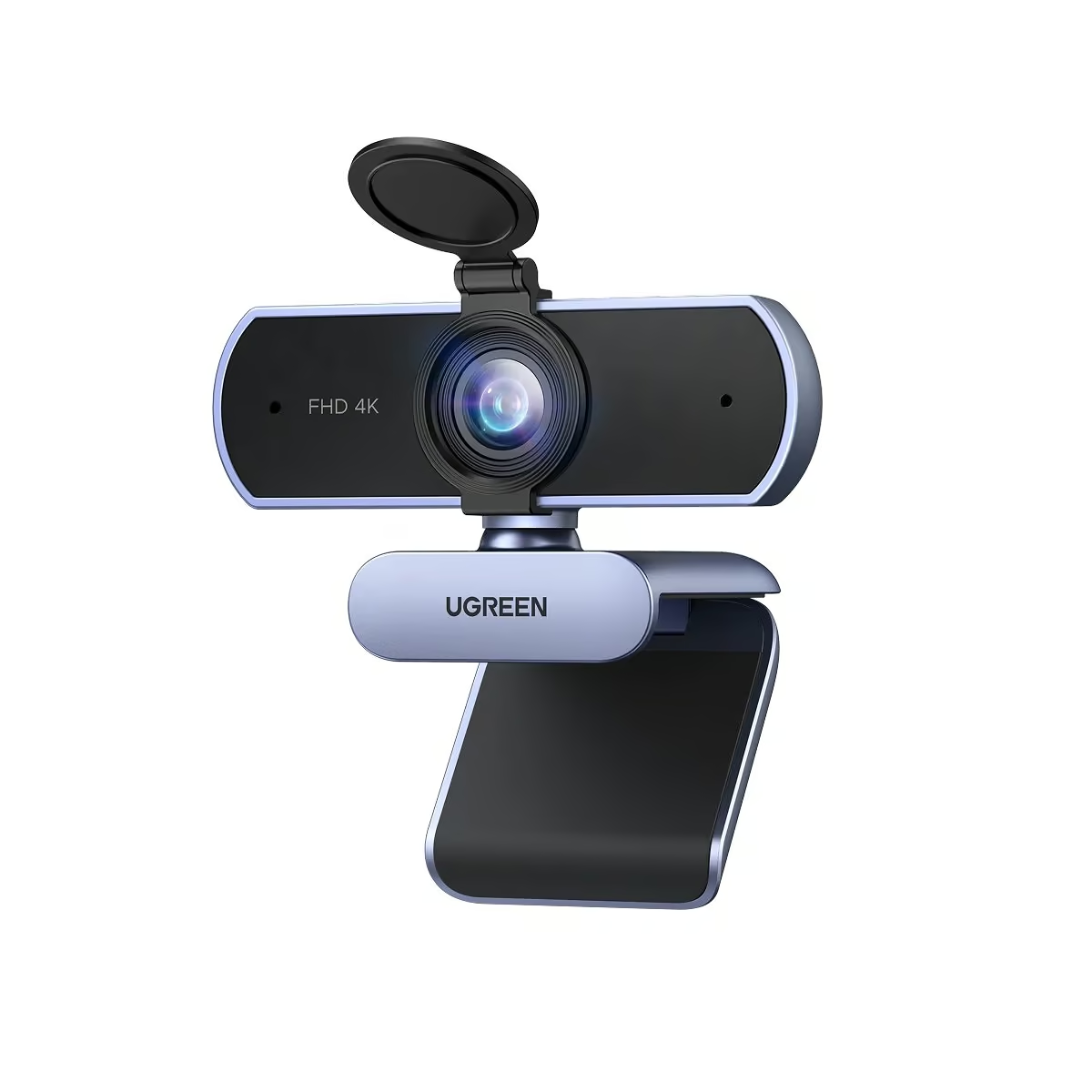
The UGREEN webcam has a compact black and grey clip-on body that sits easily on top of a monitor or laptop lid, with a sliding privacy cover built into the top of the housing. It captures video at up to 3840 x 2160 resolution at 30 frames per second, or 1080p at 60 frames per second for smoother calls, using an 8-megapixel CMOS sensor. Image quality holds up well for a webcam in this price bracket, with automatic exposure correction helping colours look natural under mixed indoor lighting.
Phase detection autofocus (PDAF) keeps the subject sharp as they lean toward or away from the lens across a tracking range of roughly 0.1 to 5 metres, refocusing faster than the contrast-based systems found on cheaper webcams. The 70 degree field of view is wide enough to fit a desk setup or a second person in frame without excessive distortion at the edges. Dual built-in microphones pick up voice clearly within about 5 metres, and the auto light correction noticeably lifts footage shot in dim rooms, though fine detail still softens once light levels drop right down.
Its plastic clip and hinge feel adequate rather than premium, and it does not include extras such as a ring light or dedicated framing software found on pricier models. It ships with a USB-A to USB-C adapter and mounts on a standard 1/4 inch tripod thread, so it fits a wide range of desks and monitor arms. It suits anyone wanting genuine 4K capture and reliable autofocus for meetings or study calls without paying for extra features they may not use.
Pros
- Genuine 4K/30fps capture from an 8MP sensor, plus 1080p/60fps mode
- Fast PDAF autofocus tracks subjects across roughly 0.1 to 5 metres
- Dual built-in microphones with around 5 metre pickup range
Cons
- Plastic clip and hinge feel basic rather than premium
- No ring light or advanced software-based framing tools
- Fine detail softens in very low light despite auto correction
Key specs: 3840×2160 (4K) at 30fps or 1080p at 60fps, 8MP CMOS sensor, PDAF autofocus, 70 degree FOV, dual built-in microphones, clip mount plus 1/4 inch tripod thread with USB-A to USB-C adapter.
6. EMEET SmartCam C960 4K – Best Value 4K
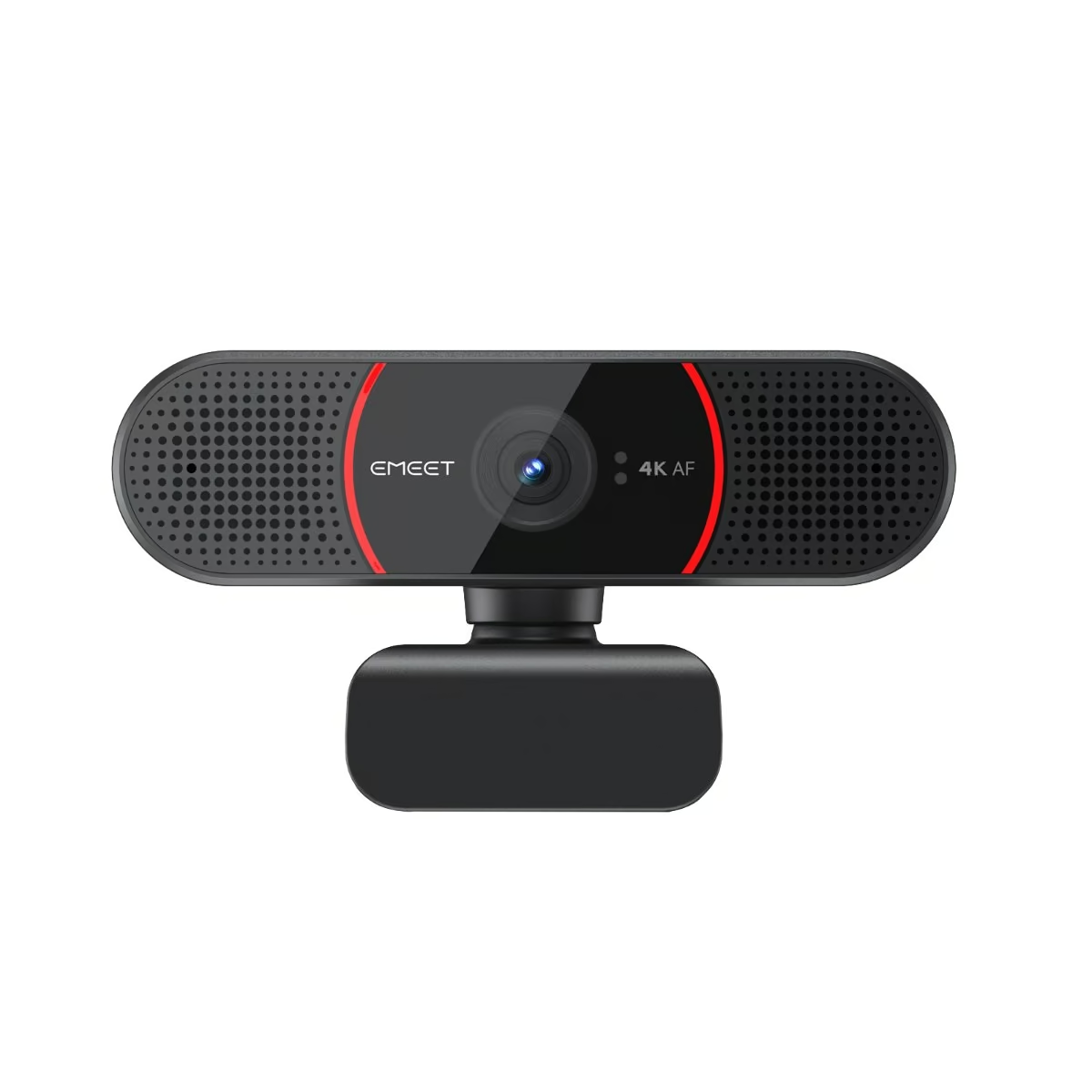
The EMEET SmartCam C960 4K uses a Sony image sensor inside a compact bar-shaped housing with a 360 degree rotatable head and a built-in physical privacy cover. It records at up to 4K resolution at 30 frames per second, with 2K, 1080p, and 720p options also available for lower-bandwidth calls. Footage looks clean and detailed for its size, with automatic exposure and white balance keeping skin tones consistent as lighting shifts through a call.
PDAF-powered autofocus tracks a subject across a pickup radius of roughly 20 to 300 centimetres, refocusing quickly whenever someone moves closer to or further from the desk. The 73 degree field of view gives a natural amount of background without the fisheye stretch that some wider webcams introduce. Two omni-directional microphones capture voice clearly up to around 8 feet away, making it a solid option for small meeting rooms as well as single-person desks.
It connects over USB-A with a 1.5 metre cable and supports the UVC 1.0 to 1.5 protocol, so it works without extra drivers on Windows 10, Windows 11, and macOS 10.14 or later. A 1/4 inch tripod thread on the base means it can also sit on a proper tripod or arm rather than just clipping to a monitor. It is a strong fit for anyone wanting genuine 4K video and dependable autofocus for daily video conferencing without stepping up to a model built specifically for streaming.
Pros
- Sony sensor delivers sharp detail at up to 4K/30fps
- PDAF autofocus with a 20-300cm tracking radius
- 360 degree rotatable head plus a 1/4 inch tripod thread
Cons
- USB-A connection only, no USB-C cable in the box
- Fixed 73 degree field of view with no adjustable zoom
- 720p tops out at 30fps rather than a higher frame rate
Key specs: Up to 3840×2160 (4K) at 30fps (also 2K/1080p/720p), Sony sensor, PDAF autofocus, 73 degree FOV, two omni-directional microphones, USB-A connection (UVC 1.0-1.5), 1/4 inch tripod thread with 360 degree rotating head.
7. EMEET SmartCam S600 – Best for Content Creators
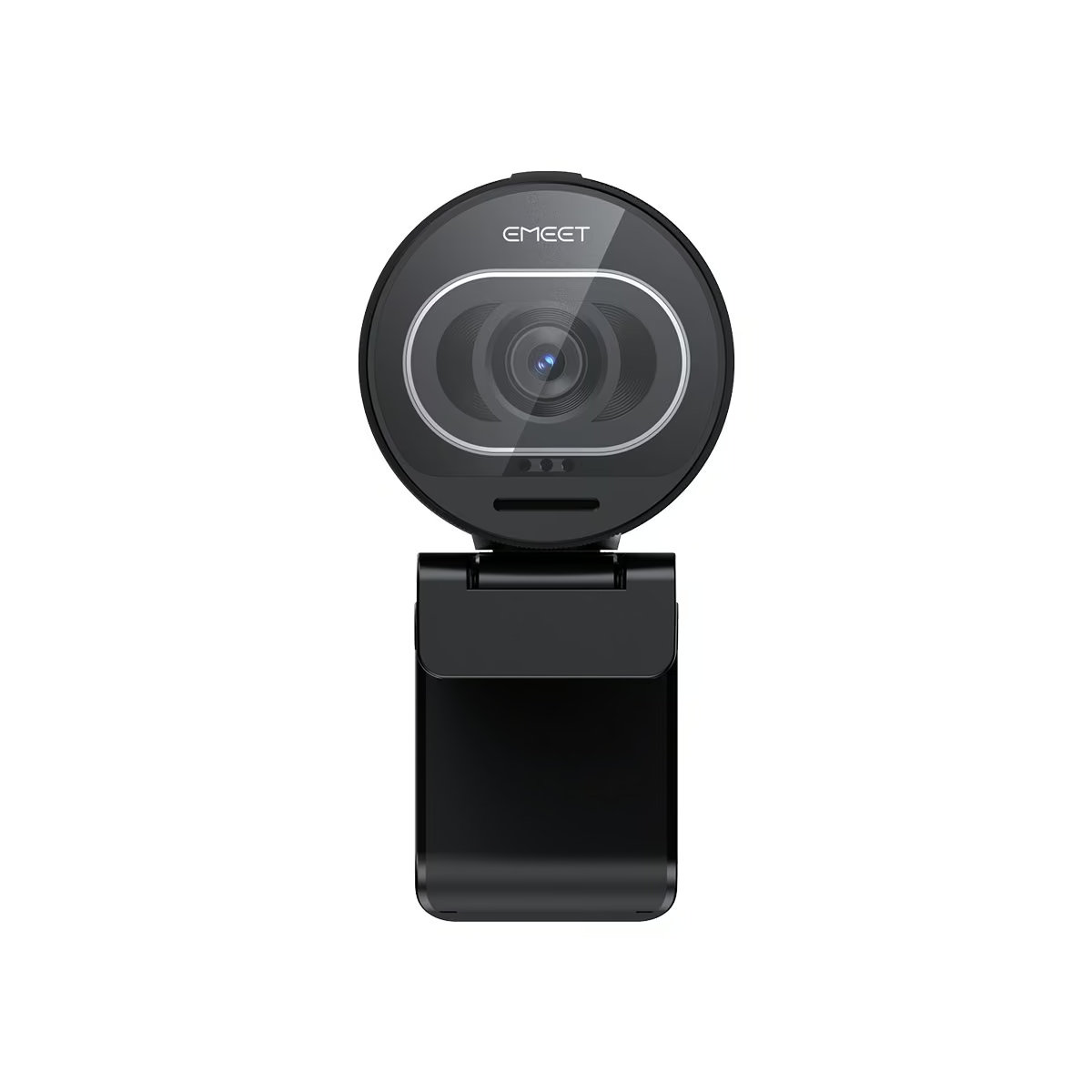
The EMEET SmartCam S600 has a rounder, more compact housing than EMEET’s other 4K models, with a gear-driven rotary lens cover that twists open rather than sliding. It shoots at 4K Ultra HD 2160p at 30 frames per second using an 8-megapixel UHD sensor, stepping down to 1080p at 60 frames per second for smoother motion. The dedicated 4K sensor produces noticeably crisp detail, making it a good match for streaming and recorded content rather than just video calls.
PDAF autofocus keeps the picture sharp as a presenter moves around the frame, and the field of view can be adjusted between 40 and 73 degrees, letting a creator zoom in for a tighter headshot or widen out to show more of a desk or studio setup. Two omni-directional, noise-cancelling microphones pick up clear audio from around 8 feet away, useful for anyone recording without a separate microphone. Automatic light balance helps it adapt reasonably well as room lighting changes during longer streams.
It connects via a USB Type A to C cable running 1.5 metres and mounts on a standard 1/4 inch tripod thread, giving more flexibility for streaming rigs than a simple monitor clip. At 203.7 grams it is heavier than many basic webcams, reflecting the larger sensor and adjustable lens housing inside. It suits content creators and streamers who want an adjustable field of view and sharper 4K detail more than office workers who just need a basic meeting camera.
Pros
- Adjustable 40-73 degree field of view for framing flexibility
- Dedicated 8MP UHD 4K sensor with PDAF autofocus
- USB Type A to C cable plus 1/4 inch tripod thread
Cons
- Heavier and bulkier (203.7g) than simpler webcams
- Rounded housing may sit less flush on thin laptop lids
- 1080p mode is capped at 60fps rather than offering higher options
Key specs: 4K Ultra HD 2160p at 30fps (1080p at 60fps), 8-megapixel UHD 4K sensor, PDAF autofocus, adjustable 40-73 degree FOV, two omni-directional noise-cancelling microphones, USB Type A to C (1.5m cable), 1/4 inch tripod thread.
8. EMEET PIXY – Best PTZ and AI Tracking
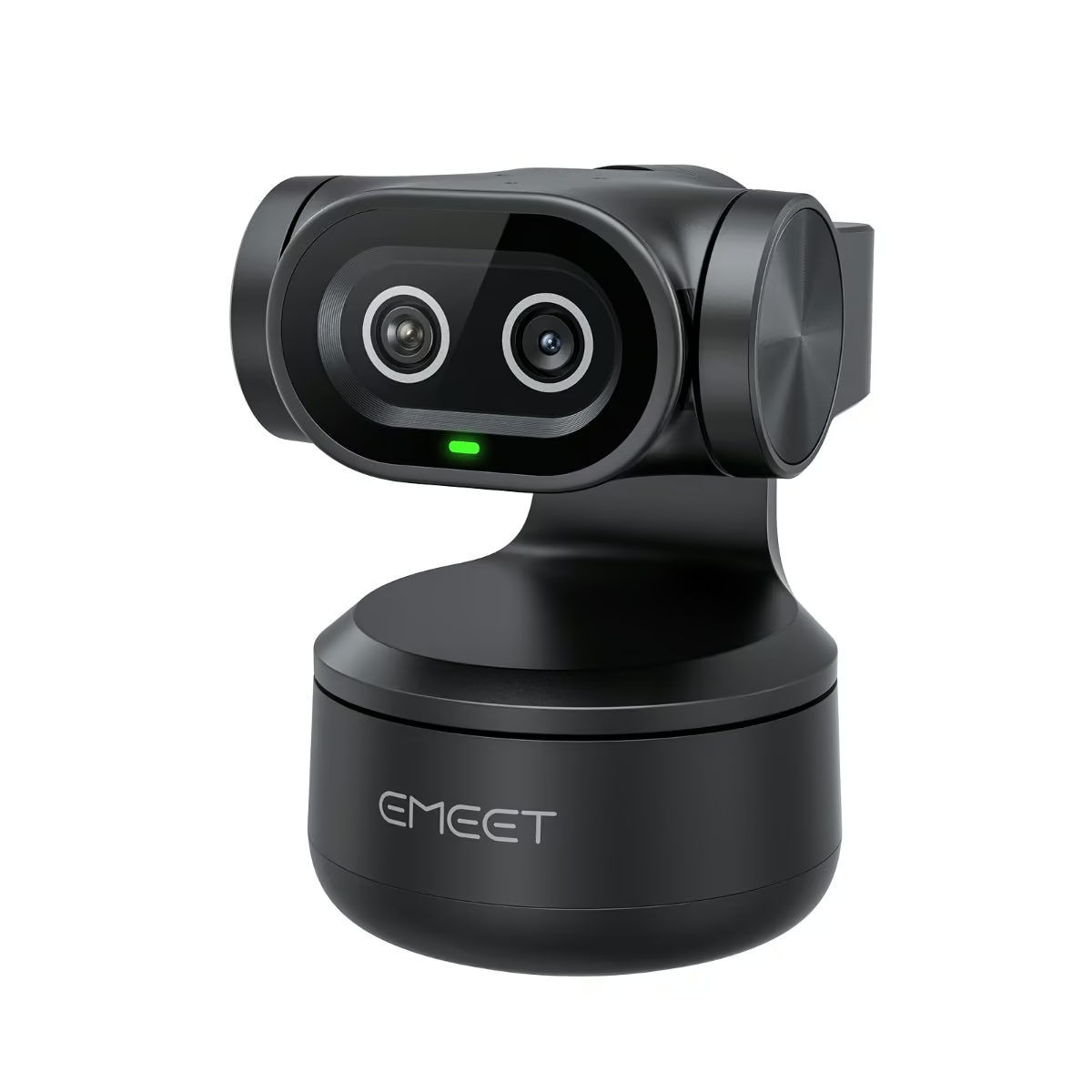
The EMEET PIXY pairs two lenses in one compact housing, a 4K imaging camera and a dedicated AI-assisted camera, built around a Sony 1/2.55 inch sensor. It records up to 4K at 30 frames per second and 1080p at 60 frames per second, with an f/1.8 aperture and a 73 degree field of view. The body measures roughly 56 x 43 x 22mm and weighs about 120g, small enough to sit on the bundled monitor mount or a tripod via its 1/4 inch thread.
A genuine 2-axis mechanical gimbal drives the PTZ movement, panning plus or minus 155 degrees (310 degrees total) and tilting plus or minus 90 degrees (180 degrees total), so the camera physically follows a presenter around a room rather than just cropping the frame digitally. EMEET’s BlinkFocus system uses the dual cameras to refocus in as little as 0.2 seconds, while a 3-mic array with AI-powered noise cancellation offers Live, Noise Canceling and Original Sound modes, plus gesture control so users can wave a hand instead of reaching for software.
Digital zoom is limited to 1.5x and switches off entirely at 1080p60 or 4K, so most of the framing comes from the physical pan and tilt rather than punching in. It suits people who run hybrid meetings or record from a fixed desk position and want the camera itself to move with them, such as small business owners hosting webinars or teachers streaming from a whiteboard.
Pros
- Genuine 2-axis mechanical PTZ with a wide 310 degree pan and 180 degree tilt range
- Dual-camera system with 0.2 second BlinkFocus autofocus and AI auto tracking
- 4K@30fps video from a Sony sensor, backed by a 3-mic AI noise-cancelling array
Cons
- Digital zoom is capped at 1.5x and unavailable at 1080p60 or 4K
- 73 degree field of view is narrower than some rival webcams
- Gesture control and PTZ presets rely on the EMEET STUDIO software
Key specs: 4K@30fps and 1080p@60fps video from a Sony 1/2.55 inch dual-camera system, 73 degree FOV, f/1.8 aperture, 3-mic AI noise-cancelling array, 2-axis mechanical PTZ gimbal, mounted via a 1/4 inch thread or the bundled monitor mount.
9. OBSBOT Meet SE – Best AI Auto-Framing
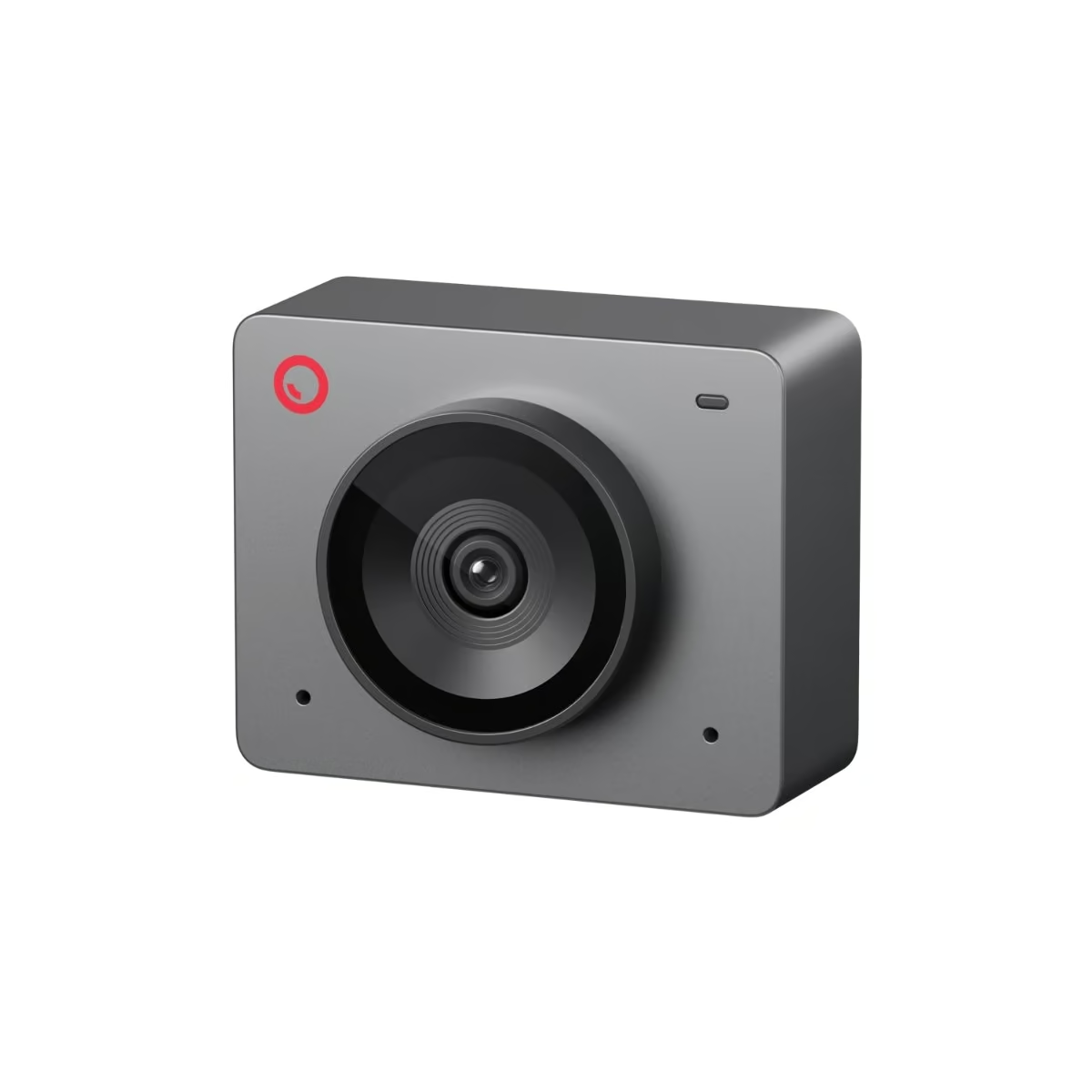
The OBSBOT Meet SE is a compact Full HD webcam built around a 1/2.8 inch stacked CMOS sensor with dual native ISO, weighing just 33.2g without its magnetic mount. It shoots up to 1080p at 100 frames per second or 720p at 150 frames per second, with an f/1.8 aperture and a 78 degree diagonal field of view, and its Staggered HDR helps hold detail in mixed lighting up to 1080p60. It ships in Space Grey, Cloud White and Aurora Green, mounting via a UNC 1/4-20 thread or the included magnetic mount.
Its AI Auto Framing adjusts the shot in real time for a single presenter or a small group, and switches between landscape and portrait crops automatically depending on how the camera is oriented. Autofocus runs from 10cm to infinity in AF or MF mode, and a 4x digital zoom lets users tighten the shot, all controllable through simple hand gestures to lock, unlock or zoom the frame. The built-in microphone adds noise reduction and auto gain, and a magnetic privacy cover snaps over the lens when not in use.
The Meet SE has no mechanical gimbal, so its auto framing works by digitally cropping and zooming within a fixed lens rather than physically panning to follow movement, meaning a subject who moves well off-centre can drift toward the edge of frame. It suits anyone wanting a light, affordable, plug-and-play camera for video calls, small-group meetings or casual streaming.
Pros
- Very high frame rates, 1080p@100fps and 720p@150fps, for smooth motion
- AI Auto Framing plus gesture control for hands-free adjustments
- Tiny and light at 33.2g, easy to mount almost anywhere
Cons
- No mechanical gimbal, so framing is digital crop and zoom rather than physical tracking
- Tops out at 1080p resolution, not 4K
- Built-in mic offers only basic noise reduction rather than a multi-mic array
Key specs: 1080p@100fps / 720p@150fps video from a 1/2.8 inch stacked CMOS sensor, 78 degree diagonal FOV, f/1.8 aperture, 4x digital zoom, built-in noise-reducing microphone, mounted via a UNC 1/4-20 thread or the included magnetic mount.
10. Insta360 Link 2C – Best Premium Fixed 4K Webcam
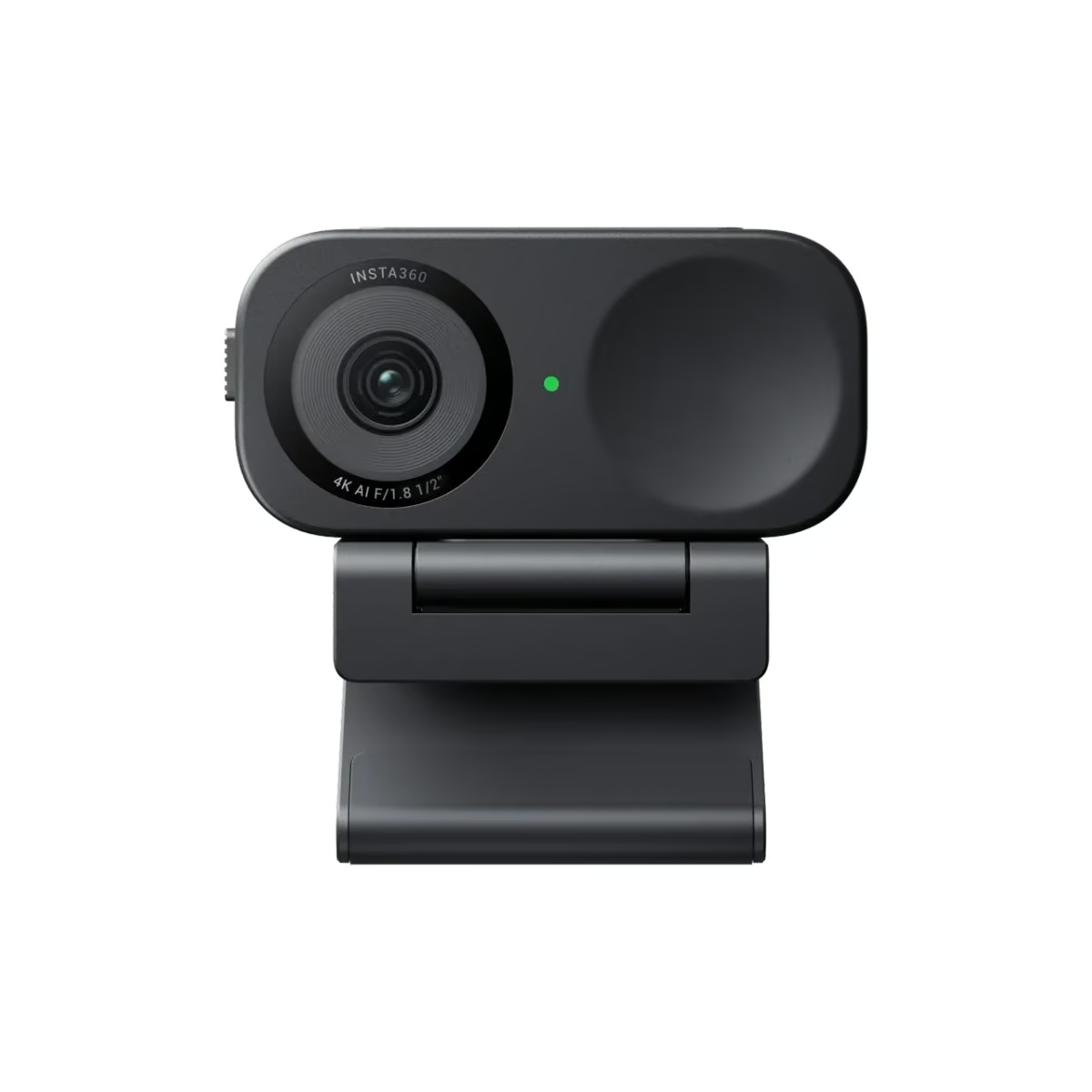
The Insta360 Link 2C is a fixed-body 4K webcam built around a 1/2 inch sensor, with an f/1.8 aperture, a 26mm equivalent focal length and a 79.5 degree diagonal field of view. It records 4K at up to 30fps and drops to 1080p at up to 60fps in both landscape and portrait orientation, with HDR supported across all resolutions and frame rates. The camera measures about 62.7 x 30.2 x 26mm and weighs 46.5g without its magnetic mount, available in Graphite Black or Arctic White.
Rather than physically moving to follow a presenter, the Link 2C keeps people in shot with software-based Auto Framing, digitally zooming and adjusting the crop for one person or a small group. Phase Detection Autofocus keeps focus locked between 10cm and infinity, and simple hand gestures can start Auto Framing, zoom in or out, or trigger Smart Whiteboard mode. Its dual microphones use AI noise cancellation with Voice Focus, Voice Suppression and Music Balance modes, and a built-in privacy switch physically blocks the lens when needed.
It has no mechanical gimbal, so it cannot physically pan or tilt to keep up with someone moving across a room, and DeskView mode requires manually angling the included magnetic mount rather than the camera tilting itself. It suits people who work from a fairly fixed spot at a desk and want strong 4K image quality and AI framing without moving parts.
Pros
- Sharp 4K image quality from a 1/2 inch sensor with an f/1.8 aperture and PDAF autofocus
- AI Auto Framing and gesture control cover most single-person and small-group scenarios
- Compact fixed body with a physical privacy switch and magnetic mount
Cons
- No gimbal, so it cannot physically pan or tilt like some rivals
- DeskView requires manually angling the mount rather than an automatic tilt
- Auto Framing is digital crop based, so fast or wide movement can push the subject toward the frame edge
Key specs: 4K@30fps (up to 1080p@60fps) video from a 1/2 inch sensor, 79.5 degree FOV, f/1.8 aperture, 26mm equivalent focal length, dual AI noise-cancelling microphones, fixed body with no gimbal, magnetic mount plus a 1/4 inch tripod thread.
How to choose a webcam in NZ
Start with resolution and frame rate. 1080p at 30fps is enough for most video calls, but if you stream, record content, or want the sharpest possible image, a 4K webcam like the UGREEN or EMEET models captures noticeably more detail.
Check whether the lens autofocuses. Fixed-focus webcams like the Brio 100 and Brio 300 set focus once and do not readjust, which is fine for someone sitting still at a consistent distance, but autofocus models track you as you lean in or move around.
Think about how you want the camera to frame you. A wide adjustable field of view suits a shared desk or small meeting room, while AI auto-framing (OBSBOT Meet SE, Insta360 Link 2C) or a genuine mechanical PTZ gimbal (EMEET PIXY) keeps you centred as you move.
Finally, consider privacy and mounting. A physical privacy shutter is a simple, reassuring way to know the camera is off between calls, and a 1/4 inch tripod thread gives you more flexibility than a basic monitor clip if you want to reposition the camera later.
If you are building the whole workstation, the guides to touchscreen laptops, all-in-one computers and cheap tablets cover what pairs with this.
Verdict
For most buyers, the Logitech Brio 500 is the webcam to beat, combining adjustable framing, a hardware privacy shutter and genuinely useful extras in a compact, easy-to-live-with package.
Anyone on a tighter budget who still wants dependable video should look at the Logitech Brio 100 or the long-proven Logitech C920, while buyers chasing sharper detail for streaming or content creation are better served by a 4K model like the EMEET SmartCam S600. If you want the camera to physically follow you around a room, the EMEET PIXY‘s genuine mechanical gimbal stands apart from the digital auto-framing used elsewhere in this guide.
FAQs
Do I need a 4K webcam, or is 1080p enough?
1080p at 30fps is perfectly clear for standard video calls on Zoom or Teams, and it is what most conferencing platforms compress your video to anyway. A 4K webcam is worth the extra cost if you record content, stream, or want the option to crop into the frame without losing sharpness.
What is the difference between AI auto-framing and a PTZ gimbal?
AI auto-framing, used on webcams like the OBSBOT Meet SE and Insta360 Link 2C, keeps you centred by digitally cropping and zooming within a fixed lens. A PTZ gimbal, like the one built into the EMEET PIXY, physically pans and tilts the camera itself, so it can follow you across a wider space rather than just zooming into part of the frame.
Do these webcams work with Chromebooks and Macs, as well as Windows PCs?
Most standard USB webcams in this guide use the UVC (USB Video Class) protocol, which is recognised natively by Windows, macOS and ChromeOS without extra drivers. Always check the specific system requirements on the brand’s own product page if you are using an older Chromebook or an unusual operating system.
Is a physical privacy shutter better than covering the lens with tape?
A built-in privacy shutter, like the ones on the Logitech Brio 500 and Brio 300, is more reliable than tape because it will not leave residue on the lens or lose its stick over time. It also gives an obvious visual cue, open or closed, so you can tell at a glance whether the camera is active.
Does a wider field of view make video calls look better?
A wider field of view fits more of a room or a second person into frame, which suits shared desks or small meeting rooms, but it can also show more background clutter and slightly stretch the edges of the image. A narrower, adjustable field of view, like the one on the Logitech Brio 500, is usually better for a single person sitting close to the camera.
Which webcam is best for streaming and content creation?
The EMEET SmartCam S600 stands out for streaming, with a dedicated 4K sensor and an adjustable 40 to 73 degree field of view for framing flexibility. The EMEET PIXY is also worth considering if you want the camera to physically track you as you move around during a stream.
