
The best all-in-one computer in NZ overall is the Apple iMac 24-inch with Apple’s M1 chip, a renewed unit that pairs a stunning Retina 4.5K display with genuine Apple Silicon efficiency at a fraction of a brand-new iMac’s price.
An all-in-one computer folds a monitor and a full PC into a single unit, which means less desk clutter and fewer cables than a traditional tower-and-monitor setup. This guide compares seven all-in-one desktops available in NZ across premium Mac, large-display and mainstream Windows, business value, budget and entry-level use, judged on display quality, processor generation, memory and genuine value.
Several of the picks below are professionally refurbished units rather than brand-new retail stock, which is how they reach these prices – each entry says clearly whether it’s new or renewed, and what that trade-off means in practice. Use the comparison table for a quick overview, then read the full picks below.
Quick comparison
| Rank | Computer | Best for |
|---|---|---|
| 1 | Apple iMac 24″ M1 (2021) | Best overall / premium Mac |
| 2 | HP All-in-One 27″ Ryzen AI 7 | Best large display / premium Windows |
| 3 | HP All-in-One 23.8″ Core Ultra 5 | Best mainstream / current-gen Windows |
| 4 | Dell OptiPlex 7490 | Best business / value |
| 5 | HP EliteOne 800 G2 | Best budget |
| 6 | Apple iMac 21.5″ i5 | Best compact / budget Mac |
| 7 | Core Innovations 24″ | Best entry-level / basic tasks |
1. Apple iMac 24″ M1 (2021) – Best overall / premium Mac
Renewed
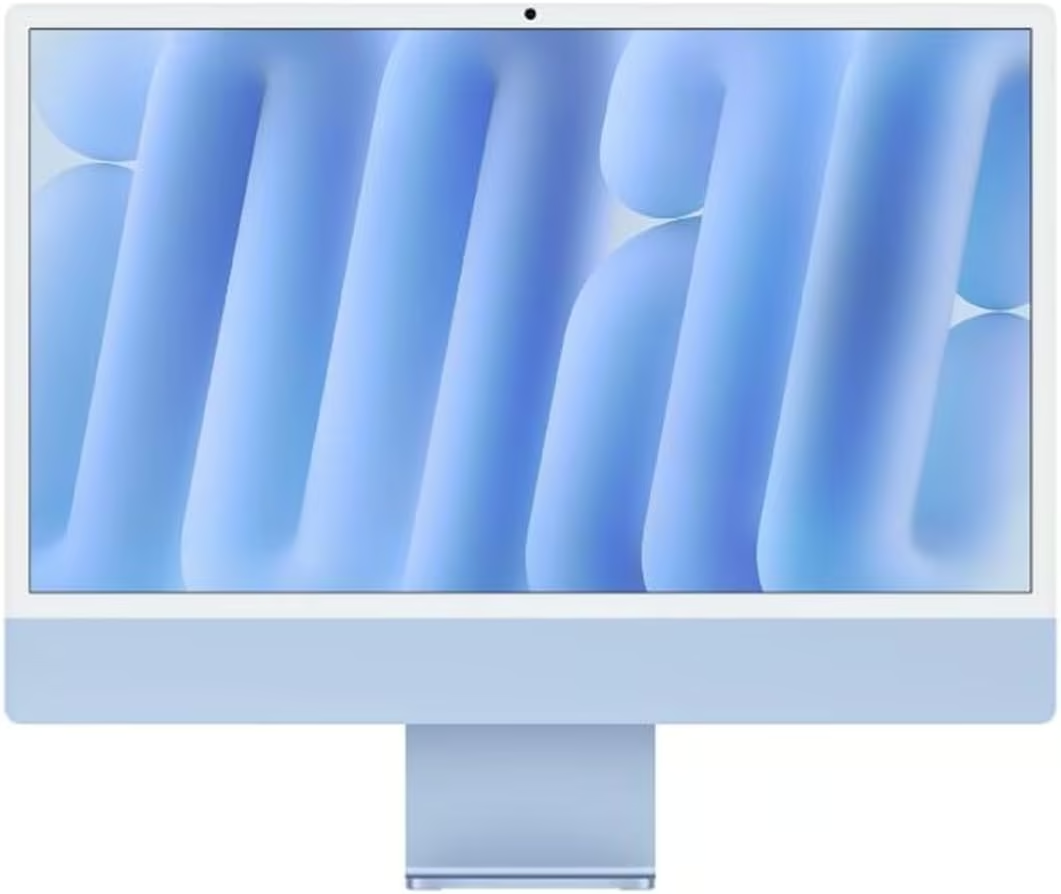
For anyone who wants a genuine Apple all-in-one rather than a Windows machine, the 24-inch iMac with Apple’s own M1 chip is the standout. The Retina 4.5K display is genuinely one of the sharpest built into any all-in-one on this list, with P3 wide colour and True Tone for accurate, vivid colour that suits photo work, video and everyday browsing alike. The M1 chip’s 8-core CPU and 7-core GPU handle everyday multitasking, media editing and modern apps with the efficiency Apple’s own silicon is known for, and the whole machine runs near-silent since there’s no traditional cooling fan working hard.
This is a certified Renewed unit rather than a fresh-off-the-shelf model, which is how it reaches this price point, and it comes without a keyboard or mouse, so budget for your own. Stock on this specific renewed listing is also limited, so it’s worth acting on if you want this exact configuration. For anyone who wants a genuine Apple ecosystem machine with a stunning display, at a renewed price well under a brand-new iMac, it remains the standout all-rounder.
Pros
- Genuine Apple M1 chip with true 8-core CPU and 7-core GPU performance
- Stunning 24″ Retina 4.5K display with P3 wide colour and True Tone
- Near-silent, fanless operation for everyday and creative work
Cons
- Renewed/refurbished unit, not a brand-new retail iMac
- Does not include a keyboard or mouse
- Limited stock on this specific listing, so availability can vary
Key specs: 24″ Retina 4.5K display; Apple M1 chip, 8-core CPU/7-core GPU; 8GB RAM; 256GB SSD; macOS.
2. HP All-in-One 27″ Ryzen AI 7 – Best large display / premium Windows
New
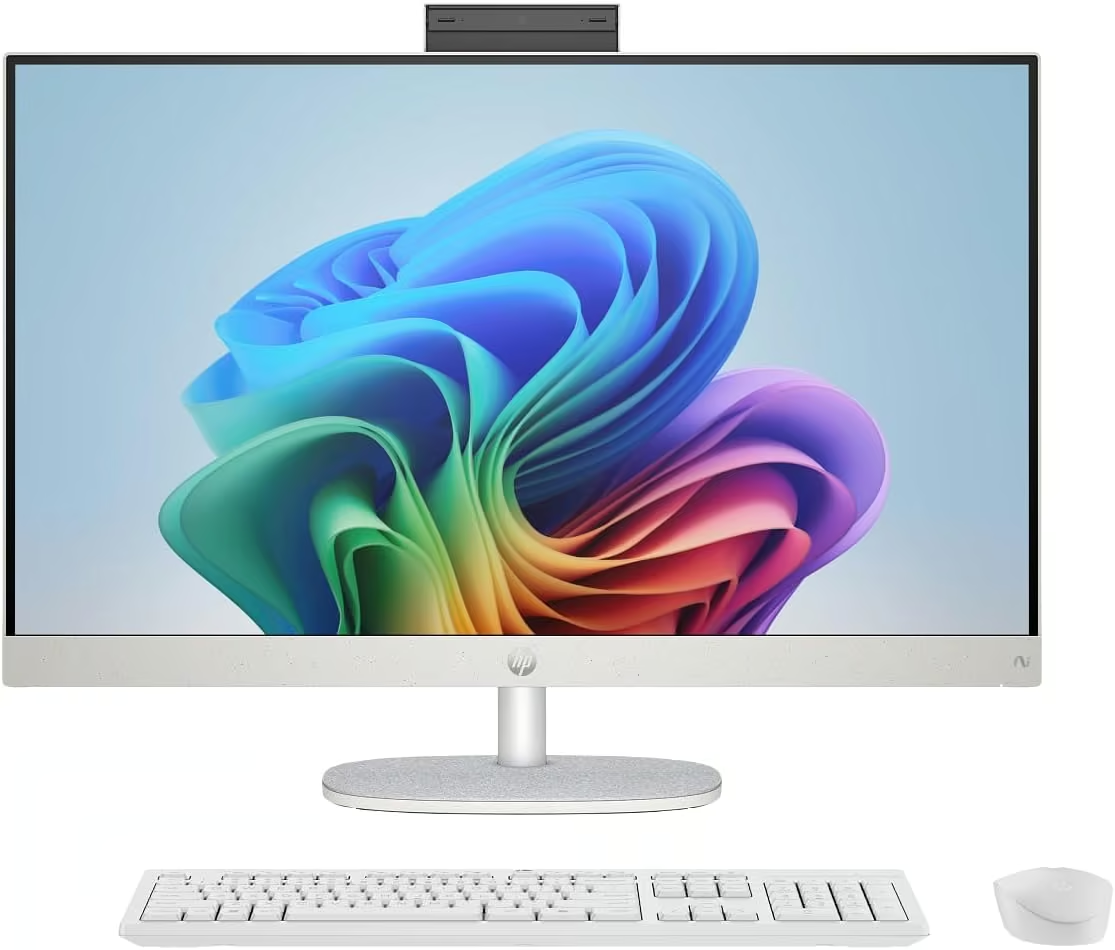
The pick for anyone who wants the biggest screen on this list without stepping outside a genuine all-in-one design. HP’s 27-inch model pairs a Full HD IPS panel with 178° wide viewing angles and an anti-glare finish, so it stays comfortable to look at for long sessions and doesn’t wash out near a window. Under the hood it runs a genuinely current AMD Ryzen AI 7 350 processor built for Copilot+ PC-style AI workloads, backed by integrated AMD Radeon graphics, 512GB of SSD storage and Windows 11 Home, so this is a brand-new machine rather than a renewed unit. The trade-off is that at 8GB of RAM it’s on the lighter side for a chip this current, so heavy multitaskers may want to budget for a RAM upgrade down the track if the model allows it, and a 27″ all-in-one needs genuine desk space to sit comfortably. For anyone prioritising screen size and a current-generation processor in a single Windows unit, it’s the standout large-display pick.
Pros
- Large 27″ Full HD IPS display with wide 178° viewing angles
- Current-generation AMD Ryzen AI 7 350 processor, brand new (not renewed)
- Anti-glare panel that stays comfortable to view in bright rooms
Cons
- 8GB RAM is on the lighter side for a processor this current
- Needs genuine desk space at 27″ across
- Integrated graphics only, not built for serious gaming
Key specs: 27″ FHD IPS display; AMD Ryzen AI 7 350 processor; AMD Radeon integrated graphics; 8GB RAM; 512GB SSD; Windows 11 Home.
3. HP All-in-One 23.8″ Core Ultra 5 – Best mainstream / current-gen Windows
New
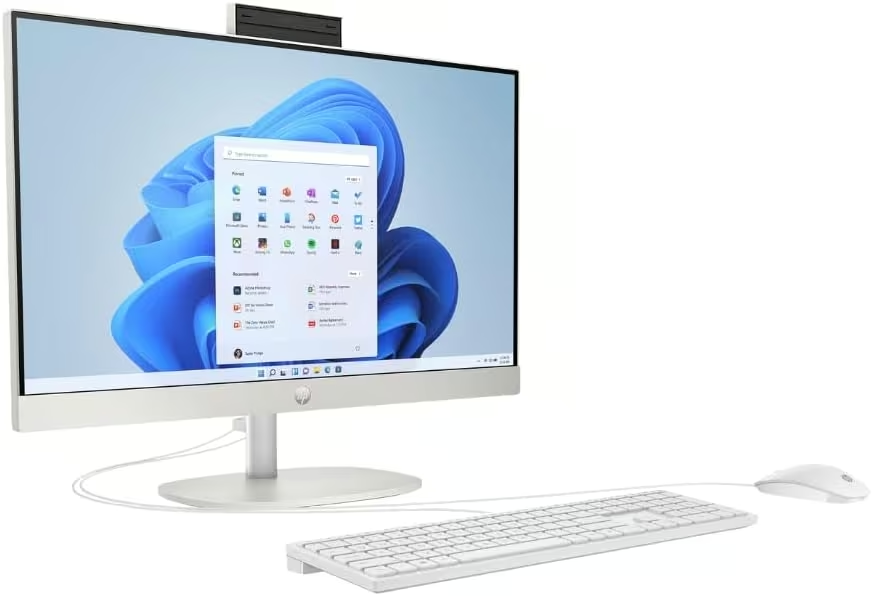
A genuinely current, brand-new Windows all-in-one for anyone who wants a mainstream desktop without paying for the largest screen or the fastest chip on this list. HP builds this 23.8″ model around an Intel Core Ultra 5 processor with a Full HD IPS display, dual speakers, an HD camera and Wi-Fi 6 for a properly modern connectivity spec, all running Windows 11 Home out of the box. It’s a straightforward, general-purpose machine aimed at everyday work, browsing, video calls and home office use rather than gaming or heavy creative work. The trade-off is the same 8GB RAM ceiling as the 27″ sibling above, so it’s a fine everyday machine rather than a multitasking powerhouse, and the 23.8″ screen is noticeably smaller than the 27″ pick above it. For a dependable, current-generation Windows all-in-one at a mainstream size, it’s a sensible everyday choice.
Pros
- Current-generation Intel Core Ultra 5 processor, brand new (not renewed)
- Modern connectivity: Wi-Fi 6, Bluetooth 5.3, HD camera and dual speakers built in
- Full HD IPS display with wide viewing angles
Cons
- 8GB RAM limits heavy multitasking
- Integrated graphics only, not suited to gaming or serious creative work
- Smaller screen than the 27″ model above it
Key specs: 23.8″ FHD IPS display; Intel Core Ultra 5 processor; 8GB RAM; 512GB SSD; Windows 11 Home; Wi-Fi 6, Bluetooth 5.3.
4. Dell OptiPlex 7490 – Best business / value
Renewed
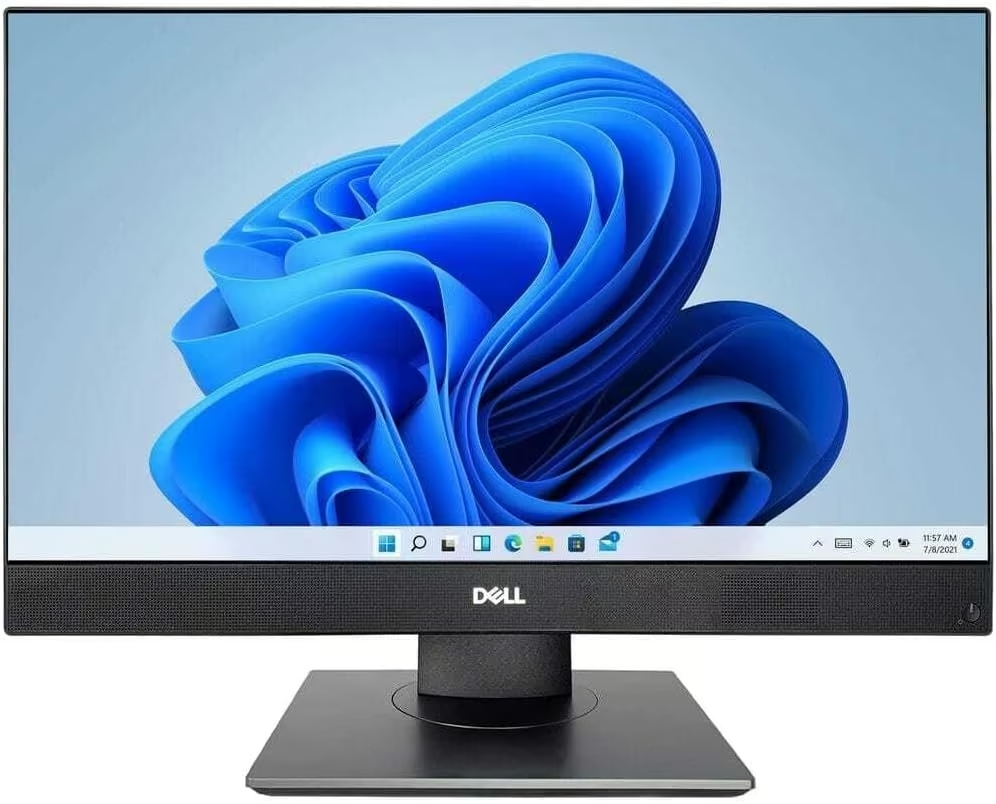
The value pick for anyone who wants genuine business-grade hardware rather than a consumer model, and the strongest specs-per-dollar on this list. Dell’s OptiPlex range is built for offices, and this renewed 7490 packs an 11th-generation Intel Core i5-11500, a genuinely generous 16GB of RAM and a 23.8″ Full HD display into a single unit, which is more memory than either of the brand-new HP models above it. It’s a certified renewed unit in excellent condition, and it’s currently the #1 best seller in Amazon’s all-in-one desktop category, which reflects how much interest there is in genuine business hardware at this price. The trade-off is that it’s a renewed rather than brand-new unit, so it doesn’t carry a fresh manufacturer warranty, and Dell’s business design favours function over the sleeker looks of a consumer iMac or HP. For home offices and small businesses that want serious multitasking memory without paying premium prices, it’s the standout value pick.
Pros
- Genuine business-grade Dell OptiPlex hardware at a renewed price
- 16GB RAM, more than either brand-new HP model on this list
- Amazon’s #1 best seller in all-in-one desktop computers
Cons
- Renewed unit rather than brand new, so no fresh manufacturer warranty
- Functional business design rather than sleek consumer styling
- 11th-gen processor is a couple of generations behind the newest chips here
Key specs: 23.8″ FHD display; Intel Core i5-11500 (11th gen); 16GB RAM; 256GB SSD; Windows 11; Renewed – Excellent condition.
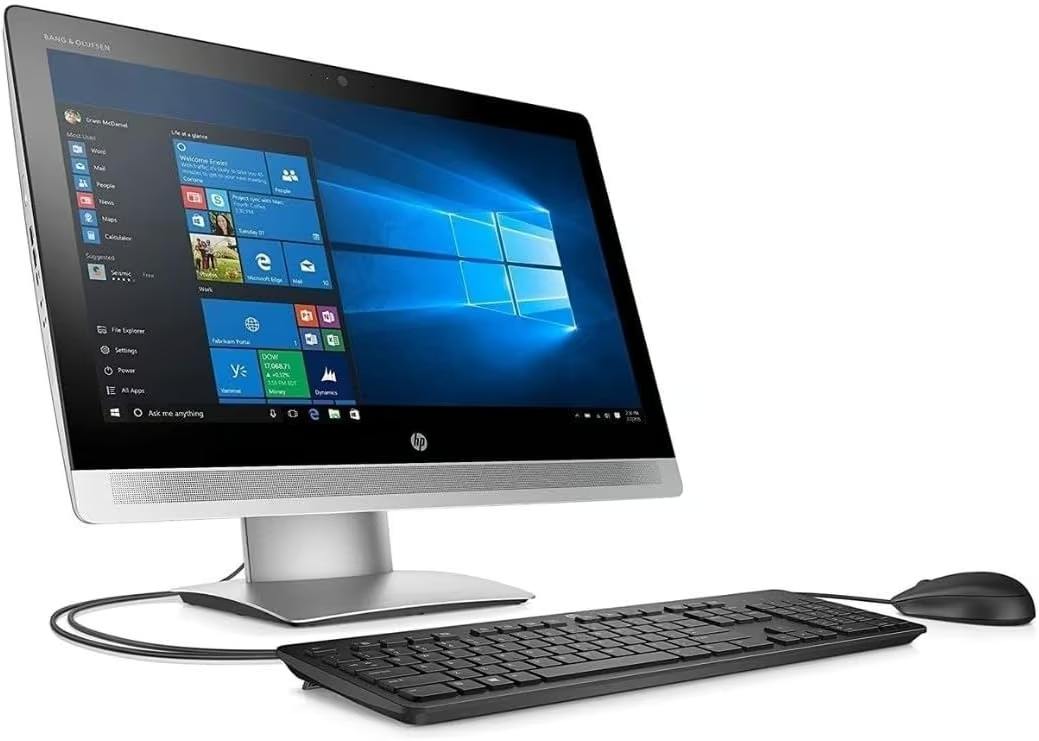
5. HP EliteOne 800 G2 – Best budget
Renewed
The most affordable all-in-one on this list, and a genuine business-grade EliteOne model rather than a stripped-down consumer budget PC. HP’s EliteOne 800 G2 pairs an Intel Core i5-6500 with 16GB of RAM and a 23″ display, which is a properly usable amount of memory for everyday multitasking even on a budget machine. Being a renewed EliteOne rather than a brand-new entry-level PC means the underlying build quality and business-grade components are a step up from a typical budget all-in-one, even though the processor generation is now several years old. The trade-off is exactly that age: a 6th-generation Intel Core i5 is well behind the current-generation chips in the HP models above, so it suits everyday browsing, office work and video calls rather than demanding software, and stock on this specific listing is limited. For the tightest budget on this list without dropping to a genuinely low-spec machine, it’s a sensible pick.
Pros
- Most affordable all-in-one on this list
- 16GB RAM, generous for a budget-focused pick
- Genuine business-grade EliteOne build quality rather than entry-level consumer parts
Cons
- 6th-generation processor is well behind the current-gen chips above it
- Renewed unit with limited stock on this specific listing
- Best suited to everyday tasks rather than demanding software
Key specs: 23″ display; Intel Core i5-6500 (6th gen); 16GB RAM; 256GB SSD; Windows 11 Home; Wi-Fi; Renewed – Excellent condition.
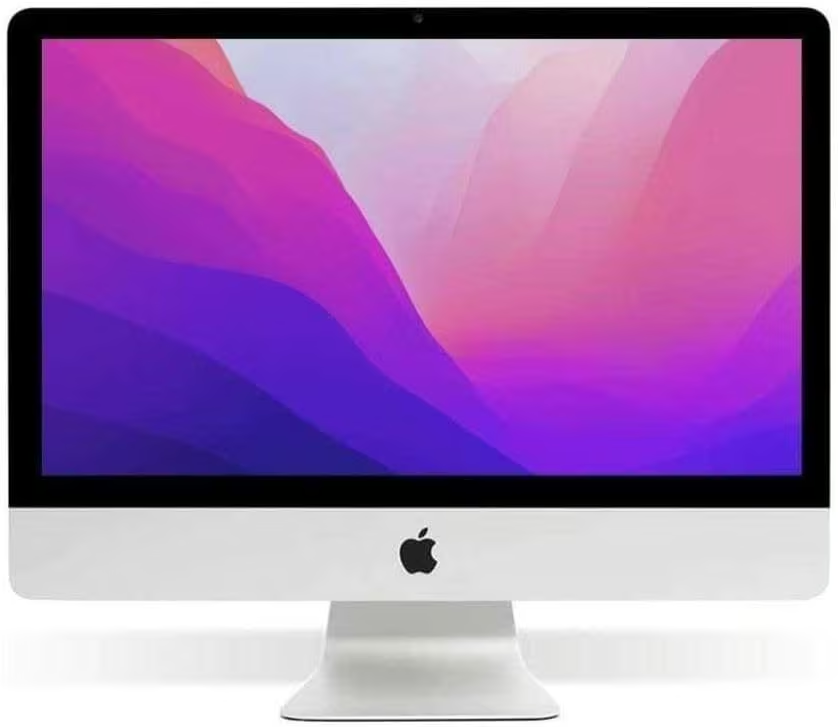
6. Apple iMac 21.5″ i5 – Best compact / budget Mac
Renewed
The pick for anyone who wants genuine macOS on a smaller footprint and a smaller budget than the 24″ M1 model above. This renewed 21.5″ iMac runs an Intel Core i5-7400 with 8GB of RAM, and it pairs a 1TB hard drive with a 32GB SSD cache for a large storage pool with a faster boot and app-load experience than a hard drive alone. Being an Intel-generation iMac rather than Apple Silicon, it runs traditional Intel-based macOS software without the M1’s efficiency gains, and like the other Apple listing on this list, it’s a renewed unit sold without a keyboard or mouse, with only a couple of units left in this specific listing. For anyone who wants a genuine, compact Apple all-in-one for everyday use at a fraction of the M1 model’s price, it’s a solid entry point into macOS.
Pros
- Genuine Apple macOS on a smaller 21.5″ footprint
- 1TB HDD plus 32GB SSD cache for large storage with faster everyday responsiveness
- Significantly more affordable entry point into Apple’s all-in-one range than the M1 model
Cons
- Older Intel-based processor rather than Apple Silicon, so less efficient than the M1 pick
- Does not include a keyboard or mouse
- Limited stock on this specific listing
Key specs: 21.5″ display; Intel Core i5-7400; 8GB RAM; 1TB HDD + 32GB SSD; macOS.
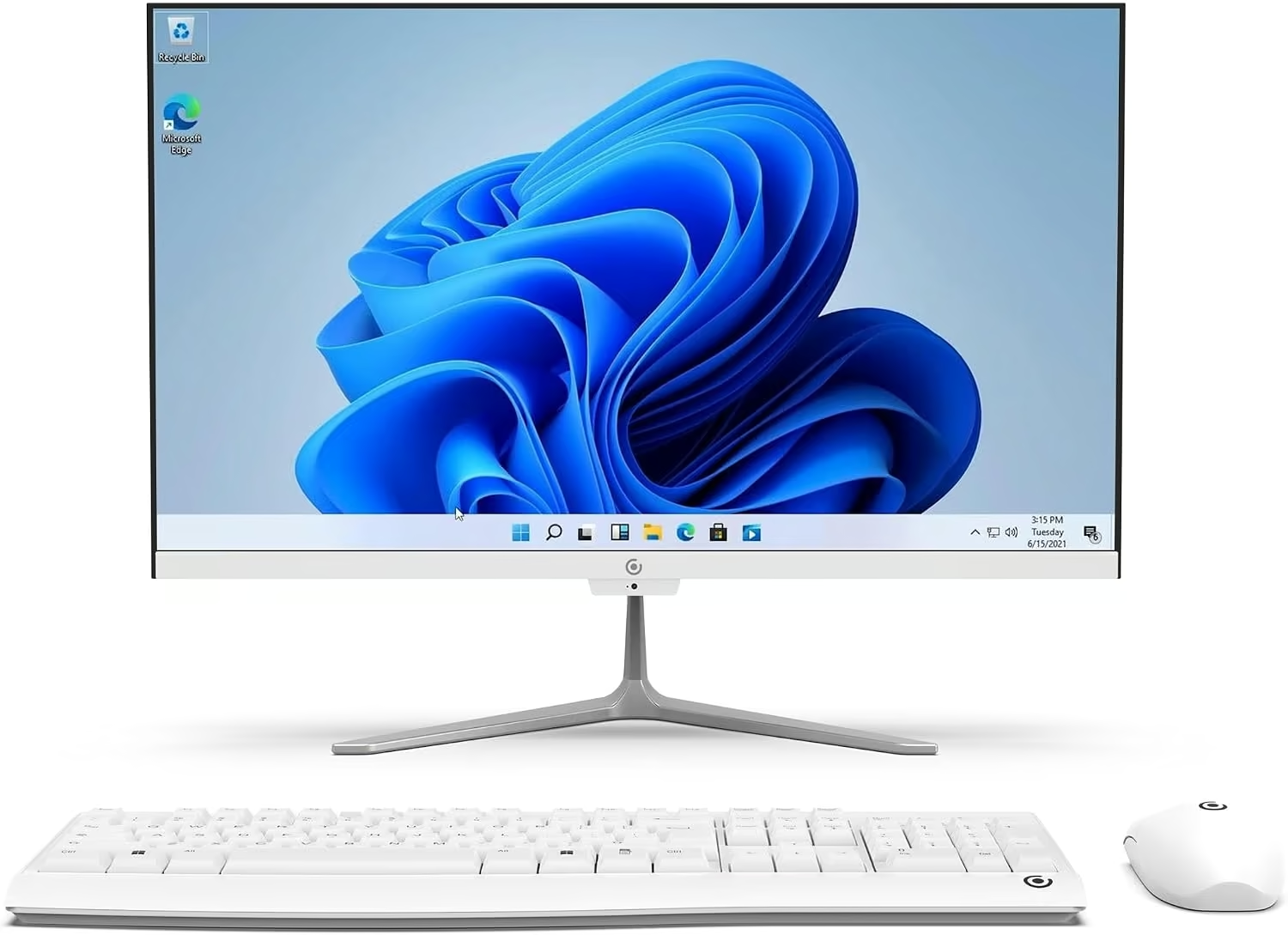
7. Core Innovations 24″ All-in-One – Best entry-level / basic tasks
New
The lightest, most affordable spec on this list, built for genuinely basic computing rather than any kind of demanding work. Core Innovations’ 24″ all-in-one runs an Intel Celeron N5095 with 4GB of RAM and 128GB of storage on a Full HD IPS display, which covers web browsing, email, document editing and video calls without fuss. The listing itself markets it for “business” and “gaming” use, but with a Celeron processor and integrated graphics, it is not a realistic gaming machine and heavier business software will feel the limits of 4GB RAM, so treat those claims with real scepticism rather than the deciding factor. Its genuine strength is as a straightforward, low-cost second computer, a kids’ or student machine for basic schoolwork, or a simple kitchen or reception desktop where speed and multitasking simply aren’t the priority. For anyone who just needs a screen and a working Windows PC for the basics, it does that job at the lowest spec and entry point on this list.
Pros
- Full HD IPS 24″ display at the most accessible price point on this list
- Straightforward Windows 11 machine for browsing, email and basic tasks
- Genuinely usable as a second computer, student machine or simple reception desktop
Cons
- Celeron processor and only 4GB RAM struggle with anything beyond basic tasks
- Not a realistic gaming machine despite how the listing markets it
- 128GB storage fills up quickly with modern software and files
Key specs: 24″ FHD IPS display; Intel Celeron N5095; 4GB RAM; 128GB storage; Windows 11 Home.
How to choose the best all-in-one computer in NZ
Decide between Mac and Windows first. This shapes everything else, since macOS and Windows software libraries, workflows and accessories are not interchangeable. Choose based on what you already use or need for work, school or specific software, not just the hardware spec sheet.
Check whether it’s new or Amazon Renewed. A certified renewed unit can offer genuinely higher-tier hardware for the price than an equivalent brand-new budget model, but it won’t carry a fresh manufacturer warranty and may arrive without accessories like a keyboard or mouse. Read exactly what “Renewed” includes before buying.
Match RAM and processor generation to your actual use. Everyday browsing and office work is comfortable on 8GB RAM and most modern processors, but heavier multitasking, creative software or running many browser tabs and apps at once benefits from 16GB RAM and a newer processor generation.
Consider screen size and desk space together. A 27″ display is genuinely more immersive for work and media, but it needs real desk depth and distance to view comfortably, while a 21.5-23.8″ screen suits smaller desks and secondary computers.
Don’t expect serious gaming from integrated graphics. All-in-ones are built around integrated graphics rather than a dedicated GPU, so they suit everyday computing, office work, browsing and light creative tasks rather than modern gaming, regardless of what a listing’s marketing claims. Pairing any of these with a good keyboard makes everyday typing more comfortable too.
To finish the desk setup, the guides to portable monitors, student laptops and touchscreen laptops are worth a look.
Frequently Asked Questions
Is an all-in-one computer as powerful as a separate tower and monitor?
A typical all-in-one uses laptop-class or integrated components to fit everything into a single slim unit, so it generally won’t match a desktop tower with a dedicated graphics card for gaming or heavy creative work. For everyday computing, browsing, office work and media, most all-in-ones are more than capable.
What does Amazon Renewed mean for a computer?
Amazon Renewed products are pre-owned items that have been professionally inspected, tested and refurbished to work like new, typically graded by cosmetic condition such as Excellent. They usually don’t carry the original manufacturer’s warranty but come with Amazon’s own renewed guarantee and return eligibility, and are generally sold without extra accessories like a keyboard or mouse unless stated.
Can I upgrade the RAM or storage in an all-in-one computer later?
It depends entirely on the specific model. Some all-in-ones have accessible RAM slots or storage bays, while others solder memory directly to the motherboard with no upgrade path at all. If future upgradability matters, check the specific model’s service manual or listing details rather than assuming it’s possible.
Are all-in-one computers good for gaming?
Most all-in-ones rely on integrated graphics rather than a dedicated graphics card, which limits them to light or older games rather than modern, demanding titles. If gaming is a priority, a traditional desktop tower or gaming laptop with a dedicated GPU will perform significantly better.
How much RAM do I need in an all-in-one computer?
8GB is a reasonable minimum for everyday browsing, office work and video calls. 16GB is a more comfortable amount if you regularly multitask with many browser tabs and applications open at once, or run business and productivity software alongside other programs.
Do all-in-one computers come with a keyboard and mouse?
It varies by listing. Many brand-new consumer all-in-ones include a keyboard and mouse in the box, while some Renewed or business-refurbished units are sold as the display and PC unit only, without accessories. Always check what’s included before buying if you don’t already have spares.
There is no single best all-in-one for every NZ buyer, only the right machine for your platform, budget and workload. The Apple iMac 24″ M1 is the best overall pick for anyone wanting a genuine Mac, the HP 27″ Ryzen AI 7 is the strongest choice for a large, current-generation Windows display, and the more mainstream HP 23.8″ Core Ultra 5 covers everyday Windows needs at a smaller size.
The Dell OptiPlex 7490 is the standout value pick for genuine business-grade hardware and RAM, the HP EliteOne 800 G2 covers the tightest budget without dropping to entry-level parts, the 21.5″ iMac is the affordable way into macOS, and the Core Innovations 24″ suits only the most basic tasks, not the gaming or business use its own listing claims. Match the platform, memory and processor generation to what you’ll actually use it for, and always check whether a listing is new or renewed before you buy.
