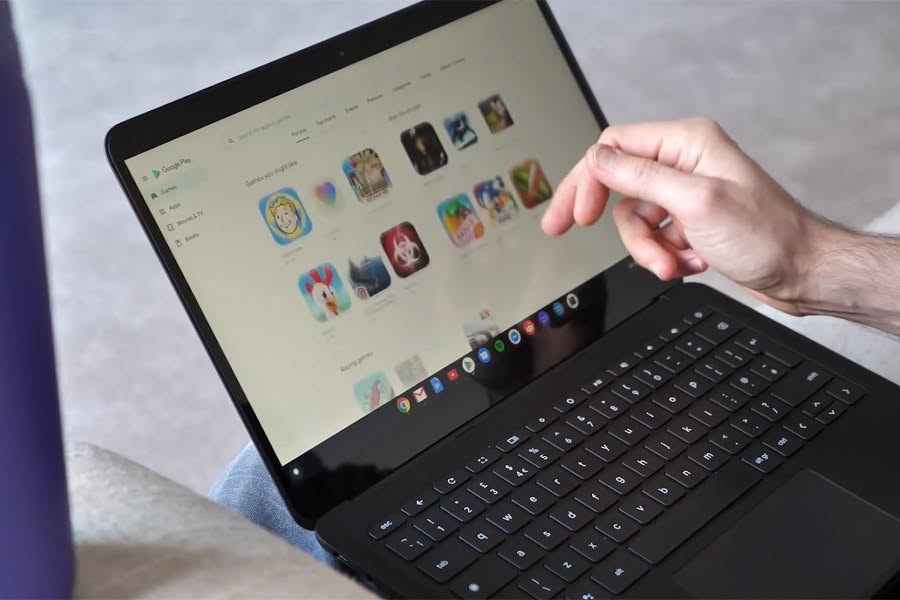
The best touchscreen laptop in NZ overall is the Lenovo IdeaPad 5 2-in-1, a 14-inch FHD convertible with a 360-degree hinge, a 10-point multi-touch panel and a 13th Gen Core i5-13420H behind 8GB of RAM and a 512GB SSD. A convertible earns its keep for study, because the same machine takes lecture notes by stylus and then folds back into a laptop for the write-up, which covers most of what a New Zealand student actually needs.
A touchscreen laptop adds a genuinely useful way to interact with Windows, whether that’s flipping into tablet mode, sketching with a stylus, or just tapping and scrolling instead of reaching for the trackpad.
We’ve compared 8 touchscreen laptops available in New Zealand, from an affordable detachable Chromebook to premium OLED convertibles and a pocket-sized mini laptop, so you can match display quality, power and portability to how you actually work.
Comparison Table
| Product | Best For | Key Specs |
|---|---|---|
| Lenovo IdeaPad 5 2-in-1 14in FHD Touch, Core i5-13420H, 8GB/512GB | Best Overall | CPU: Intel Core i5-13420H | RAM: 8GB | Storage: 512GB SSD | Display: 14in FHD touchscreen (1920×1200) | Weight: 1.6kg |
| HP OmniBook X Flip Next Gen AI 16in 3K OLED Touch, Core Ultra 5 226V, 16GB/512GB | Best Large OLED Screen | CPU: Intel Core Ultra 5 226V | RAM: 16GB | Storage: 512GB SSD | Display: 16in 3K OLED touchscreen, 360-degree convertible | Thickness: approx. 1.5cm |
| Lenovo Chromebook Duet 11 10.95in FHD Touch, MediaTek Kompanio 838, 4GB/128GB | Best Detachable | CPU: MediaTek Kompanio 838 | RAM: 4GB | Storage: 128GB eMMC | Display: 10.95in FHD touchscreen | Weight: approx. 510g tablet unit |
| Lenovo IdeaPad 5x 2-in-1 14in OLED Touch, Snapdragon X Plus, 16GB/1TB | Best for Creative Work | CPU: Qualcomm Snapdragon X Plus | RAM: 16GB | Storage: 1TB SSD | Display: 14in OLED touchscreen, 400 nits, 100% DCI-P3 | Weight: 1.49kg |
| HP OmniBook Ultra Flip AI 14in 3K OLED Touch, Core Ultra 7, 32GB/1TB | Best Battery Life | CPU: Intel Core Ultra 7 258V | RAM: 32GB | Storage: 1TB SSD | Display: 14in 3K OLED touchscreen | Battery: up to 20.5 hours |
| HP OmniBook 7 AI 14in 3K OLED 120Hz Touch, Core Ultra 5, 32GB/512GB | Best Premium Pick | CPU: Intel Core Ultra 5 225H | RAM: 32GB | Storage: 512GB SSD | Display: 14in 3K OLED 120Hz touchscreen |
| HP OmniBook X Flip AI 16in 2K Touch, Core Ultra 7 258V, 32GB/1TB | Best 2-in-1 Convertible | CPU: Intel Core Ultra 7 258V | RAM: 32GB | Storage: 1TB SSD | Display: 16in 2K touchscreen, 360-degree convertible |
| KOOTIGERS P8 Mini Laptop 8in 2-in-1 Touch, Intel N95, 12GB/1TB | Best Compact/Lightweight | CPU: Intel N95 | RAM: 12GB LPDDR5 | Storage: 1TB SSD | Display: 8in 1280×800 touchscreen, 360-degree hinge | Weight: approx. 0.78kg |
1. Lenovo IdeaPad 5 2-in-1 14in FHD Touch, Core i5-13420H, 8GB/512GB
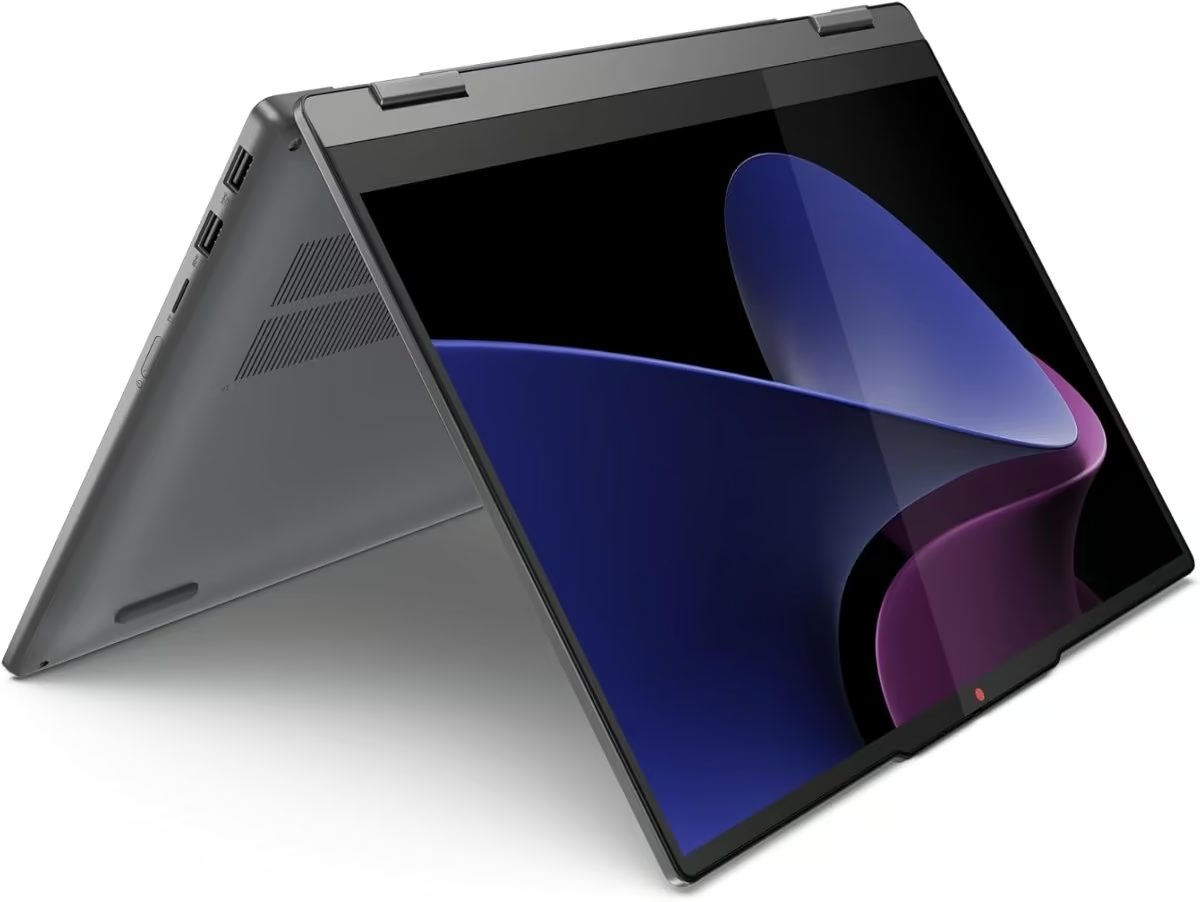
The Lenovo IdeaPad 5 2-in-1 pairs a 14-inch FHD touchscreen with a 360-degree hinge, so it folds flat into tablet mode or props up as a stand for video calls. The Luna Grey finish and slim bezels give it a tidier look than most laptops in this price bracket, and the 10-point multi-touch panel feels responsive whether tapping icons or using a stylus.
Under the hood sits a 13th Gen Intel Core i5-13420H, a proper H-series chip that handles everyday multitasking, browser tab hoarding and light photo editing without fuss. 8GB of RAM is adequate for typical home and study use but will feel tight for anyone running several heavy apps at once, and the 512GB SSD leaves plenty of room for files and software.
Lenovo rates the battery at up to 17 hours, which lines up well with the sort of all-day use NZ buyers want from a machine they are not tied to a power socket for. The main trade-off is the fixed 8GB memory, since this model does not appear to offer a 16GB configuration, so heavier users should weigh that up before buying.
Pros
- 360-degree 2-in-1 hinge with a responsive FHD touchscreen
- Modern 13th Gen Intel Core i5 processor with plenty of headroom for daily tasks
- Long-rated 17-hour battery life
- Backlit keyboard and fingerprint reader included
Cons
- 8GB RAM may limit heavier multitaskers
- Integrated graphics only, so not suited to gaming or demanding creative work
- Relatively few independent customer reviews on this specific listing so far
Key specs: CPU: Intel Core i5-13420H | RAM: 8GB | Storage: 512GB SSD | Display: 14in FHD touchscreen (1920×1200) | Weight: 1.6kg
2. HP OmniBook X Flip Next Gen AI 16in 3K OLED Touch, Core Ultra 5 226V, 16GB/512GB
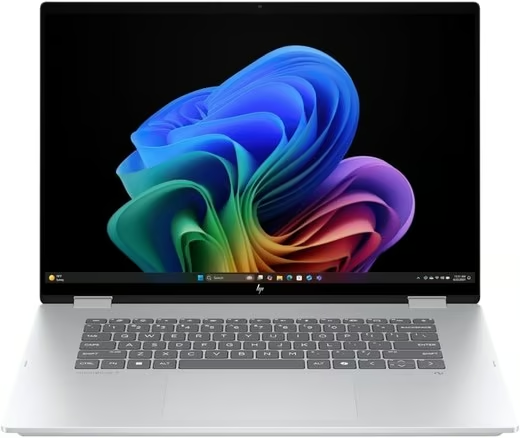
This newer HP OmniBook X Flip puts a 16-inch 3K OLED touchscreen on a 360-degree hinge, so the same machine works as a big-screen laptop, a tent for watching video or a large tablet for reading and annotating. The 16:10 panel shows more of a document or spreadsheet than a standard widescreen, and OLED gives deep blacks and rich colour.
It runs an Intel Core Ultra 5 226V with 16GB of RAM and a 512GB SSD, a Copilot+ PC specification with an NPU rated at over 40 TOPS for on-device AI features in Windows 11 Home. Thunderbolt can power the laptop or drive two 4K monitors from a single cable, and the speakers are tuned by Poly Studio.
At about 1.5 cm thick it is slim for a 16-inch convertible, but the size still makes it a two-handed tablet. Storage is the main compromise at this configuration, so plan on cloud or external storage if you keep large photo or video libraries.
Pros
- Large 16-inch 3K OLED touchscreen in a 16:10 shape
- 360-degree hinge for laptop, tent and tablet use
- Thunderbolt for charging and dual 4K displays
- Copilot+ PC with a 40+ TOPS NPU
Cons
- 512GB SSD fills quickly with large media libraries
- Too big for comfortable one-handed tablet use
- Premium price bracket
Key specs: CPU: Intel Core Ultra 5 226V | RAM: 16GB | Storage: 512GB SSD | Display: 16in 3K OLED touchscreen, 360-degree convertible | Thickness: approx. 1.5cm
3. Lenovo Chromebook Duet 11 10.95in FHD Touch, MediaTek Kompanio 838, 4GB/128GB
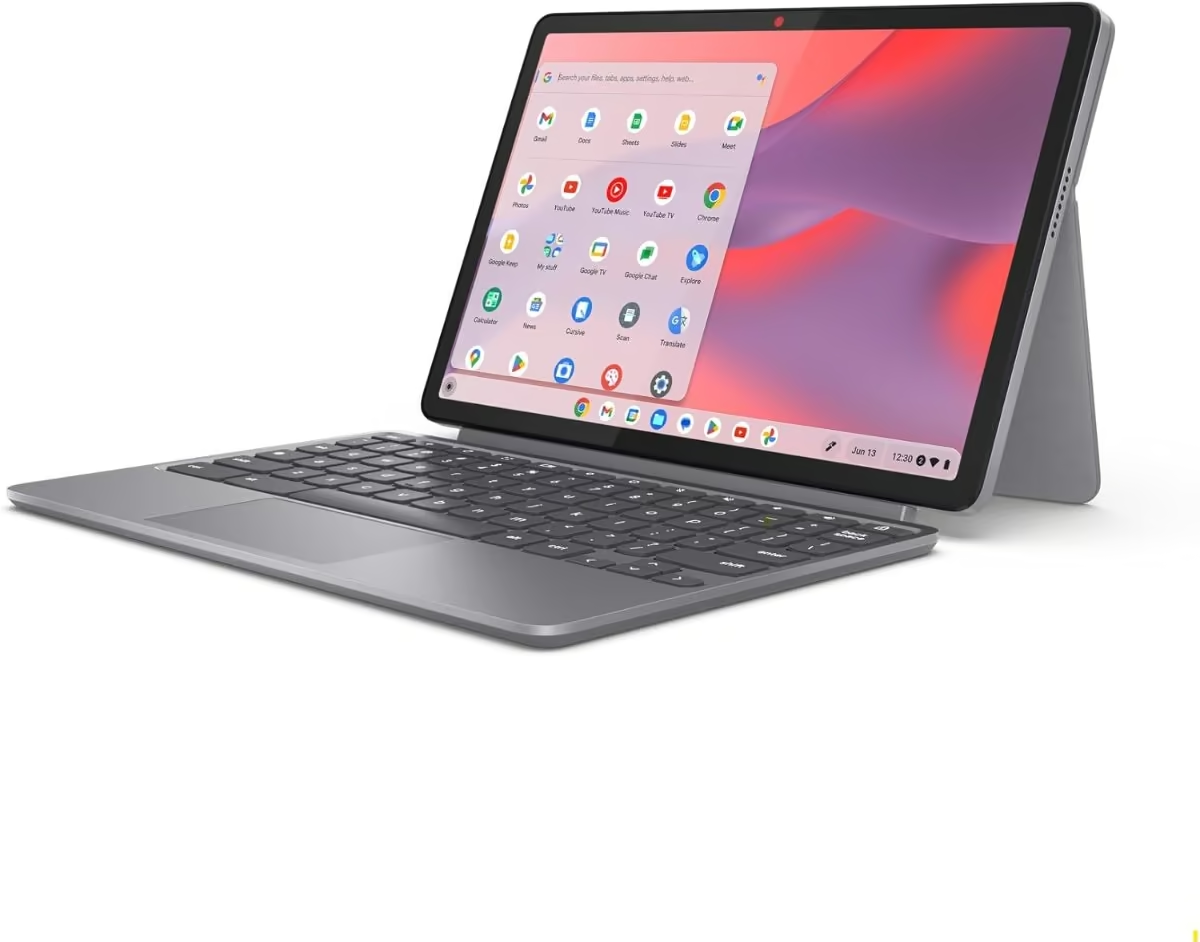
The Chromebook Duet 11 is a genuine detachable, pairing a 10.95-inch FHD touchscreen tablet with a folio keyboard case and kickstand rather than a hinge. Lenovo says the tablet alone weighs around 510g, so once it is unclipped from the keyboard it is properly light to hold and read on.
It runs ChromeOS on a MediaTek Kompanio 838 chipset with 4GB of RAM and 128GB of eMMC storage, which is enough for browser-based work, streaming and Android apps from the Play Store but not for anything CPU-heavy. Battery life is rated at up to 12 hours, which suits a full day of study or casual browsing away from a charger.
This is the cheapest laptop in this guide, which makes it an easy recommendation for a second device, a student’s first laptop, or anyone who lives mostly in a browser. The narrow 4GB of RAM is the clear limitation, and ChromeOS itself will not suit buyers who need full Windows software.
Pros
- True tablet-plus-keyboard detachable design, not just a folding hinge
- Genuinely lightweight tablet unit at around 510g
- Most affordable touchscreen laptop in this roundup
Cons
- Only 4GB RAM, tight for anything beyond browsing and streaming
- ChromeOS limits compatibility with some Windows-only software
- Keyboard folio and stylus support vary by bundle, so check what is included
Key specs: CPU: MediaTek Kompanio 838 | RAM: 4GB | Storage: 128GB eMMC | Display: 10.95in FHD touchscreen | Weight: approx. 510g tablet unit
4. Lenovo IdeaPad 5x 2-in-1 14in OLED Touch, Snapdragon X Plus, 16GB/1TB
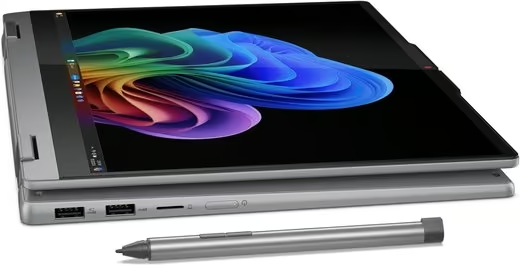
The Lenovo IdeaPad 5x 2-in-1 pairs a 14-inch OLED touchscreen with a 360-degree hinge, and the panel is the reason to buy it for creative and study work. Lenovo quotes 400 nits brightness and 100% DCI-P3 colour coverage on a taller 16:10 display, which suits photo editing, digital art and reading in tablet mode.
Instead of an Intel chip it runs a Qualcomm Snapdragon X Plus with an NPU, a Copilot+ PC setup designed for long battery life and fast charging, backed by 16GB of RAM and a 1TB SSD. It is 17.5 mm thin, weighs about 1.49 kg, has a metal lid and is tested to MIL-STD 810H.
Snapdragon laptops run most everyday Windows apps well, but some older programs, games and specialist drivers do not support Arm yet, so check any must-have software first. A fingerprint reader, backlit keyboard, HDMI, USB-A and USB-C and a card reader round out a well-equipped machine.
Pros
- Colour-rich 14-inch OLED with 100% DCI-P3 coverage
- 16GB RAM and a roomy 1TB SSD
- Slim, metal-lidded build at about 1.49kg
- Good port selection including HDMI and a card reader
Cons
- Arm-based Snapdragon chip has gaps in older software and game support
- No pen listed in the box
- Integrated graphics only
Key specs: CPU: Qualcomm Snapdragon X Plus | RAM: 16GB | Storage: 1TB SSD | Display: 14in OLED touchscreen, 400 nits, 100% DCI-P3 | Weight: 1.49kg
5. HP OmniBook Ultra Flip AI 14in 3K OLED Touch, Core Ultra 7, 32GB/1TB
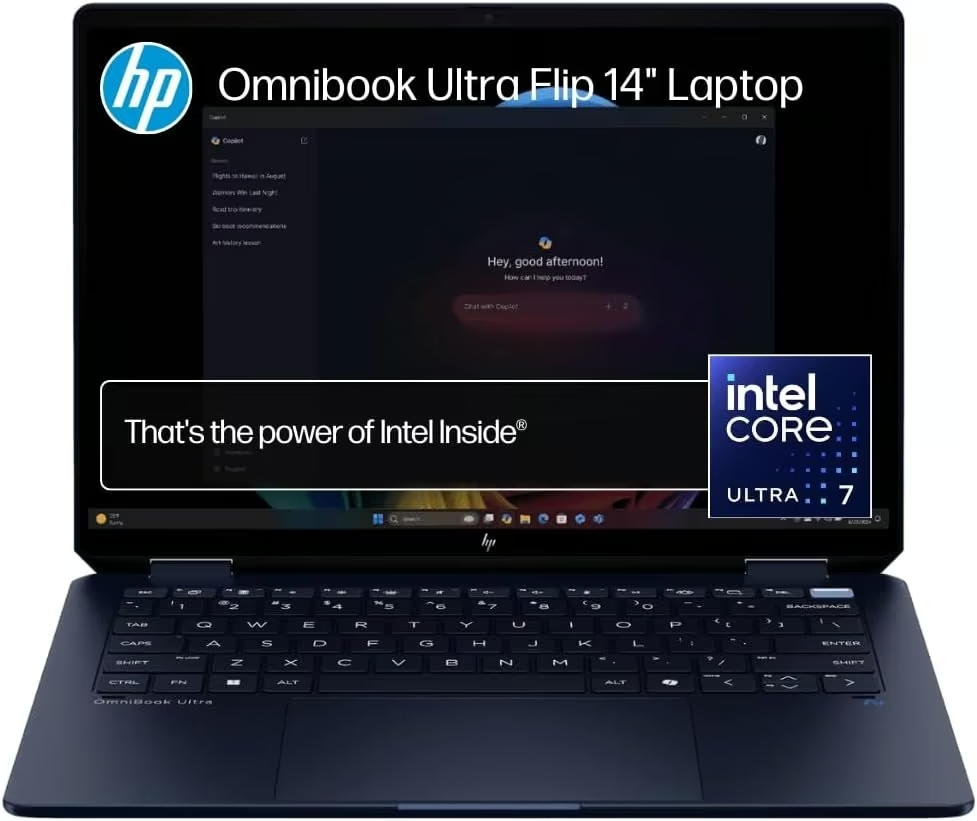
HP’s OmniBook Ultra Flip AI is built around a 3K OLED touchscreen with Corning Gorilla Glass 5 protection, and the 360-degree convertible hinge lets it switch into tablet or tent mode for watching video. Colours and contrast on the OLED panel are a clear step up from the IPS screens used on most of the other laptops in this list.
HP rates the battery at up to 20.5 hours, a genuinely long claim backed by an efficient Intel Core Ultra 7 258V processor and 32GB of RAM, so it should comfortably outlast a full day of mixed use. The 1TB SSD gives plenty of headroom for large creative files, and Wi-Fi 7 support future-proofs the connection for newer routers.
This is the most expensive laptop in this guide, positioning it as an aspirational buy rather than an everyday budget option for most NZ households. Buyers who do not need OLED colour accuracy or AI-accelerated features may find better value further down this list.
Pros
- Vivid 3K OLED touchscreen with strong claimed battery life
- 32GB RAM and 1TB SSD, plenty for demanding workloads
- 360-degree convertible design with Gorilla Glass 5 protection
Cons
- Highest price point in this roundup by some margin
- OLED panels can be more prone to burn-in with static content over years of use
- Overkill for buyers who only need basic browsing and office work
Key specs: CPU: Intel Core Ultra 7 258V | RAM: 32GB | Storage: 1TB SSD | Display: 14in 3K OLED touchscreen | Battery: up to 20.5 hours
6. HP OmniBook 7 AI 14in 3K OLED 120Hz Touch, Core Ultra 5, 32GB/512GB
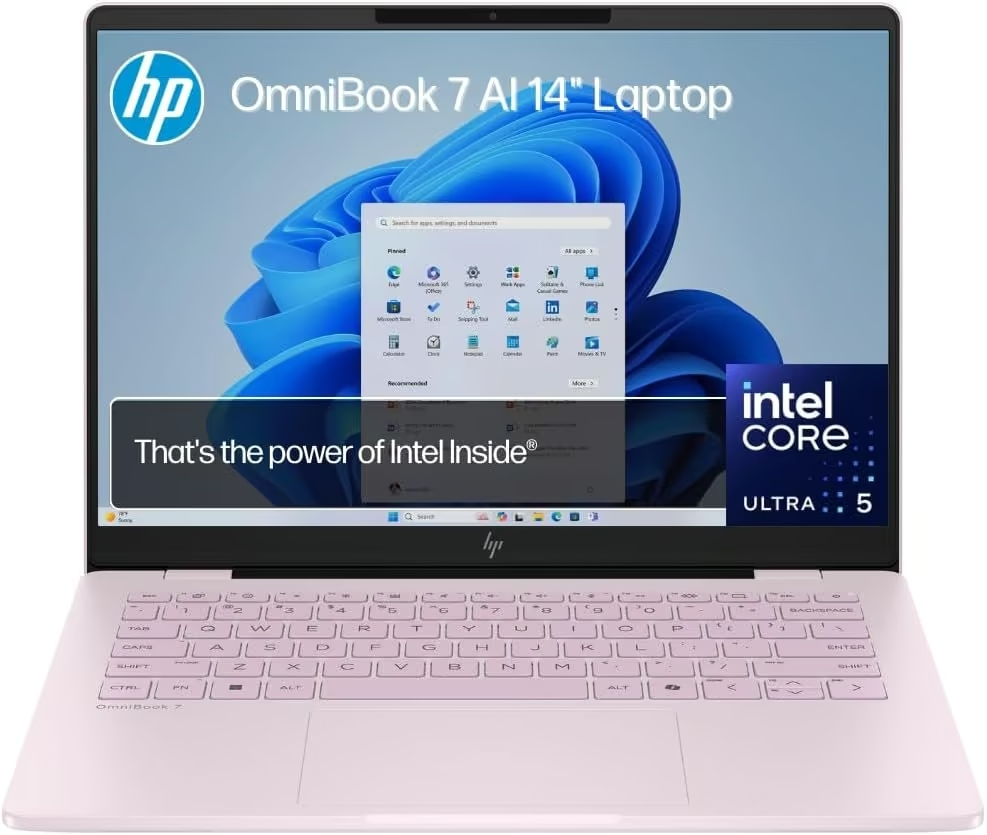
The OmniBook 7 AI packs a 14-inch 3K OLED touchscreen running at 120Hz into a compact, military-grade-tested chassis, and HP has fitted genuinely high-end internals to match. It is a clamshell rather than a convertible, so it will not fold flat into tablet mode, but the touch input still works well for scrolling, zooming and quick taps.
An Intel Core Ultra 5 225H is paired with a generous 32GB of RAM and a 512GB SSD, more memory than most laptops at this price offer and enough to keep several demanding apps open at once without slowdown. HP’s anti-glare, DC-dimming panel is designed to reduce flicker and glare, a thoughtful touch for anyone using it outdoors or under bright office lighting.
The drop and bump-resistant build gives some peace of mind for anyone who travels for work, and the Powder Pink finish is a point of difference from the usual silver and black laptops. It sits at a premium price for a 14-inch machine, so it makes most sense for buyers who specifically want top-tier RAM and display quality in a smaller footprint.
Pros
- 32GB RAM, unusually generous for a 14-inch laptop at this price
- Sharp 3K OLED touchscreen with a smooth 120Hz refresh rate
- Military-grade durability testing for knocks and temperature extremes
Cons
- Not a 2-in-1, so no tablet or tent mode despite the touchscreen
- Listing shows no integrated webcam, worth checking before buying if video calls matter
- Premium price for a 14-inch, non-convertible laptop
Key specs: CPU: Intel Core Ultra 5 225H | RAM: 32GB | Storage: 512GB SSD | Display: 14in 3K OLED 120Hz touchscreen
7. HP OmniBook X Flip AI 16in 2K Touch, Core Ultra 7 258V, 32GB/1TB
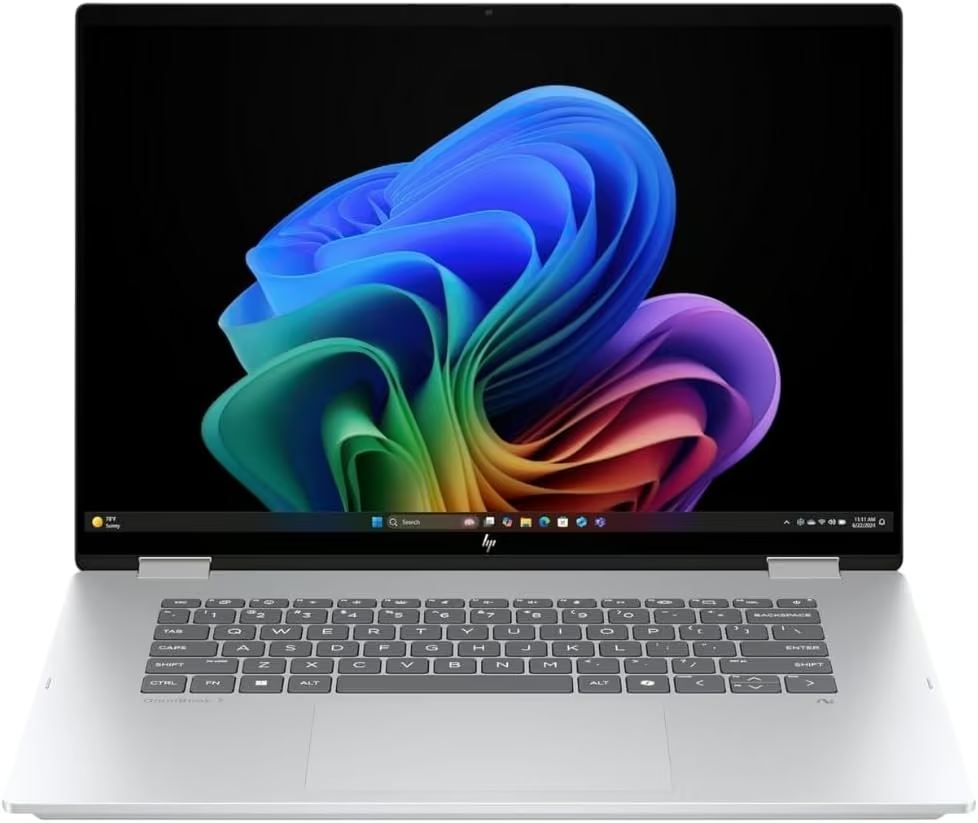
HP’s OmniBook X Flip takes the familiar convertible formula and scales it up to a 16-inch, 16:10 touchscreen, meaning more usable space in tablet mode than most 2-in-1s manage. The 360-degree hinge is sturdy enough to hold tent and stand positions comfortably, useful for video calls or watching something on a plane tray table.
Inside is an Intel Core Ultra 7 258V with 32GB of RAM and a 1TB SSD, a Copilot+ PC specification that HP says delivers strong AI performance alongside all-day battery life. Thunderbolt connectivity with up to 40Gbps signalling means it can drive two 4K external monitors from a single cable, handy for a home office setup.
The 16-inch panel and larger battery add some bulk compared with 13 and 14-inch convertibles, so it suits a desk or bag-based routine over one-handed tablet use. It is priced as a premium convertible, but the combination of screen size, RAM and Thunderbolt speed justifies that for buyers who want one machine to cover both laptop and tablet duties.
Pros
- Large 16-inch, 16:10 touchscreen with a sturdy 360-degree hinge
- 32GB RAM and 1TB SSD, well specced for multitasking
- Fast Thunderbolt connectivity, supports dual 4K external displays
Cons
- Larger and heavier than most 2-in-1 convertibles, less suited to one-handed tablet use
- Premium price bracket
- Relatively few customer reviews on this specific listing so far
Key specs: CPU: Intel Core Ultra 7 258V | RAM: 32GB | Storage: 1TB SSD | Display: 16in 2K touchscreen, 360-degree convertible
8. KOOTIGERS P8 Mini Laptop 8in 2-in-1 Touch, Intel N95, 12GB/1TB
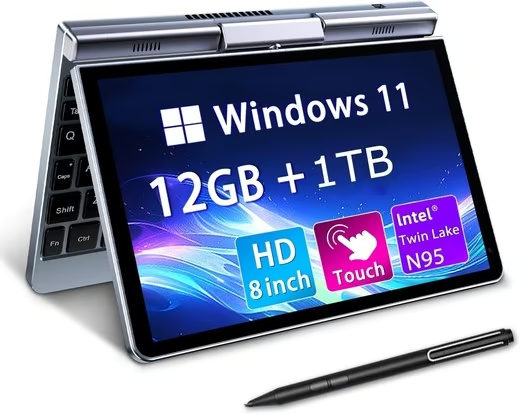
The KOOTIGERS P8 is a genuine mini laptop, with an 8-inch touchscreen on a 360-degree hinge and a body under 20 cm wide that fits in a handbag or a large jacket pocket. It runs full Windows 11 Pro, so desktop apps like Microsoft Office, Zoom and a full browser work as they would on a bigger machine.
An Intel N95 quad-core chip with 12GB of LPDDR5 RAM and a 1TB SSD handles documents, browsing, streaming and light tasks, and the fanless design keeps it silent. The screen supports a stylus for handwriting and drawing, auto-rotates in tablet mode and has a 1280 x 800 resolution.
The trade-offs come with the size. Battery life is quoted at four to six hours, the small keyboard takes some getting used to, and the listing shows no webcam, so it is not the pick for video calls.
Pros
- Pocketable 8-inch 2-in-1 at about 0.78kg
- Full Windows 11 Pro with 12GB RAM and a 1TB SSD
- Stylus support and auto-rotate in tablet mode
- Fanless, silent operation
Cons
- Modest 1280 x 800 resolution
- Four to six hours of quoted battery life
- No webcam listed
Key specs: CPU: Intel N95 | RAM: 12GB LPDDR5 | Storage: 1TB SSD | Display: 8in 1280×800 touchscreen, 360-degree hinge | Weight: approx. 0.78kg
How to Choose a Touchscreen Laptop
Convertible vs detachable
A convertible has its keyboard permanently attached via a 360-degree hinge that folds back into tablet mode. A detachable uses a separate tablet unit that unclips from its keyboard base entirely, so the tablet can be used fully on its own.
RAM and storage
8GB is workable for browsing and study, but 16GB or more is worth having if you multitask heavily or run creative apps. Match SSD storage to how much you keep locally versus in the cloud.
Display quality
OLED panels give richer colour and contrast than standard IPS screens, and a higher refresh rate (120Hz+) makes scrolling and video noticeably smoother. Neither is essential for everyday office work, but both matter for creative or media-heavy use.
Stylus support
All touchscreens work fine with fingers alone, but if you plan to sketch, annotate PDFs or take handwritten notes, look for a laptop that includes a pen or explicitly supports one, since not every touchscreen does.
If you are building the whole workstation, the guides to all-in-one computers, gaming keyboards and laptop docking stations cover what pairs with this.
Verdict
The Lenovo IdeaPad 5 2-in-1 is our overall pick, balancing a modern processor, long battery life and a genuine 360-degree touchscreen at a sensible price. Anyone wanting a bigger screen should look at the 16-inch HP OmniBook X Flip with its 3K OLED panel, while anyone after their cheapest option will do well with the Lenovo Chromebook Duet 11 detachable. For colour-accurate creative work, the Lenovo IdeaPad 5x 2-in-1 OLED is the pick, as long as your apps run on its Snapdragon chip. Match screen quality, RAM and form factor to how you actually use a laptop day to day rather than chasing the highest spec sheet.
Frequently Asked Questions
Do touchscreen laptops drain the battery faster than non-touch models?
Touchscreens do use a small amount of extra power to run the digitiser layer, but on modern laptops the difference is usually minor compared with the screen’s backlight and processor. Buyers who want the longest possible runtime should focus more on battery capacity and processor efficiency than on ruling out touch altogether.
Can I use a touchscreen laptop with Windows without a stylus?
Yes, touchscreens work fine with fingers alone for scrolling, zooming, tapping icons and other everyday interactions in Windows. A stylus adds precision for drawing, note-taking and annotating documents, but it is an optional extra rather than a requirement for most touchscreen laptops.
What is the difference between a 2-in-1 convertible and a detachable laptop?
A convertible has its keyboard permanently attached via a 360-degree hinge that folds the screen back on itself into tablet mode. A detachable, by contrast, uses a separate tablet unit that physically unclips from its keyboard base, so the tablet portion can be used entirely on its own.
Are touchscreen laptops more fragile than regular laptops?
The glass and digitiser layer add a small amount of extra thickness but modern touchscreens are built to handle everyday tapping and light pressure without issue. As with any laptop, the main risks come from drops and heavy impacts rather than normal touch use.
Do I need a powerful graphics card for a touchscreen laptop?
Most touchscreen laptops, including convertibles aimed at study or office work, get by fine with integrated graphics for everyday browsing, video and office apps. A dedicated graphics card only matters if you plan to game or do serious video editing, and few touchscreen convertibles offer one.
Will a touchscreen laptop bought on Amazon work properly in New Zealand?
Most laptops sold internationally use universal power adapters that handle NZ’s 230V supply, though buyers should still check the plug type and whether a local adapter is included or needed. It is also worth confirming the keyboard layout and warranty terms, since some listings ship with US or UK keyboard layouts and warranty support based overseas.
