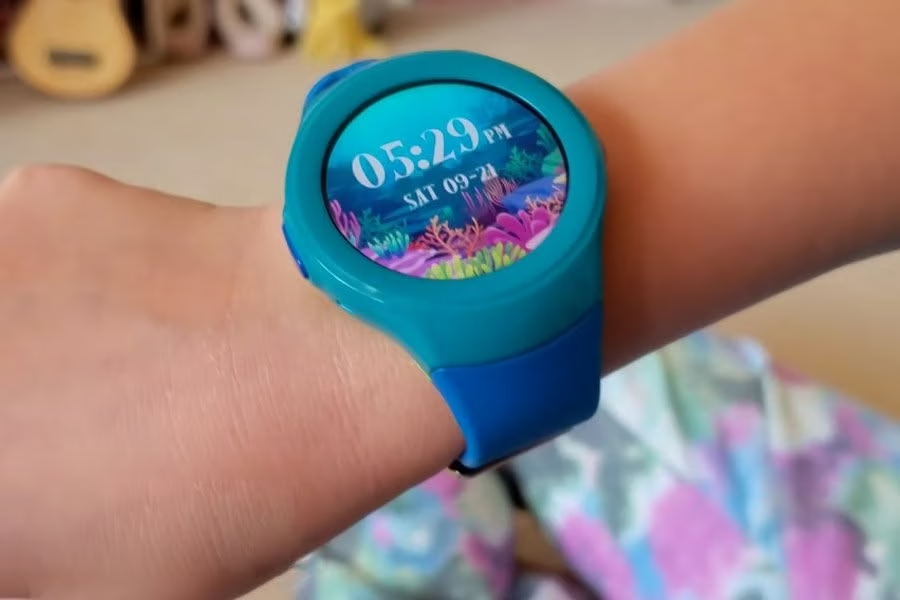
The best kids smart watch in NZ overall is the imoo Z1 4G Kids Smart Watch, because it combines real-time GPS tracking, voice and video calling, an SOS contact and Class Mode in one watch that works without a nearby smartphone, from a brand that backs it with a two-year warranty. Every pick below is a 4G kids watch, and each one is built around a different family need rather than one universal “best” spec sheet.
These watches sit apart from a general-purpose smart watch or a step-counting fitness tracker: their whole job is keeping a parent in contact with a child and showing where that child is. The picks mix established kids-watch brands such as imoo and Garmin with lower-cost generic 4G watches. Where a listing does not publish a full spec sheet, that gap is flagged in the entry rather than filled with guesses.
Quick comparison
| Pick | Best for | Screen | Standout feature |
|---|---|---|---|
| imoo Z1 4G Kids Smart Watch | Overall | 1.3 inch | Class Mode and stranger-call blocking |
| 4G Kids WhatsApp Smart Watch (MJVV) | WhatsApp & photos | 1.69 inch | WhatsApp chat plus camera |
| imoo Z3 4G Kids Smart Watch | Video calling & Class Mode | 1.5 inch | Multi-system GPS + VoLTE video calling |
| TOPUSER 4G Kids GPS Smart Watch | Video calling | 1.44 inch | 90-day route history, IP67 |
| Garmin Bounce 2 | Premium / swim-proof | 1.2 inch AMOLED | 5 ATM swim rating |
| imoo X10 Flip Dual Camera | Dual-camera design | Flip/detachable | 8MP rear + 5MP front camera |
| 4G Kids GPS Smart Watch (Budget) | Budget | Touchscreen | Same core feature set, lowest price |
The Best Kids Smart Watch NZ
1. imoo Z1 4G Kids Smart Watch – Best for Overall
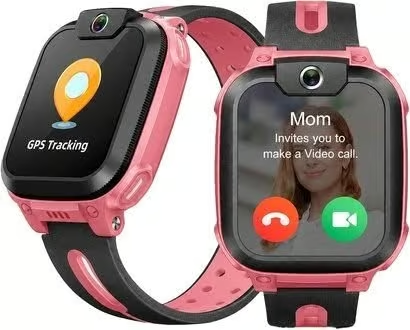
The imoo Z1 is the best kids smart watch in NZ overall for most families because it covers the safety basics well and comes from an established kids-watch brand rather than an unbranded generic. It handles voice calls, video calls and voice messages, shows the child’s location in real time, and has an SOS emergency contact, all without a nearby phone.
It is a compact watch with a 1.3 inch touchscreen and a 740mAh battery, sized for younger wrists. Parent controls run through the imoo app: Class Mode silences the watch during school hours, a WiFi safe zone alerts you when the child leaves a familiar network area, and a setting rejects calls from numbers that are not saved in the watch. A pedometer, family and group chat, and a bump-to-add-friends feature give kids something to use between calls.
The Z1 needs its own SIM and a 4G plan. imoo recommends SIMs from the major networks and notes that some smaller providers need the APN entered manually before data works. The listing calls the watch waterproof but gives no rating, so treat it as splash resistant. With a small screen and basic storage it is the simpler sibling of the imoo Z3 further down this list, and it carries a two-year manufacturer warranty.
Pros
- Established kids-watch brand with a two-year warranty
- Voice calls, video calls and voice messages
- Class Mode and stranger-call blocking in the parent app
Cons
- Smaller 1.3 inch screen than most picks here
- No published water-resistance rating
- Some smaller networks need manual APN setup
Key specs: 1.3in touchscreen; 4G and WiFi; real-time GPS tracking; voice and video calling, voice messages; SOS contact; Class Mode, stranger-call rejection, WiFi safe zone; pedometer; 740mAh battery; 2-year manufacturer warranty.
2. 4G Kids WhatsApp Smart Watch – Best for WhatsApp & Photos
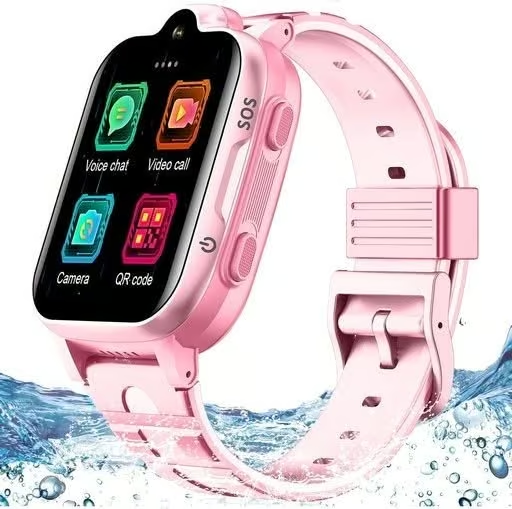
This 4G kids watch from MJVV stands out for one feature the others here lack: WhatsApp. Children can send and receive WhatsApp text and voice messages from the wrist, alongside normal phone calls and video calls. That suits older children who want to keep up with family chats without carrying a phone.
The 1.69 inch touchscreen is one of the larger displays in this guide, and the camera handles video calls and photos, which parents can also trigger remotely from the app. Location comes from GPS, WiFi and base-station positioning together, with geofence alerts and a route history covering roughly the last month. An SOS button calls family numbers in turn, Class Mode silences the watch in school hours, and the IP67 rating covers rain and hand-washing.
This is a generic watch rather than a known brand, and the seller says the APN must be set before every feature works, which means a few minutes in the settings with your network’s details. WhatsApp and other social apps on a child’s wrist also need more supervision than a closed calling watch. The charger has to be lined up carefully on the contacts, and owner ratings are more mixed than for the branded picks.
Pros
- WhatsApp messaging on the wrist
- Large 1.69 inch touchscreen with camera
- GPS, WiFi and LBS location with geofence and route history
- IP67 rated against rain and splashes
Cons
- Generic brand; owner ratings are mixed
- APN setup needed before all features work
- Social apps need closer parental supervision
Key specs: 1.69in touchscreen (240 x 280); 4G nano SIM; voice and video calling; WhatsApp chat; GPS/WiFi/LBS location, geofence, about one month of route history; SOS button; Class Mode; pedometer; IP67; model MJVV MB001.
3. imoo Z3 4G Kids Smart Watch – Best Video Calling & Class Mode
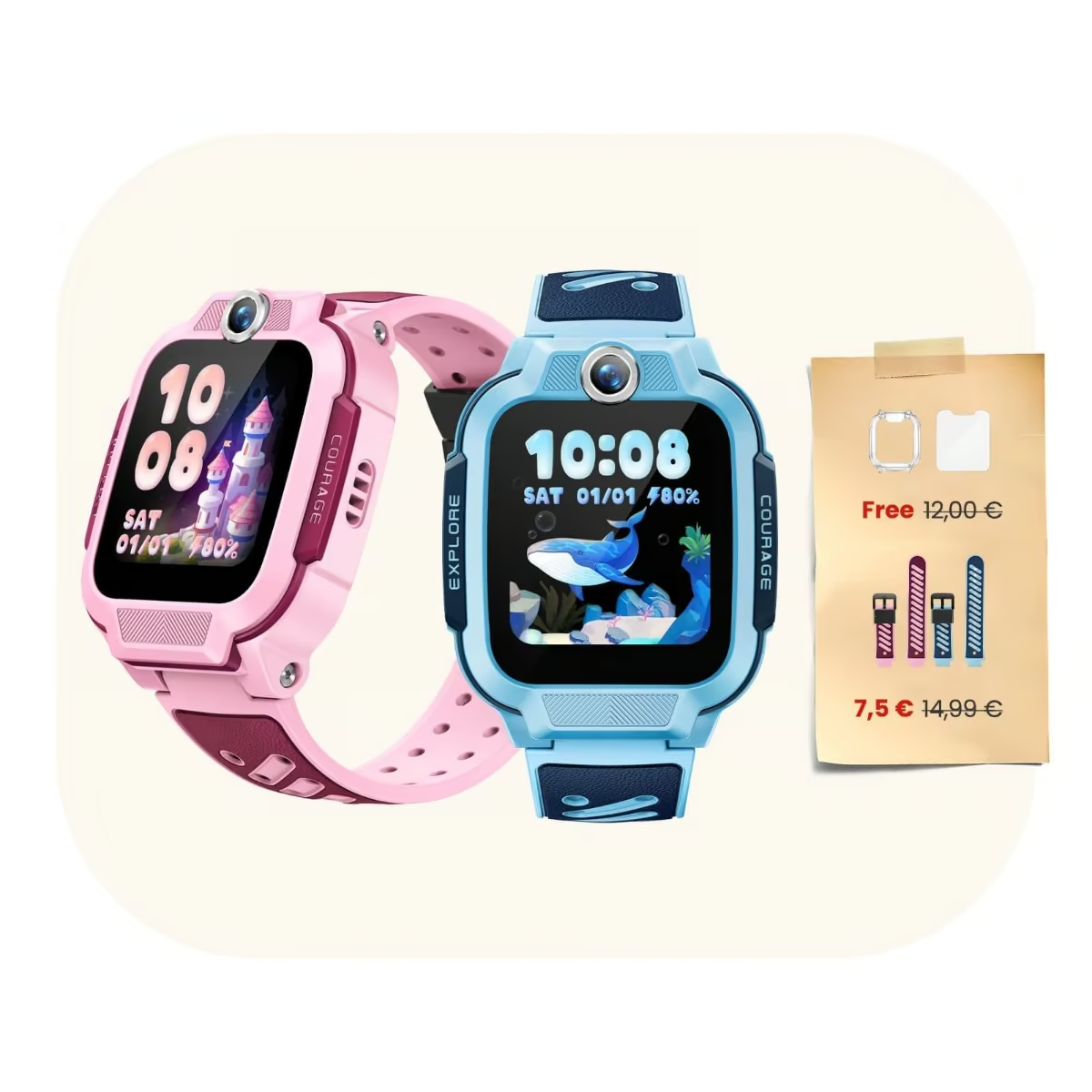
Parents who want a step up from the imoo Z1 should look at the imoo Z3, from the same imoo brand, part of the BBK Electronics family behind OPPO and vivo. It combines a 1.5 inch touchscreen, 8GB of storage and multi-system positioning (GPS, GLONASS, WiFi and LBS/QZSS) for genuinely layered location tracking.
VoLTE video calling runs through a 2MP front camera, and imoo’s own Class Mode switches the watch into a school-hours do-not-disturb setting, much like the silent and class modes on the other watches in this guide. It carries a 20m water-resistance rating to ISO 22810:2010, which one AU retailer separately labels IP68; either way, treat it as splash and rain resistant rather than swim-proof.
Pros
- Established international brand (imoo, part of the BBK Electronics family)
- Multi-system GPS, GLONASS, WiFi and LBS positioning for more precise tracking
- Class Mode gives a genuine school-hours do-not-disturb setting
- 740mAh battery and GDPR-compliant data handling
Cons
- Splash/rain resistant only (20m ISO rating), not rated for swimming
- Needs an active SIM with VoLTE support, so check carrier compatibility first
- Single 2MP front camera only, no rear camera
Key specs: 1.5in touchscreen, 8GB storage; multi-system GPS/GLONASS/WiFi/LBS; VoLTE video calling, 2MP front camera; Class Mode; 20m water-resistant (ISO 22810:2010); 740mAh battery.
4. TOPUSER 4G Kids GPS Smart Watch – Best for Video Calling
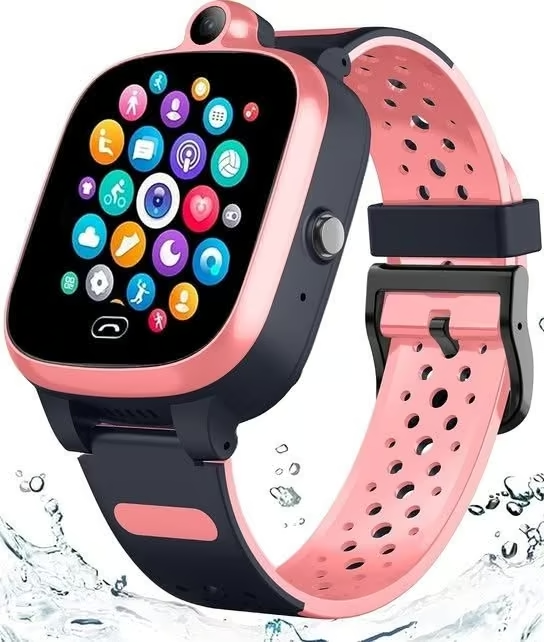
This 4G kids watch from TOPUSER is a no-frills calling and tracking watch with video calls built in. It makes normal phone calls and video calls over 4G, sends voice and text messages, and has a one-button SOS that dials the emergency contact when held down. A camera and photo album, alarm clock, pedometer and Silent (Class) Mode cover the everyday extras.
Tracking is its strong point: GPS, WiFi and base-station positioning feed live location to the parent app, geofence alerts flag when the child leaves a safe area, and the route history keeps the last 90 days, the longest of the generic watches here. It is rated IP67 for rain and hand-washing. The trade-offs are a small 1.44 inch screen at a low 128 x 128 resolution, which makes video calls look basic, and an APN setup step before every feature works. As an unbranded watch, support comes from the seller rather than a local distributor.
Pros
- Video and voice calling over 4G
- 90-day route history and geofence alerts
- One-button SOS and Class Mode
- IP67 rated against rain
Cons
- Small, low-resolution 1.44 inch screen
- APN setup needed before all features work
- Generic brand; support only through the seller
Key specs: 1.44in touchscreen (128 x 128); 4G nano SIM; voice and video calling, voice and text messages; GPS/WiFi/LBS location, geofence, 90-day route history; SOS button; camera; Silent (Class) Mode; pedometer; IP67; model TOPUSER TB0081.
5. Garmin Bounce 2 – Best Premium & Swim-Proof
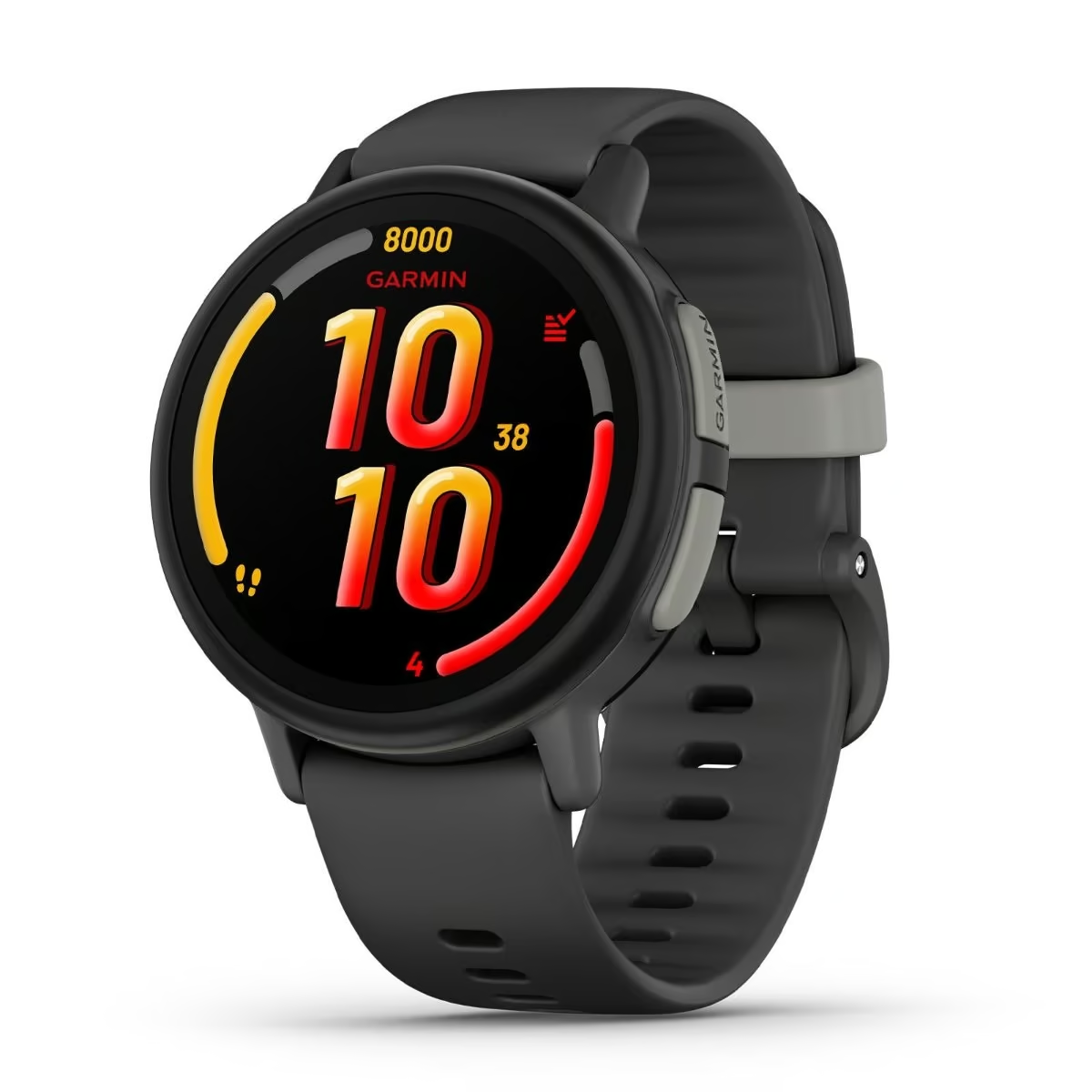
For families who want a globally trusted brand and a genuinely swim-proof kids’ watch, the Garmin Bounce 2 is the premium pick in this guide. It is stocked directly by JB Hi-Fi and Noel Leeming in NZ, and pairs a 1.2 inch AMOLED display with two-way calling, voice messaging with transcriptions, and text messaging managed through the Garmin Jr. parent app.
Its 5 ATM water rating is a genuine step up from every splash-resistant watch in this guide, so it can go in the pool. The trade-off is cost and lock-in: LTE features need an active Garmin Kids Smartwatch LTE Plan, a proprietary Garmin subscription rather than a standard SIM, and Garmin’s own NZ and AU retail listings show a middling 3.5 to 3.6 out of 5 rating, so weigh the premium price against genuinely mixed owner feedback.
Pros
- Trusted global GPS/wearables brand, stocked directly in NZ
- Genuinely swim-proof 5 ATM rating, unlike the splash-only watches elsewhere in this guide
- Rich feature set: activity tracking, sleep tracking, geofenced safe zones
- Voice messaging with transcriptions, on top of two-way calling
Cons
- Highest price in this guide by a wide margin
- Requires Garmin’s own proprietary LTE subscription; a standard local SIM cannot substitute
- Only a middling 3.5-3.6/5 rating on Garmin’s own NZ and AU retail listings
- Shortest battery life here, around 2 days
Key specs: 1.2in AMOLED display; two-way calling, voice/text messaging via Garmin Jr. app; GPS with geofencing; 5 ATM water rating; requires Garmin Kids Smartwatch LTE Plan; about 2-day battery.
6. imoo X10 Flip Dual Camera 4G Kids Smart Watch – Best Dual-Camera Design
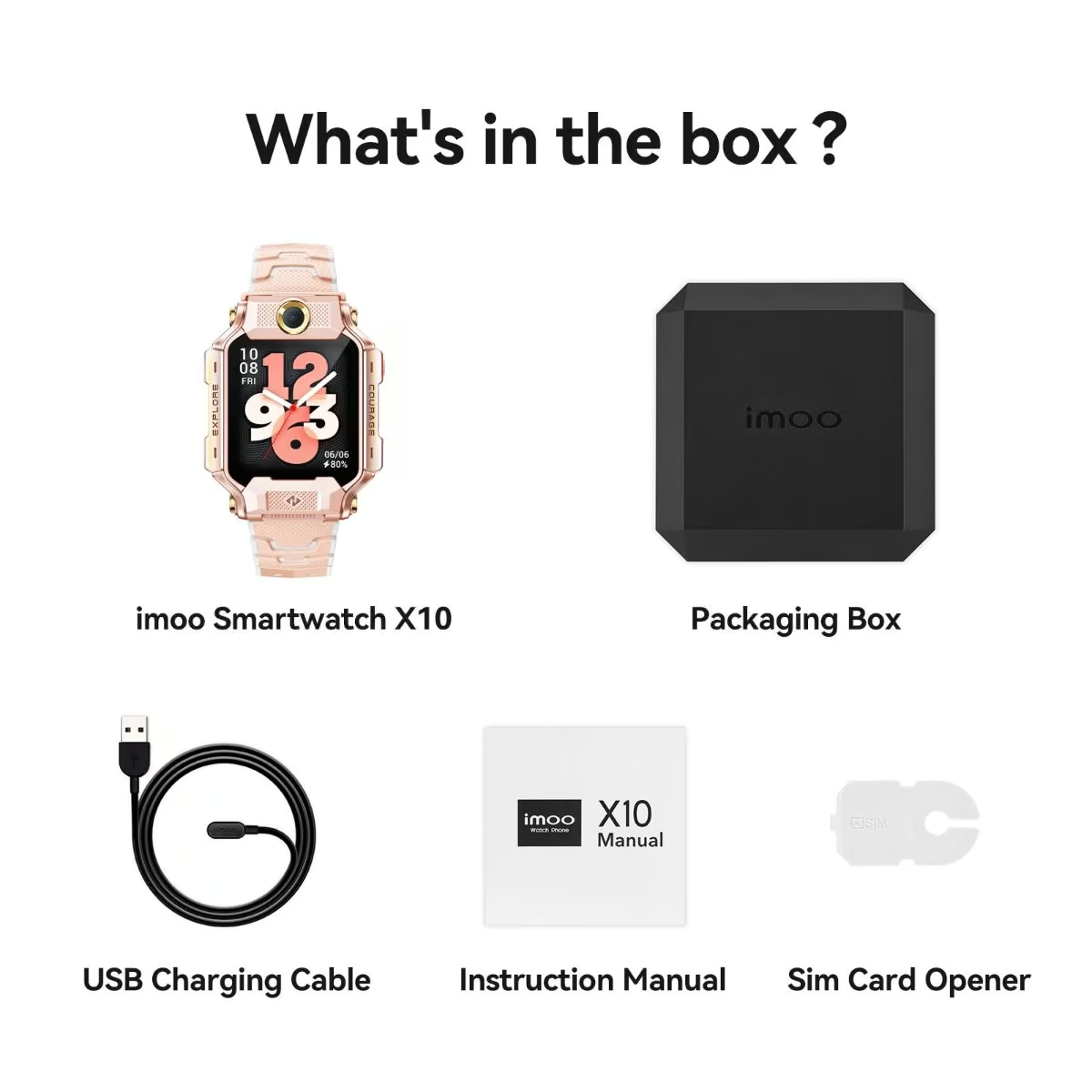
The imoo X10 breaks from the usual round touchscreen format with a flip, detachable design, imoo’s own first watch built this way. It carries dual cameras, an 8MP rear lens and a 5MP front lens, for 360-degree video calls with a split-screen live view, rather than the single front camera most kids’ watches offer.
A five-satellite-system GPS setup adds a 14-day location history for reviewing where the watch has been, and it runs on a proper Snapdragon Wear 4100 chip with 1GB RAM and 32GB of storage, well ahead of the generic watches in this guide. Heart-rate and sport-mode data are explicitly reference-only rather than medical-grade on imoo’s own site, and like the Z3, its 20m water-resistance rating covers splashes and rain rather than swimming.
Pros
- Distinctive flip/detachable design with dual cameras (8MP rear, 5MP front)
- Five-satellite-system GPS with 14-day location history
- Snapdragon Wear 4100 chip and generous 32GB storage
- Class Mode, sleep mode and screen-time parental controls
Cons
- Highest price of the three imoo picks here, and a premium watch overall
- Heart-rate and sports data are reference-only, not medical-grade, by imoo’s own admission
- Same splash/rain-only water resistance as the Z3, not swim-proof
- Not yet stocked by major NZ/AU retailers seen, so verification rests on imoo’s own official stores
Key specs: Flip/detachable design; 8MP rear + 5MP front camera; 5-satellite GPS with 14-day history; Snapdragon Wear 4100, 1GB RAM/32GB storage; Class Mode; 20m water-resistant.
7. 4G Kids GPS Smart Watch – Best Budget Pick
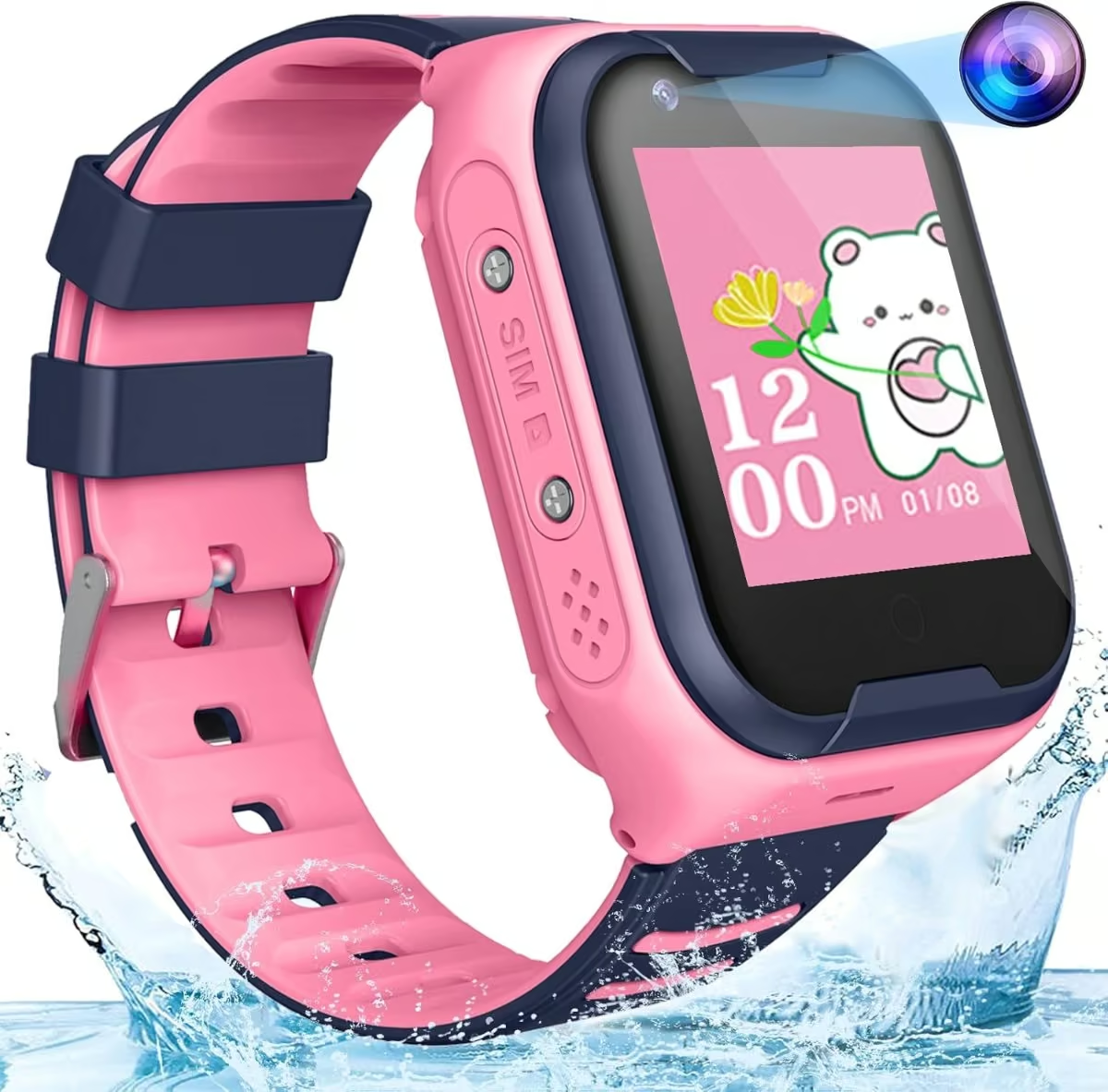
Rounding out this guide is a straightforward 4G Kids GPS Smart Watch from TEZILON, covering the same core feature set as the generic watches above: two-way calling, a front camera, an SOS button, WiFi-assisted location and geofencing on one touchscreen.
The seller does not publish a full spec sheet for this device, so exact screen size, battery life and app behaviour are drawn from the hardware family this watch belongs to rather than confirmed for this specific listing. Treat it as a genuine budget alternative to the branded picks rather than a step up in verified detail.
Pros
- A low-cost way into a 4G kids watch
- Covers the core feature set: calling, camera, SOS, GPS
- Simple setup pattern consistent with the rest of this hardware class
Cons
- No independently published spec sheet for this exact listing
- No brand history or independent reviews to weigh against the established brands above
- Battery and screen specifics are drawn from the hardware class, not confirmed for this unit
Key specs: 4G two-way calling, front camera, SOS button, WiFi/GPS/LBS location, geofencing (class-typical specs; not independently confirmed for this exact listing).
How to Choose the Best Kids Smart Watch in NZ
SIM card and data plan: Every 4G kids watch in this guide needs its own nano SIM and a small prepaid or account plan, since the calling and GPS features do not run through a paired phone. Spark, One NZ, 2degrees and Skinny SIMs all work as long as the plan includes voice calls and roughly 0.25GB to 1GB of monthly data; heavier video-call use will need more.
Check it is genuinely 4G: One NZ is retiring its 3G network and Spark and 2degrees have already wound back older networks, so a kids watch that only supports 2G or 3G will stop working on some or all NZ networks. Confirm 4G support before buying rather than assuming any “smart watch” listing qualifies, since older stock can still turn up in NZ online stores.
GPS accuracy is layered, not absolute: These watches locate a child three ways: GPS, which is accurate outdoors; WiFi hotspot matching; and mobile base-station (LBS) positioning, which is used as a fallback indoors and can be out by hundreds of metres. If precise pet-style tracking matters more than calling, it is worth comparing these against a dedicated pet GPS tracker built solely around location accuracy.
Match the screen to the child’s age: Smaller 1.3 to 1.44 inch screens, like the imoo Z1 and the TOPUSER watch in this guide, suit younger children who mainly need calling and an SOS button. Older kids tend to prefer larger 1.5 to 1.69 inch touchscreens with cameras and apps, similar to how a budget tablet with a bigger screen suits an older child better than a small one.
School Mode and parental controls: Look for a companion app that supports a scheduled do-not-disturb window, a short contact list, and geofencing, so the watch stays useful for safety without becoming a classroom distraction.
Water resistance has limits: An IP67 rating covers dust and brief accidental splashes or immersion, not swimming or long showers. Treat any “waterproof” kids watch as splash-resistant rather than swim-proof unless the listing states an actual swim rating.
Battery and warranty expectations: Standby-time claims rarely hold up once video calling and GPS polling are switched on, so expect closer to a day or two of active use rather than a week. Imported watches can be slower to return than locally bought ones, so check the seller’s return policy and keep the original packaging until the watch has been tested.
If the goal is simply an active, screen-free gift for outdoor play rather than a phone-replacement device, it is also worth weighing a kids scooter or similar physical gift against a smart watch.
To track results at home, the guide to bathroom scales is worth a look.
Once a child stops caring about the calling feature and starts caring about step counts, the best affordable fitness tracker usually suits them better and costs less to replace.
Verdict
For most NZ families, the imoo Z1 4G Kids Smart Watch is the best all-round buy, because it covers calling, video calls, GPS tracking, Class Mode and an SOS contact from an established kids-watch brand with a two-year warranty. Older children who want to message family on WhatsApp should look at the 1.69 inch WhatsApp watch, parents who want a bigger screen and more precise tracking can step up to the imoo Z3, families who want to look back over where a child has been can use the 90-day route history on the TOPUSER watch, and swimmers are best served by the Garmin Bounce 2.
FAQs
Do kids smart watches in NZ need their own SIM card?
Yes. 4G kids smart watches take a nano SIM with an active data and calling plan, sold separately from the watch. Spark, One NZ, 2degrees and Skinny SIMs all work as long as the plan includes voice calls and roughly 0.25 to 1GB of monthly data for GPS pings and video calls.
What age is best for a kids smart watch?
Most kids smart watches suit children aged roughly 5 to 12, once they are old enough to charge the watch, answer calls and understand the SOS button. Younger children often do better with a simpler 1.4 inch screen, while pre-teens tend to prefer larger touchscreens with cameras and games.
How accurate is GPS tracking on a kids smart watch?
These watches locate a child three ways: GPS (most accurate outdoors), WiFi hotspot matching, and mobile base-station (LBS) positioning, used indoors and able to be out by hundreds of metres. Expect strong accuracy outside and a rougher estimate inside schools, buses or shopping centres.
What does School Mode do on a kids smart watch?
School Mode is a parent-set do-not-disturb window, usually managed through the watch’s companion app, that silences calls, messages and games during class hours while keeping GPS location and the SOS button working in the background. Parents typically schedule it to match school start and finish times.
Will a 4G kids smart watch keep working as NZ switches off 3G?
Yes, provided the watch is genuinely 4G-capable rather than an older 2G or 3G model. One NZ is retiring 3G, and Spark and 2degrees have already phased out or are phasing out older networks, so confirm 4G support before buying rather than assuming any smart watch listing qualifies.
