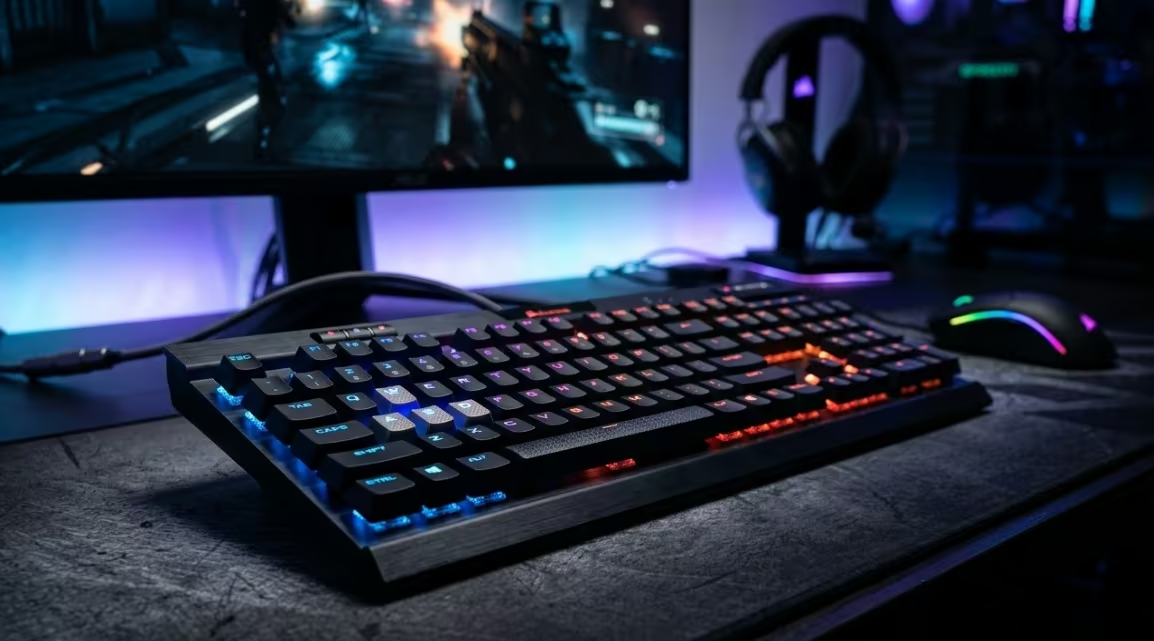
The best gaming keyboard in NZ overall is the Logitech G512 Carbon Lightsync, thanks to a brushed aluminium-alloy top plate over a full-size layout that is built to survive years of daily use rather than to chase gimmicks. It skips the wrist rest and media dial some rivals include, and is the better keyboard for it.
Finding the right gaming keyboard in New Zealand means weighing up switch type, form factor and connectivity against how much desk space and budget is available. This guide rounds up eight gaming keyboards from established brands with genuine NZ delivery, covering everything from a quiet budget membrane board through to a high-end magnetic-switch esports keyboard.
Each pick below is broken down by build quality, typing and gaming feel, and standout features, with a clear list of pros, cons and key specs. A comparison table follows for a quick side-by-side, and a buying guide further down covers switch types, form factors and other practical considerations in more detail.
| Keyboard | Best For | Switch Type |
|---|---|---|
| Logitech G512 Carbon Lightsync RGB Mechanical Gaming Keyboard (GX Brown) | Best Overall | GX Brown (mechanical) |
| CORSAIR K70 RGB PRO Wired Mechanical Gaming Keyboard | Best Premium Mechanical | Cherry MX RGB Brown (mechanical) |
| Razer Ornata V3 X Gaming Keyboard | Best Budget | Silent membrane |
| Logitech G G515 Lightspeed TKL Wireless Gaming Keyboard | Best Wireless | GL low-profile (mechanical) |
| SteelSeries Apex 3 TKL RGB Gaming Keyboard | Best Compact TKL | Whisper Quiet (membrane) |
| Redragon K556 RGB Hot-Swap Mechanical Gaming Keyboard | Best Hot-Swap Value | Hot-swap mechanical (Brown) |
| CORSAIR K55 CORE RGB Membrane Wired Gaming Keyboard | Best Quiet Membrane | Rubber dome membrane |
| SteelSeries Apex Pro TKL Gen 3 | Best High-End Esports | OmniPoint 3.0 HyperMagnetic (Hall effect) |
1. Logitech G512 Carbon Lightsync Gaming Keyboard – Best Overall
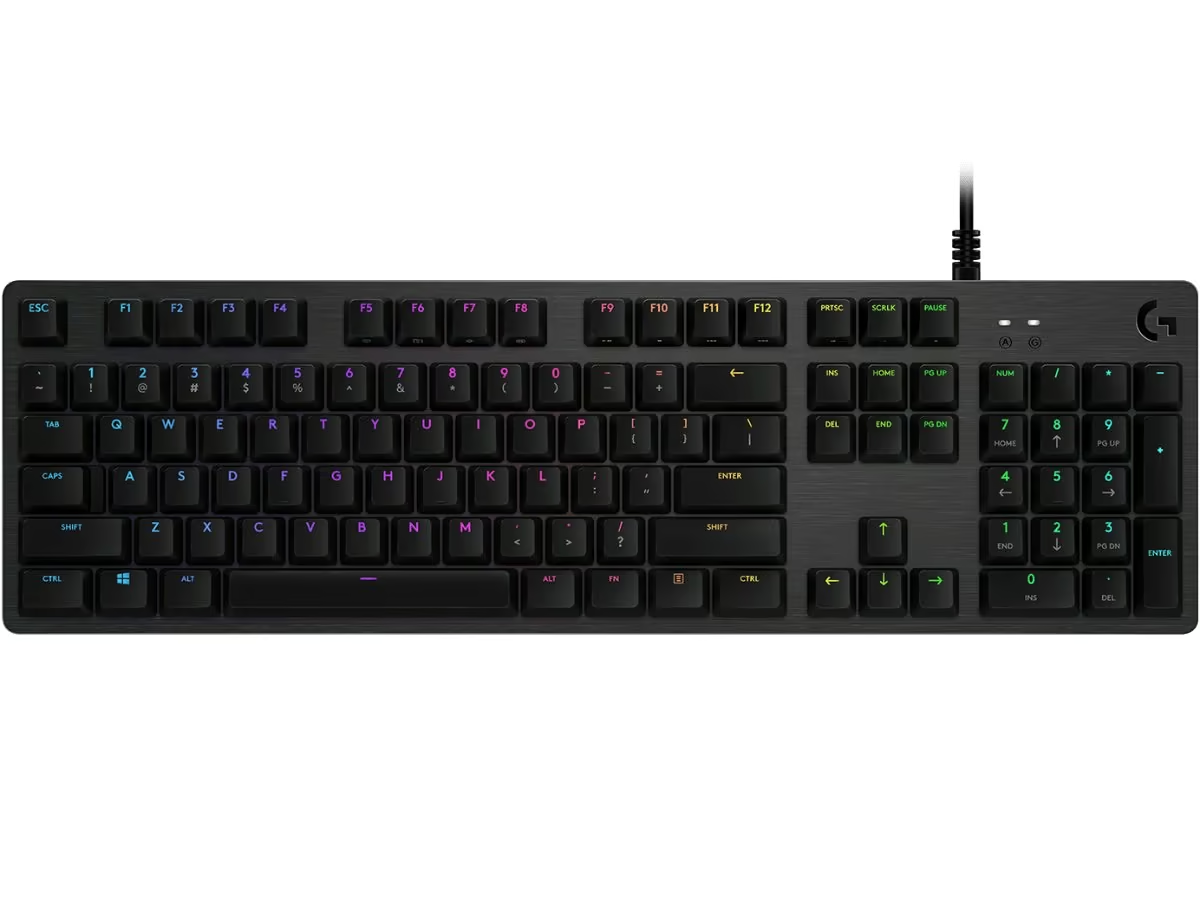
The G512 Carbon skips the wrist rest and dedicated media dial some rivals include, relying instead on a brushed aluminium-alloy top plate over a full-size layout to keep things simple and durable. It is a no-frills design that feels solid in the hand, if a little heavy at over a kilogram, and clearly built to survive years of daily use rather than to impress with extra widgets.
Fitted with GX Brown switches, the typing feel sits in the tactile middle ground. There is a clear bump partway through each keystroke, so gamers and typists alike get feedback on actuation, but it stays quieter than a clicky switch. Logitech pitches GX Brown as suited to competitive and FPS play where clicky switches would be too noisy, while still giving enough feedback that mispresses are easy to feel and correct.
Lighting runs through Logitech’s LIGHTSYNC system, letting each key be set individually across roughly 16.8 million colours, with presets or fully custom animations available. Deeper customisation, including linking the lighting to in-game events or audio, requires the free Logitech G HUB software, which also handles FN key programming and the game mode toggle.
This is a keyboard for anyone who wants a proper mechanical typing feel without paying extra for wireless or a wrist rest they won’t use. The trade-off is that it is wired only and full-size, so buyers who specifically want a compact or wireless setup should look further down this list, such as the G515.
Pros
- Genuine tactile mechanical feel from GX Brown switches, quieter than clicky alternatives
- Durable aluminium-alloy build that feels substantial rather than flexy
- Full per-key RGB with deep customisation via G HUB
- Handy USB passthrough port for a mouse or headset dongle
Cons
- Wired only, no wireless or Bluetooth option
- Full-size layout takes up more desk space than a TKL board
- No dedicated wrist rest included
Key specs: 1 ms report rate over wired USB | Per-key LIGHTSYNC RGB, ~16.8 million colours | Built-in USB passthrough port | Aluminium-alloy top plate | 2-year limited hardware warranty
2. CORSAIR K70 RGB PRO Gaming Keyboard – Best Premium Mechanical
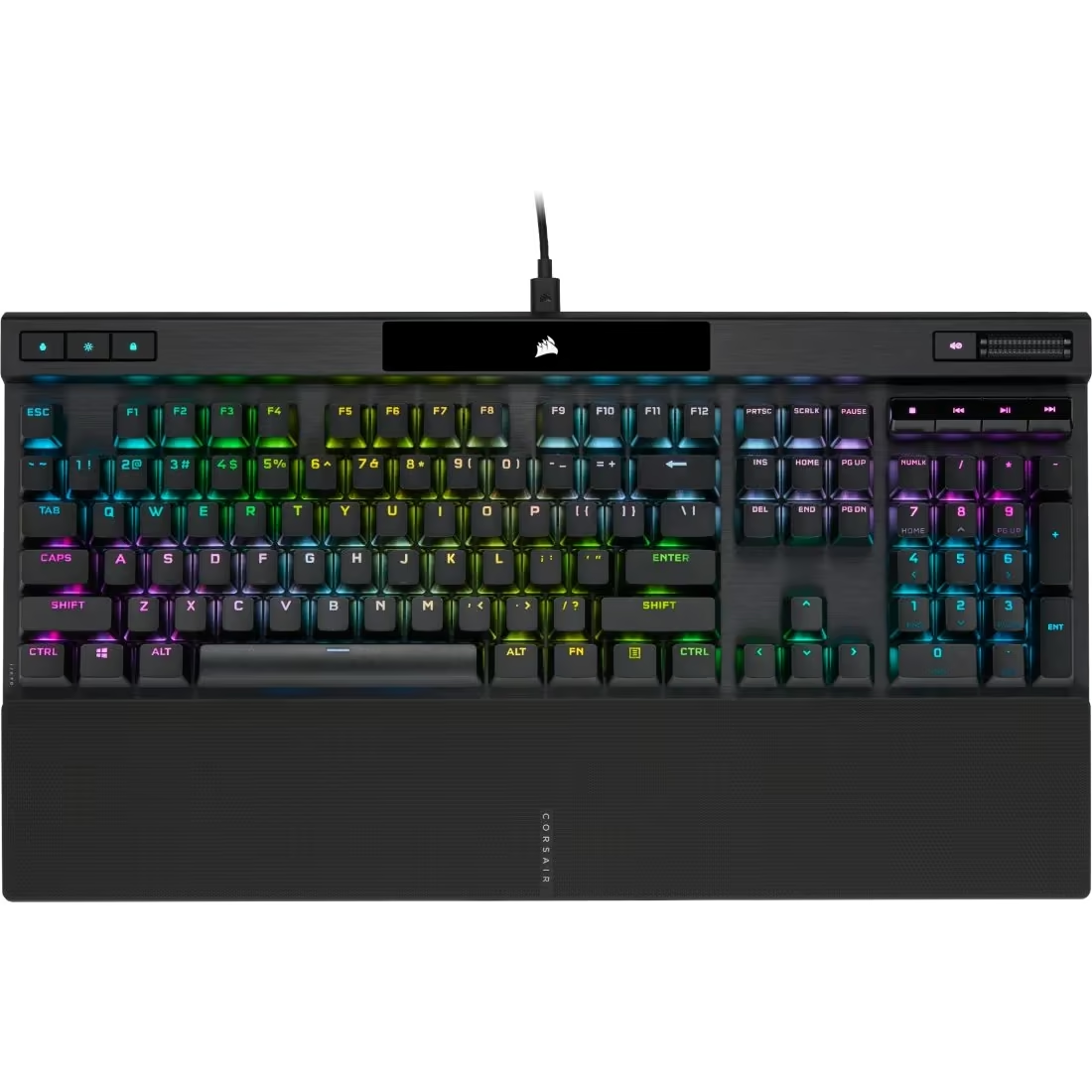
The K70 RGB PRO keeps the brushed aluminium frame the K70 line is known for, paired with a full-size 104-key layout. At 1.13kg and 444 x 166 x 40mm, it has a solid, planted feel on the desk rather than sliding around mid-match.
This variant uses genuine German-made CHERRY MX RGB Brown switches, giving a tactile bump partway through the keystroke without the audible click of a Blue switch, so typing feels responsive without being noisy in a shared room. Corsair’s AXON processing pushes polling up to 8,000Hz, well beyond what casual play needs but useful for shaving extra latency in competitive titles.
Lighting runs through per-key RGB with up to 20 layers of onboard processing, controlled through Corsair’s iCUE software alongside macro programming, key remapping and profile storage of up to 50 profiles. The magnetic soft-touch palm rest clips on and off easily, and the PBT double-shot keycaps resist the shine and wear that cheaper ABS caps develop after months of use.
This suits anyone who wants a proper mechanical typing feel and doesn’t mind paying for a full-size layout with a numpad. Gamers who prefer a slimmer TKL board or silent linear switches should look elsewhere in the K70 range, since Brown switches sit in the middle ground rather than either extreme.
Pros
- Solid aluminium build with genuine CHERRY MX switches
- 8,000Hz hyper-polling is genuinely future-proofed for esports
- Durable PBT double-shot keycaps resist shine over time
- Useful magnetic palm rest and deep onboard profile storage
Cons
- Full-size footprint takes up more desk space than a TKL board
- Brown switches are a middle-ground feel, not ideal for silent or clicky extremes
- Requires iCUE install to unlock full lighting and macro customisation
Key specs: 8,000Hz hyper-polling with AXON hyper-processing | PBT double-shot PRO keycaps | Per-key RGB with up to 20 hardware lighting layers | Magnetic soft-touch palm rest included | 100% anti-ghosting, full NKRO, 8MB onboard memory
3. Razer Ornata V3 X Gaming Keyboard – Best Budget
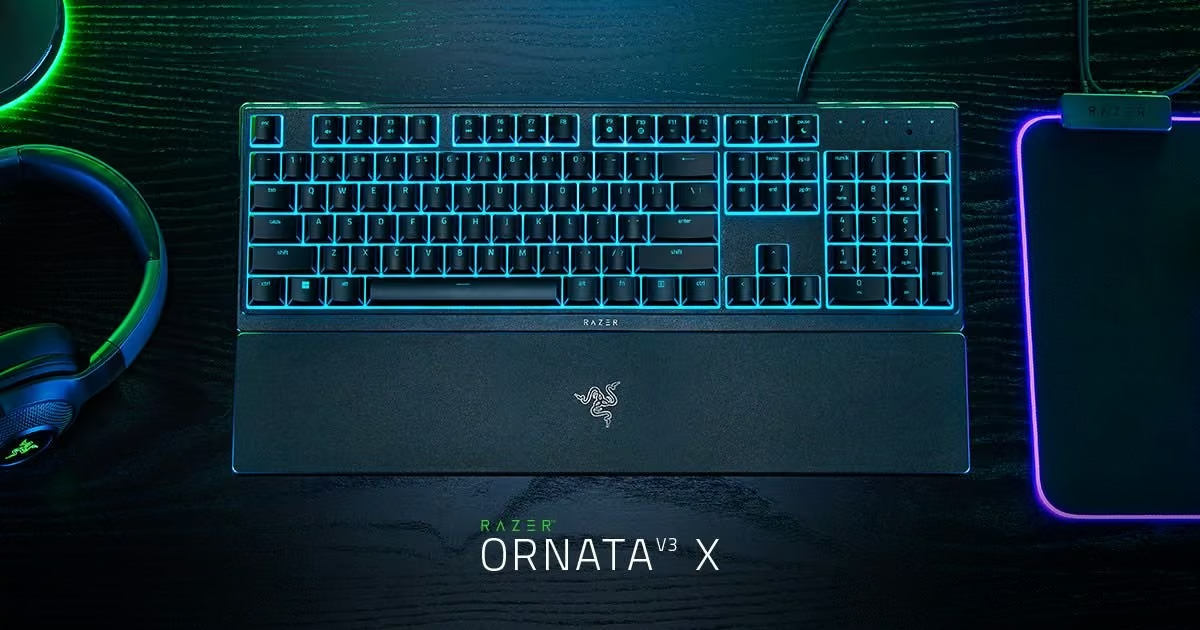
The Ornata V3 X keeps things simple with a full-size layout wrapped in a slim, low-profile shell. The attached wrist rest and shorter keycap height keep hands sitting flatter and more relaxed, a noticeable change from a taller mechanical board.
Razer built this around silent membrane switches rather than clicky mechanical ones, so every keystroke lands with a soft, cushioned feel and minimal noise. It won’t have the tactile snap of a true mechanical switch, but for late-night sessions or shared spaces it’s a genuinely quieter option without feeling mushy.
Chroma RGB is the standout feature, with 16.8 million colours and a handful of built-in effects that can be personalised further through Razer Synapse 4. The keyboard also supports Snap Tap, a software feature that changes how simultaneous opposing key presses are prioritised, aimed at competitive gamers.
This suits players who want a comfortable, quiet everyday keyboard rather than a premium mechanical rig, and anyone typing for long stretches who wants a lower-profile, wrist-friendly layout. Mechanical-switch enthusiasts will likely find the membrane switches feel less crisp and less customisable than a hot-swappable board.
Pros
- Comfortable low-profile design with a built-in wrist rest
- Quiet, cushioned typing feel thanks to the membrane switches
- Spill-resistant build adds everyday durability
- Chroma RGB with deep software personalisation
Cons
- Membrane switches lack the tactile feedback of true mechanical switches
- Not hot-swappable, so switch feel cannot be upgraded later
- Wired only, no wireless option
Key specs: Low-profile keycaps with shorter switch travel | Silent membrane switches with rubber dampening layer | Spill-resistant construction | Razer Chroma RGB, 16.8 million colours | Attached ergonomic wrist rest
4. Logitech G G515 Lightspeed TKL Wireless Gaming Keyboard – Best Wireless
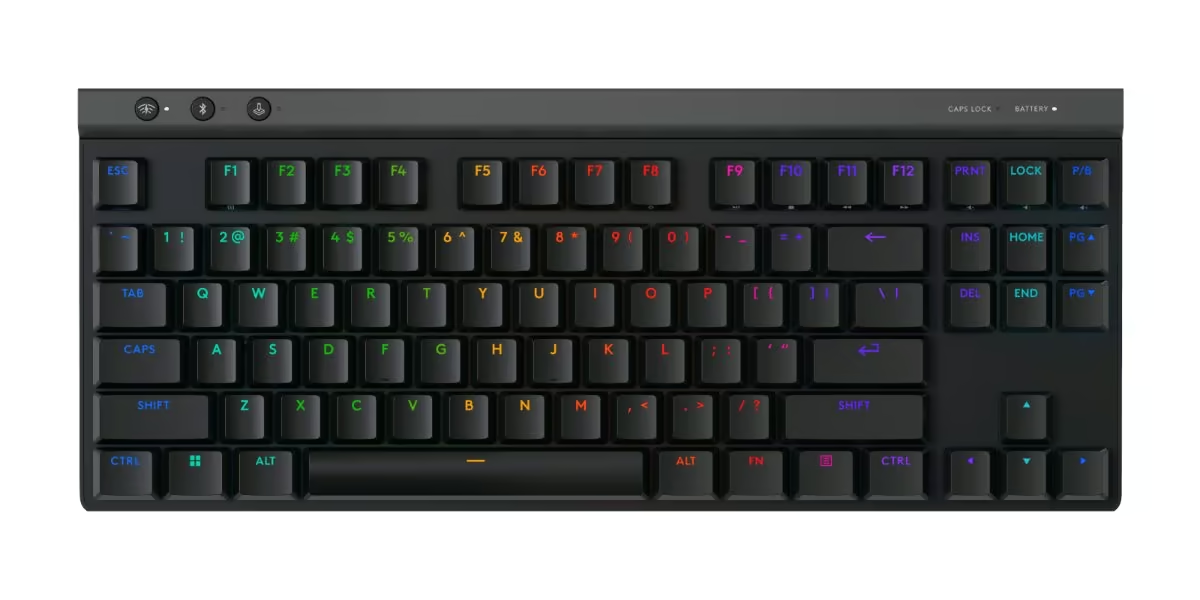
At just 22mm tall, the G515 Lightspeed TKL trades the boxy look of older mechanical boards for a slim, low-profile shape that sits closer to the desk. The tenkeyless layout drops the numpad to save space, and layered sound-dampening construction inside keeps the weight down to 880g.
Typing feel comes from Logitech’s low-profile GL switches, offered in Tactile or Linear, with an actuation point of just 1.3mm so keystrokes register faster than on a standard-height switch. The double-shot PBT keycaps add a slightly grainy, long-wearing texture that resists shine and oil build-up better than cheaper ABS caps.
Software runs through Logitech G HUB, driving the same ~16.8 million colour LIGHTSYNC RGB lighting found on the G512, alongside per-key customisation. Dedicated hotkeys switch instantly between LIGHTSPEED wireless, Bluetooth and a 1ms wired mode, and the board can share its USB receiver with a compatible Logitech mouse.
The G515 suits anyone who wants a genuinely portable, low-profile wireless board for both gaming and everyday typing, and the roughly 36-hour battery life covers a full week of moderate use. It costs more than the wired G512, and buyers who prefer a taller mechanical feel or a full numpad should look at a standard-height or full-size board instead.
Pros
- Genuinely portable low-profile design with tri-mode wireless flexibility
- Long battery life, up to 36 hours, for a wireless mechanical keyboard
- Quality double-shot PBT keycaps that resist wear and shine
- Fast 1.3mm actuation point suited to competitive gaming
Cons
- Noticeably pricier than Logitech’s standard-height wired boards
- No numpad, which won’t suit everyone
- Battery life drops faster with RGB lighting turned up
Key specs: Up to 36 hours battery life (rechargeable) | Tri-mode: LIGHTSPEED wireless, Bluetooth or wired USB-C | Low-profile GL switches, 1.3mm actuation | Double-shot PBT keycaps | Per-key LIGHTSYNC RGB, 2:1 wireless mouse pairing
5. SteelSeries Apex 3 TKL RGB Gaming Keyboard – Best Compact TKL
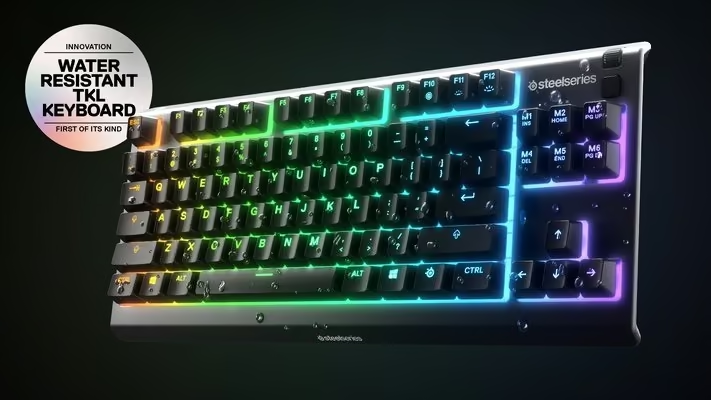
The Apex 3 TKL uses the compact tenkeyless layout most esports players prefer, dropping the number pad for more room for wide mouse sweeps. SteelSeries has fitted it with IP32 water and dust resistance, an unusual inclusion at this price that means a spilled drink is far less likely to end the keyboard’s life.
Typing and gaming feel comes from SteelSeries’ own Whisper Quiet switches, built from low-friction material and rated for more than 20 million keypresses, so they stay hushed during late-night sessions while feeling smooth under the fingers. Full anti-ghosting and N-key rollover mean rapid key combinations register cleanly during fast-paced play.
The standout extras are PrismSync RGB lighting, which can be personalised and synced with other SteelSeries gear through SteelSeries Engine, plus dedicated media controls including a clickable volume roller. Build quality feels solid for the price bracket, helped by the water-resistant design most rivals skip.
This board suits students, casual gamers and anyone wanting an affordable, spill-resistant TKL keyboard without stepping up to mechanical switch pricing. Serious competitive players wanting tactile mechanical feedback or hot-swappable switches will want to look further up the range, such as the Apex Pro.
Pros
- IP32 water and dust resistance rare at this price point
- Compact TKL layout with handy dedicated media controls
- Quiet yet responsive switches rated for long-term durability
- Budget-friendly entry into SteelSeries’ RGB ecosystem
Cons
- Not a mechanical switch, so lacks the tactile feel enthusiasts look for
- Wired only, no wireless option
- Feature set is fairly basic beyond the media roller
Key specs: IP32 water and dust resistance | 8-zone PrismSync RGB, 16.8 million colours | 24-key anti-ghosting / N-key rollover | Dedicated clickable volume roller and media keys | Three-way cable routing
6. Redragon K556 RGB Hot-Swap Gaming Keyboard – Best Hot-Swap Value
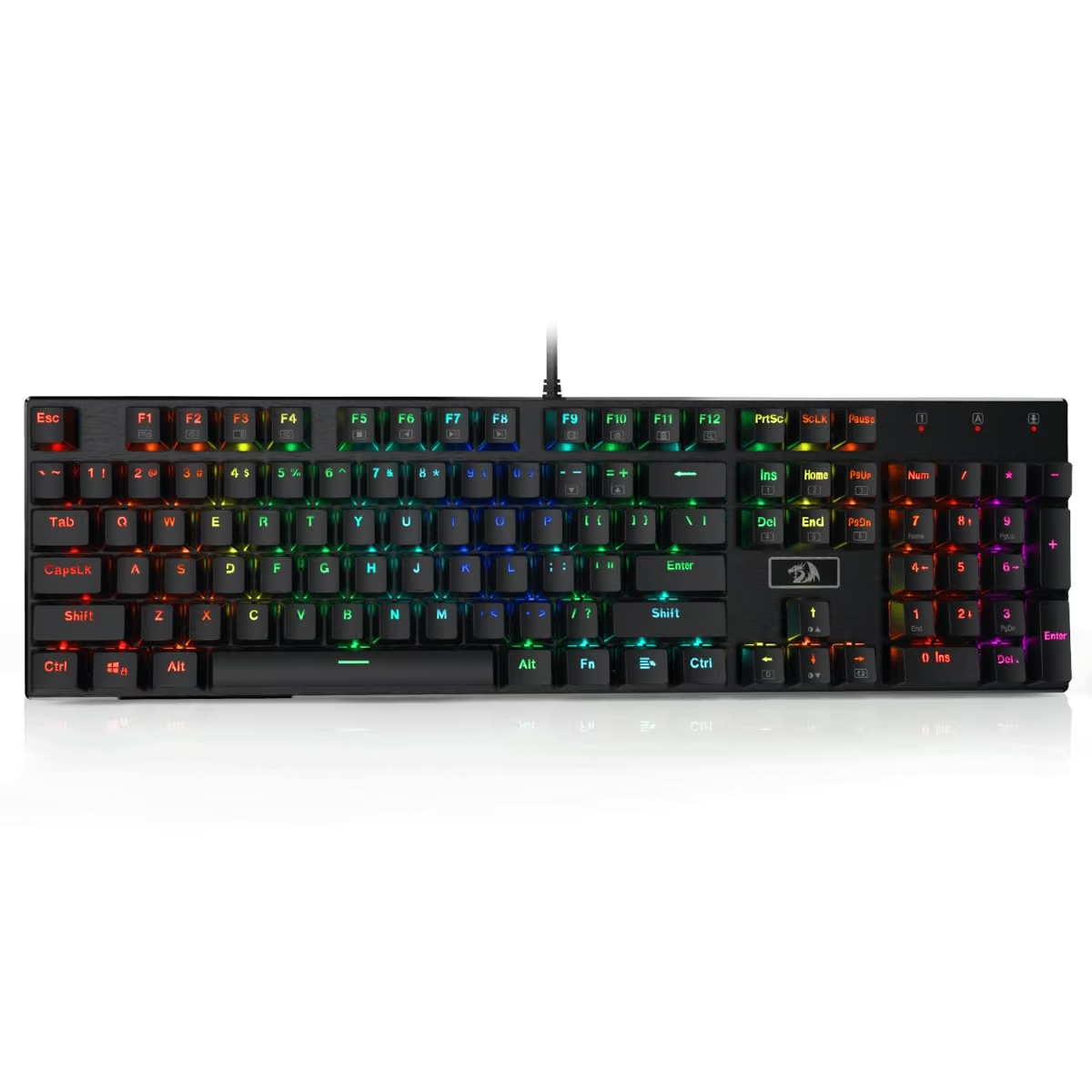
The K556 pairs a full 104-key layout with a brushed aluminium frame, giving it a noticeably more rigid, premium feel than the plastic-heavy boards typical at this price point. It’s a no-frills full-size layout rather than a compact one, so it suits anyone who wants dedicated function and navigation keys kept in place.
Brown tactile switches give a soft bump on each keystroke without the sharp click of a blue switch, making it reasonably office-friendly while still offering clear tactile feedback for gaming. Because the sockets are hot-swappable, the stock switches can be pulled and replaced with almost any other 3-pin or 5-pin switch without soldering, a genuine point of difference at this price tier.
RGB lighting runs through 18 preset backlight modes with adjustable brightness, controlled directly from the keyboard for basic use, though Redragon’s own software is available for deeper customisation. The keycaps are also removable and come with a puller, making basic maintenance and cleaning straightforward.
This is a good fit for anyone who wants to experiment with mechanical switches without paying enthusiast-keyboard prices, or who simply wants a sturdy full-size board with tactile feel and RGB lighting on a budget. Stock keycaps and switches are entry-level compared to boutique mechanical boards, so buyers wanting a compact or wireless layout should look elsewhere.
Pros
- Hot-swappable switches allow upgrades without soldering
- Solid aluminium frame feels sturdy for the price
- Full 104-key layout with N-key rollover and anti-ghosting
- Genuine retail availability with a real price point
Cons
- Stock keycaps and switches are entry-level compared to premium boards
- Wired only on this model, no wireless variant
- Full-size footprint takes up more desk space than a TKL board
Key specs: 104-key full layout, N-key rollover, anti-ghosting | Hot-swappable sockets for 3-pin and 5-pin switches | Anodised, brushed aluminium frame | 18 RGB backlight modes, 16.8 million colours | Removable keycaps with keycap puller included
7. CORSAIR K55 CORE RGB Gaming Keyboard – Best Quiet Membrane
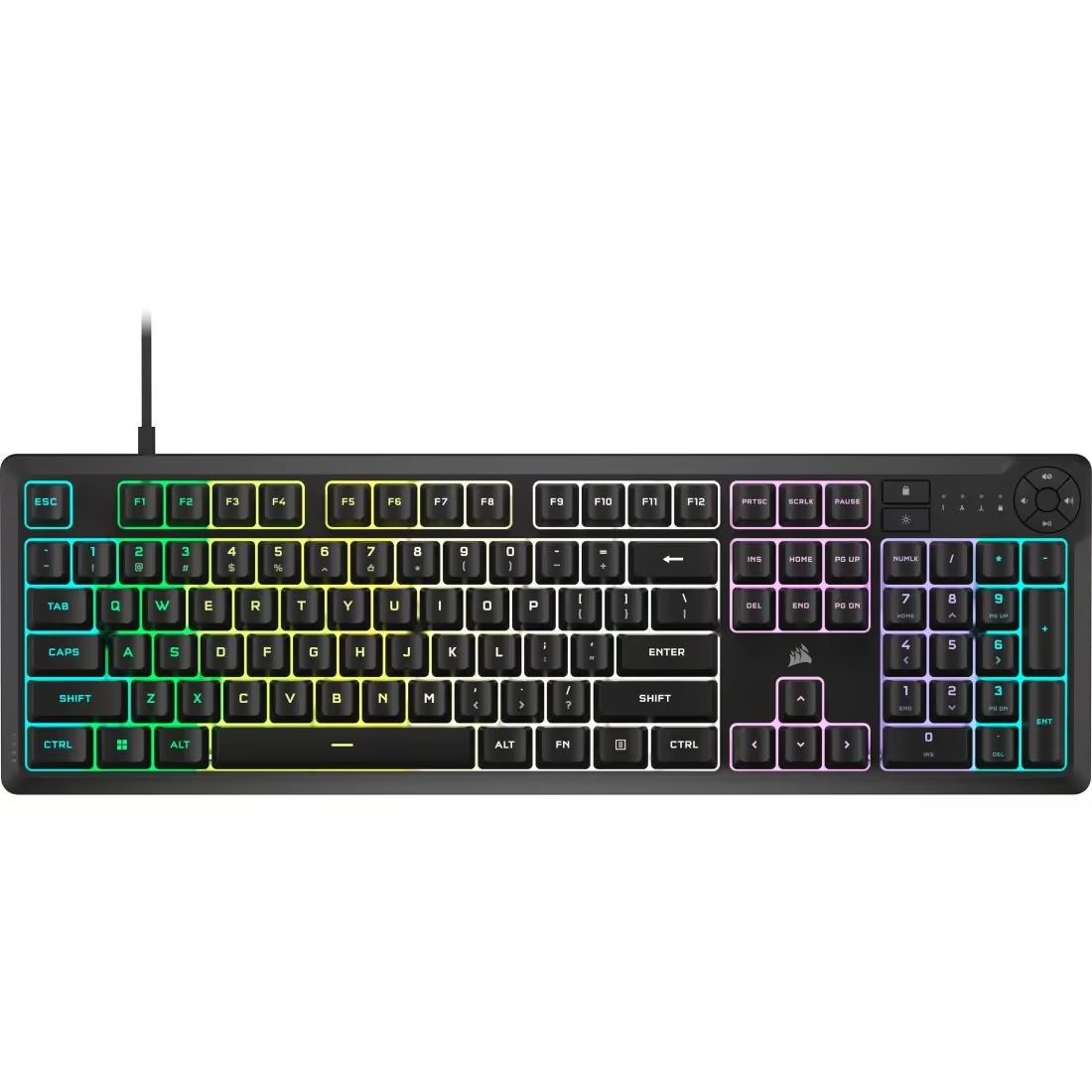
The K55 CORE is Corsair’s entry point into gaming keyboards, built around a full-size 110-key membrane layout rather than mechanical switches. At 0.752kg it’s noticeably lighter than the K70 RGB PRO, suiting a simpler, more budget-focused setup rather than a premium desk build.
Typing feel comes from quiet rubber dome switches, so there’s none of the tactile bump or audible click of a mechanical board, which also makes it a sensible choice for shared spaces like a lounge or flat where a loud keyboard would annoy others. With 12-key rollover and 1,000Hz polling, it’s built for everyday gaming and typing rather than competitive esports precision.
Lighting is handled through ten customisable RGB zones spanning 16.8 million colours, controlled through the same iCUE software Corsair uses across its range, so it slots into an existing RGB setup without extra apps. Six programmable macro keys and dedicated media controls add convenience, and the spill-resistant design, rated to 300ml, is a genuinely useful safety net for a desk near drinks.
This is best suited to someone starting out with their first RGB setup, or anyone who wants Corsair’s ecosystem and lighting without paying mechanical-keyboard prices. Players chasing the fastest response times or a tactile mechanical feel should look at the K70 RGB PRO or similar instead.
Pros
- Affordable entry point into Corsair’s iCUE RGB ecosystem
- Quiet membrane switches suit shared or noise-sensitive spaces
- Spill-resistant design and dedicated media/macro keys add practicality
- Lightweight and simple to set up with no learning curve
Cons
- Membrane switches lack the tactile feedback and durability of mechanical switches
- Only 1,000Hz polling and 12KRO, well below the K70 RGB PRO’s specs
- USB 2.0 only, no USB-C or detachable cable
Key specs: Ten-zone customisable RGB, 16.8 million colours | Spill-resistant design, rated to 300ml | Dedicated media keys plus 6 programmable macro keys | 12-key rollover, 1,000Hz polling | Lightweight at 0.752kg with adjustable height feet
8. SteelSeries Apex Pro TKL Gen 3 – Best High-End Esports
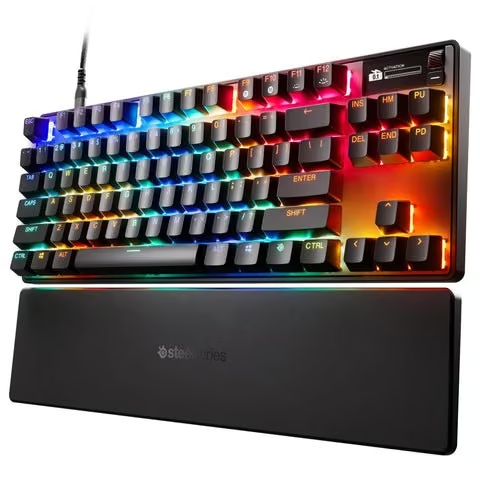
SteelSeries has given the Apex Pro TKL Gen 3 a noticeably more premium build than the standard Apex 3 range, with an aluminium top plate, double-shot PBT keycaps and redesigned stabilisers that SteelSeries says eliminate keycap wobble. Triple-layer sound-dampening foam and per-key lubrication are aimed at making the board feel and sound more refined under use.
The headline feature is the OmniPoint 3.0 HyperMagnetic switch, a Hall effect design that lets the actuation point be tuned anywhere from 0.1mm to 4.0mm across 40 adjustable steps. Paired with Rapid Trigger, which resets the keypress the instant a key is released rather than waiting for a full physical reset, this is built for players who want to shave milliseconds off their reaction time in competitive titles.
The OLED Smart Display is the other standout, giving on-keyboard access to settings and game information without alt-tabbing out, and SteelSeries’ GG QuickSet software can automatically load tuned actuation profiles for a long list of supported titles. Between the magnetic switches and the onboard display, this is a genuinely different typing and gaming experience, not just a cosmetic upgrade.
This keyboard is aimed squarely at competitive and esports-minded players who will actually use adjustable actuation and Rapid Trigger, and who value the OLED display’s convenience. The trade-off is price: casual players who won’t touch the actuation settings may not get full value from the premium switch technology.
Pros
- Fully adjustable magnetic actuation with Rapid Trigger for competitive play
- OLED Smart Display adds genuine on-keyboard functionality
- Premium materials: aluminium plate, double-shot PBT keycaps, USB-C
- GG QuickSet auto-loads tuned profiles for a wide range of games
Cons
- Significant step up in price compared with entry-level SteelSeries boards
- TKL layout still omits the number pad for anyone who needs one
- Premium features go under-used by casual players
Key specs: OmniPoint 3.0 HyperMagnetic switches, 0.1-4.0mm adjustable actuation | Rapid Trigger, Rapid Tap and Protection Mode | OLED Smart Display | Double-shot PBT keycaps | Aluminium top plate with triple-layer sound-dampening foam
How to Choose a Gaming Keyboard
The switch is the heart of any gaming keyboard and the first decision to get right. Mechanical switches outperform membrane for gaming because they register presses more consistently and handle multiple simultaneous key presses without dropping inputs, though they cost more and run louder. Newer optical and Hall-effect (magnetic) switches take this further by removing physical metal contacts entirely, which makes them faster and longer lasting, and Hall-effect boards add the option to adjust the actuation point in software for features like rapid trigger. Shoppers who only play casually can save money with a quality membrane board, but anyone gaming seriously should budget for mechanical, optical or Hall-effect switches.
Form factor comes down to how much desk space is available and whether the numpad gets used. A tenkeyless (TKL) layout removes the numpad and is the format most competitive FPS and battle royale players choose, since it frees up room for wide mouse sweeps and keeps the arm in a more natural position. Full-size boards suit MMO, RPG and simulation players who rely on extensive keybinds or regularly punch in numbers. Compact 60% and 75% boards go further still, stripping out function rows and navigation clusters for maximum desk space and portability.
Wired keyboards remain the most reliable choice for zero-compromise latency, but a decent wireless keyboard is no longer a real handicap. Keyboards connecting over a dedicated 2.4GHz USB receiver typically deliver 1 to 5 millisecond latency, on par with wired, while Bluetooth tends to sit noticeably higher due to the extra processing in the Bluetooth stack. For ranked or competitive play, a 2.4GHz wireless keyboard with a 1000Hz or higher polling rate is the safer pick over Bluetooth.
Hot-swappable sockets let a buyer change individual switches without soldering, which is handy for testing different switch feels, replacing a single worn-out key, or repairing the board without sending it away. For anyone chasing a competitive edge, it is worth checking the polling rate (1000Hz should be the minimum, with 4000Hz or 8000Hz available on premium boards) and, on Hall-effect keyboards, whether the actuation point and rapid trigger settings are adjustable.
Build quality shows up most in the keycaps. ABS keycaps are lighter, cheaper and let RGB backlighting shine through more brightly, but they tend to develop a shiny, worn look after months of regular use. PBT keycaps cost a little more and mute the RGB slightly, but they resist shine, feel more textured under the fingertips and produce a deeper, more solid sound. It is also worth checking which software ecosystem the keyboard uses for RGB lighting, macros and actuation settings, since some brands’ apps are far more polished than others.
New Zealand shoppers should factor in two local quirks. Gaming keyboards sold here, including most imports, almost always use the ANSI layout with a rectangular Enter key and larger left Shift key rather than the ISO layout more common on office keyboards, so this is worth double-checking against any existing keycap sets. It is also worth confirming the seller’s return and warranty process before buying, since support can vary between local retailers and direct overseas imports.
If you are building the whole workstation, the guides to portable monitors, Chromebooks and student laptops cover what pairs with this.
Verdict
For most buyers, the Logitech G512 Carbon Lightsync strikes the best balance of genuine mechanical feel, build quality and price, without the extra cost of wireless or premium magnetic switches. Budget-conscious shoppers should look at the Razer Ornata V3 X or Corsair K55 CORE RGB, while competitive players chasing the lowest possible latency and adjustable actuation will get the most out of the SteelSeries Apex Pro TKL Gen 3.
Frequently Asked Questions
What is the difference between a mechanical and a membrane gaming keyboard?
A mechanical keyboard uses an individual physical switch under each key, while a membrane keyboard relies on a rubber dome layer that flexes to complete a circuit. Mechanical switches actuate more consistently and register multiple simultaneous key presses reliably, which matters for fast combos and strafing in competitive games. Membrane boards feel softer underfoot, are usually quieter, and cost less, but they wear out faster and can struggle with rapid or overlapping inputs. For anyone gaming regularly, a mechanical keyboard is the better long-term investment, though a membrane board is a reasonable budget option for casual play.
What type of switch is best for gaming: linear, tactile or clicky?
Linear switches move smoothly from top to bottom with no bump, which suits fast-paced shooters where quick double taps and clean releases matter. Tactile switches add a small bump at the actuation point so the gamer can feel exactly when a key registers, useful for games mixing typing and quick inputs. Clicky switches give that same bump plus an audible click, favoured by some for the satisfying feedback but generally too noisy for shared spaces or voice chat. Most competitive gamers lean towards linear switches for speed, while tactile suits those who also use the keyboard heavily for typing or Discord.
What does hot-swappable mean on a gaming keyboard?
A hot-swappable keyboard has switch sockets on the circuit board instead of switches soldered directly in place, so individual switches can be pulled out and replaced by hand with no soldering iron required. This lets a gamer test different switch feels, fix a single faulty key, or personalise the board’s actuation without buying a whole new keyboard. The trade-off is that hot-swap sockets can wear slightly with repeated swapping and hot-swap boards often cost a bit more than soldered equivalents. It is a genuinely useful feature for anyone who likes to fine-tune their setup rather than a gimmick.
Do wireless gaming keyboards have noticeable input lag?
It depends heavily on the connection type. A good 2.4GHz wireless keyboard with its own USB dongle typically delivers latency in the 1 to 5 millisecond range, effectively matching a wired connection, whereas Bluetooth generally sits higher, around 7 to 15 milliseconds, because the signal has to pass through more of the system’s power management layers. For competitive gaming, 2.4GHz wireless is the safer choice over Bluetooth, and either option will feel fine for casual play since human reaction time is far slower than either latency figure. Buyers chasing the lowest possible lag should still look for a keyboard that lists a 1000Hz polling rate or higher over its 2.4GHz connection.
Should I get a TKL or full-size keyboard for gaming?
A tenkeyless (TKL) keyboard drops the numpad, freeing up desk space and letting the mouse sit closer to a natural arm position, which is why most esports players and FPS gamers prefer it. A full-size keyboard keeps the numpad and extra macro keys, which suits MMO, simulation and RPG players who lean on extensive keybinds or need to enter numbers quickly. Switching from full-size to TKL takes almost no adjustment since the remaining keys sit in exactly the same positions. Gamers who occasionally need a numpad can always add a separate USB numpad rather than giving up the desk space a TKL board saves.
Are Hall-effect or optical switches better than regular mechanical switches for competitive gaming?
Hall-effect (magnetic) and optical switches both register keystrokes without physical metal contacts, so they last longer and respond faster than traditional mechanical switches. Hall-effect switches have the added benefit of an adjustable actuation point set through software, enabling features like rapid trigger, where a key resets the instant it is lifted even slightly, which is popular in Valorant and CS2 for faster counter-strafing. Optical switches actuate at a fixed point set at the factory, so they are simpler and slightly cheaper but less tuneable. For most players either option is a genuine upgrade over standard mechanical switches, and Hall-effect is worth the extra cost specifically for competitive shooters where adjustable actuation gives a real edge.
