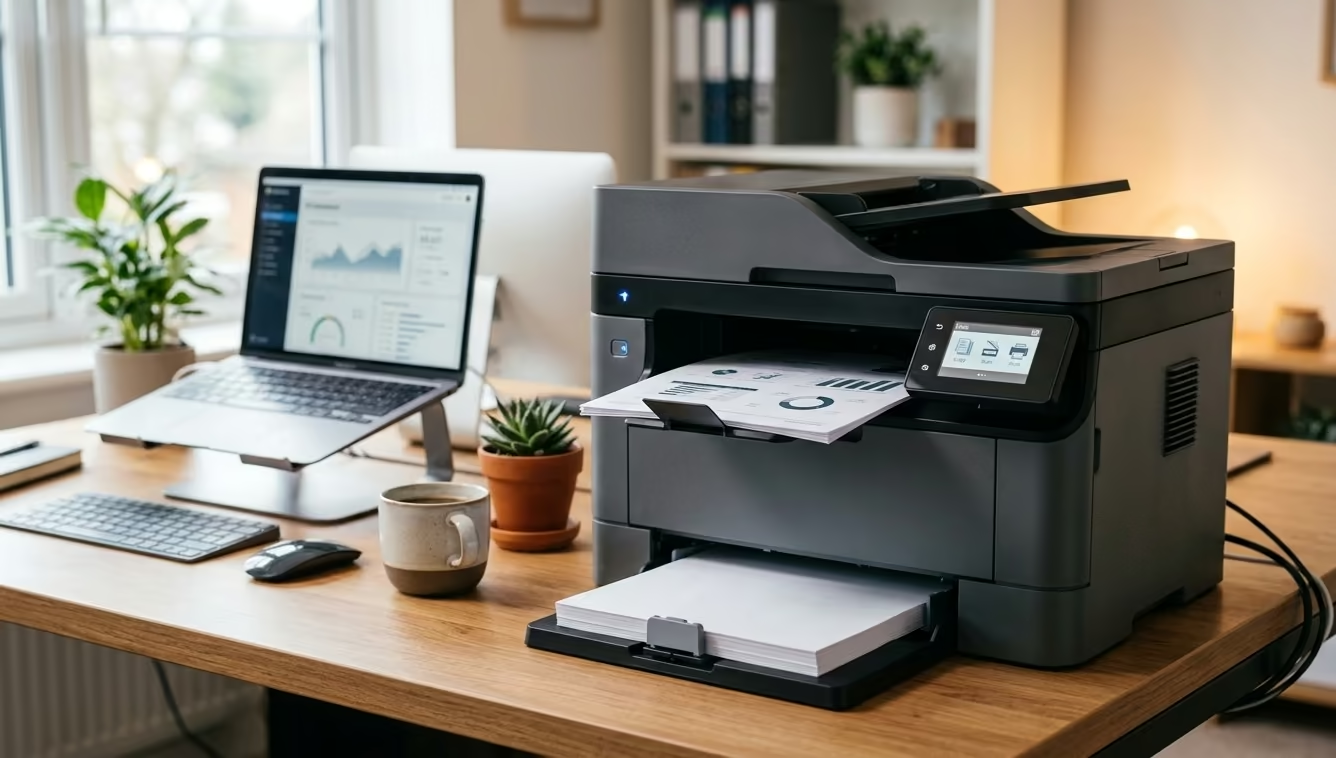
The best laser printer in NZ overall is the Brother MFC-L2880DW XL, a wireless mono all-in-one that prints, scans and copies from one compact unit with a 250-sheet main tray and a touch control panel. Toner is what decides the true running cost, and a mono laser taking a widely stocked cartridge stays cheaper to feed here than a colour machine with four consumables to chase down.
A laser printer earns its keep with lower cost-per-page printing and toner that doesn’t dry out if left unused for weeks, unlike inkjet.
We’ve compared 10 laser printers available in New Zealand, from budget mono print-only models to full colour all-in-ones, so you can match speed, functions and running costs to how much you actually print.
Comparison Table
| Product | Best For | Key Specs |
|---|---|---|
| Brother MFC-L2880DW XL | Best Overall | mono laser MFC · 34ppm · wireless · auto duplex print/scan · up to 5000-page in-box toner |
| Xerox B110 Mono Laser Printer | Best Budget | mono laser · 20ppm · Wi-Fi + AirPrint · compact desktop design · 150-sheet tray |
| Brother HL-L2480DW | Best for Home Offices | mono laser MFC · 34ppm · wireless/Ethernet · 2.7-inch touchscreen · auto duplex print & scan |
| Xerox C240 Colour Laser Printer | Best Colour Laser | colour laser · 26ppm colour & mono · dual-band Wi-Fi + AirPrint · single-function print |
| Lexmark MC3326ADWE | Best All-in-One/Multi-Function | colour laser MFC · 26ppm · print/scan/copy/fax · Ethernet + wireless · touch control panel |
| Brother DCP-L3520CDW | Best Compact | compact colour laser MFC · 18ppm · wireless + AirPrint · auto duplex print · 250-sheet tray |
| Kyocera Ecosys M2635DN | Best for High-Volume Printing | mono laser MFC · 35ppm · print/scan/copy/fax · Ecosys long-life drum · Ethernet + USB |
| HP LaserJet M234dw | Best Wireless/Connectivity | mono laser MFP · 29ppm · dual-band Wi-Fi · auto duplex print · app-based scanning |
| Brother HL-L6210DW | Best Value | mono laser · 50ppm · auto duplex · 2 trays (520-sheet main) · high-yield toner up to 18,000 pages |
| Canon ImageCLASS MF462dw II | Best Print Quality | mono laser MFP · 37ppm · print/scan/copy/fax · 5-inch touchscreen · expandable to 800-sheet capacity |
1. Brother MFC-L2880DW XL
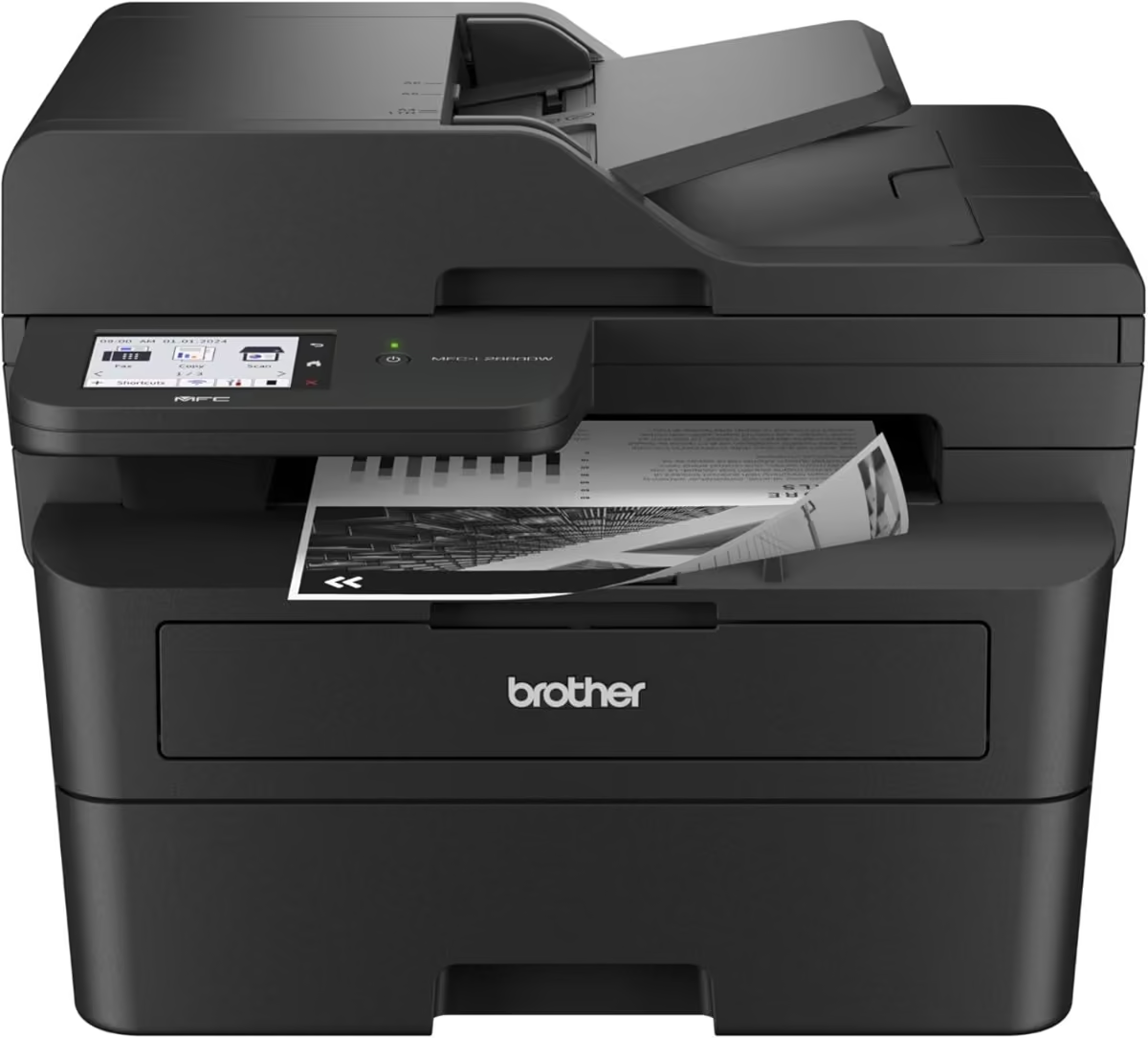
The Brother MFC-L2880DW XL is a wireless mono laser all-in-one aimed at home offices and small teams that print, scan and copy on a regular basis. It bundles all three functions into a single compact unit, making it a sensible choice for anyone wanting to consolidate several devices into one.
Build quality follows Brother’s usual formula of a sturdy plastic chassis with a straightforward touch control panel and a 250-sheet main paper tray. The unit ships with an in-box toner cartridge rated for up to 5000 pages, a genuinely useful inclusion given how quickly starter cartridges in cheaper printers run out.
In everyday use the MFC-L2880DW XL prints at up to 34 pages per minute and handles automatic two-sided printing and scanning without extra manual steps, which speeds up double-sided document runs. Wireless setup is straightforward, and the unit can sit on a shelf away from the desk while still being reachable from multiple devices on the network.
The trade-off is that this is a mono-only machine with a single paper tray, so it will not suit anyone needing colour output or very high daily print volumes without topping up paper more often.
Pros
- Fast 34ppm print speed with automatic duplex printing and scanning
- Generous in-box toner rated for up to 5000 pages
- Print, scan and copy in one compact wireless unit
- Straightforward wireless and network setup
Cons
- Mono only, no colour printing
- Single 250-sheet paper tray limits volume between refills
- No fax support despite MFC branding
Key specs: mono laser MFC · 34ppm · wireless · auto duplex print/scan · up to 5000-page in-box toner
2. Xerox B110 Mono Laser Printer
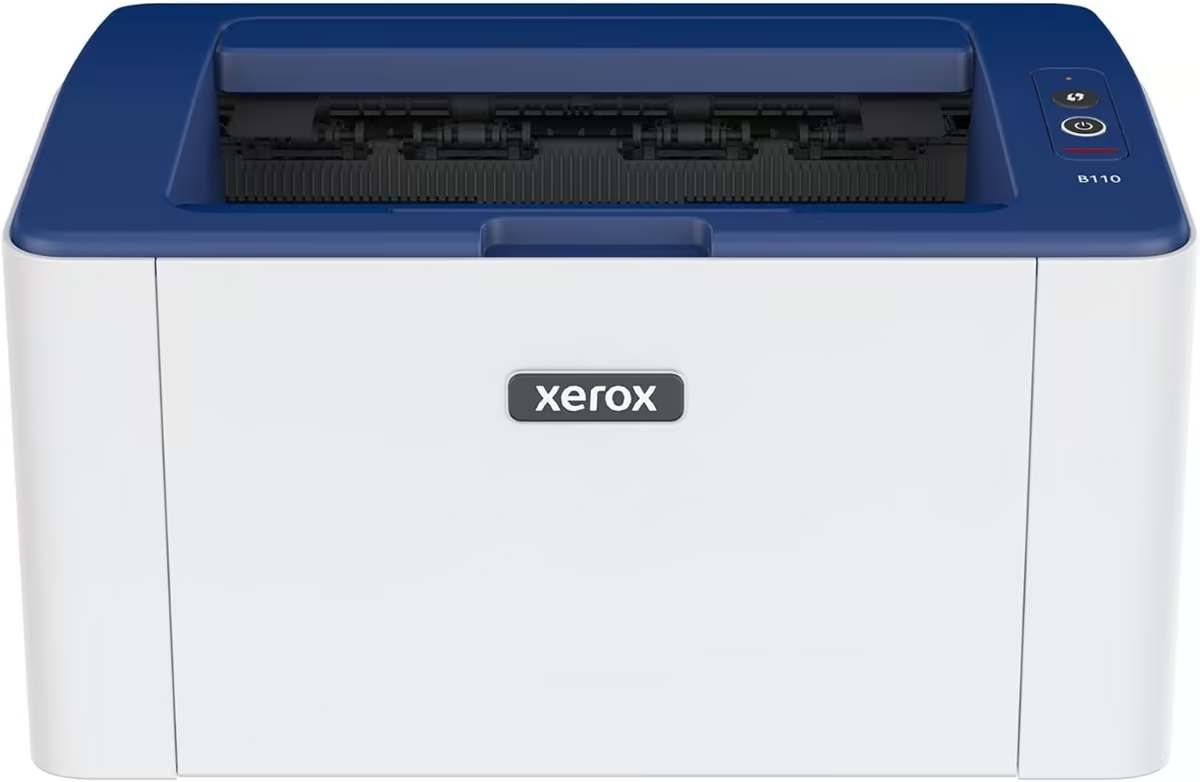
The Xerox B110 is a compact, print-only mono laser printer built for tight desks, small home offices and students who mainly need to get pages out quickly without a large footprint. It is one of the most affordable genuine laser printers in this line-up.
True to its compact billing, the B110 is noticeably smaller than most laser printers in this class, with a simple control layout and no touchscreen frills. It ships with a 700-page starter toner cartridge, a single 150-sheet paper tray and built-in Wi-Fi for cable-free setup.
Print speed tops out at 20 pages per minute, respectable for a machine this size, and support for AirPrint and Mopria means it works well with phones, tablets and Chromebooks straight out of the box.
The obvious limitation is that this is a single-function, single-sided printer, so there is no scanning, copying or automatic duplex printing to speak of.
Pros
- Genuinely compact footprint suited to tight desks
- Built-in Wi-Fi with AirPrint and Mopria support
- Low entry price for a genuine laser printer
- Quiet operation
Cons
- Print-only, no scan or copy function
- No automatic duplex printing (single-sided only)
- Ships via Amazon Global Store, so delivery timing may differ from local stock
Key specs: mono laser · 20ppm · Wi-Fi + AirPrint · compact desktop design · 150-sheet tray
3. Brother HL-L2480DW
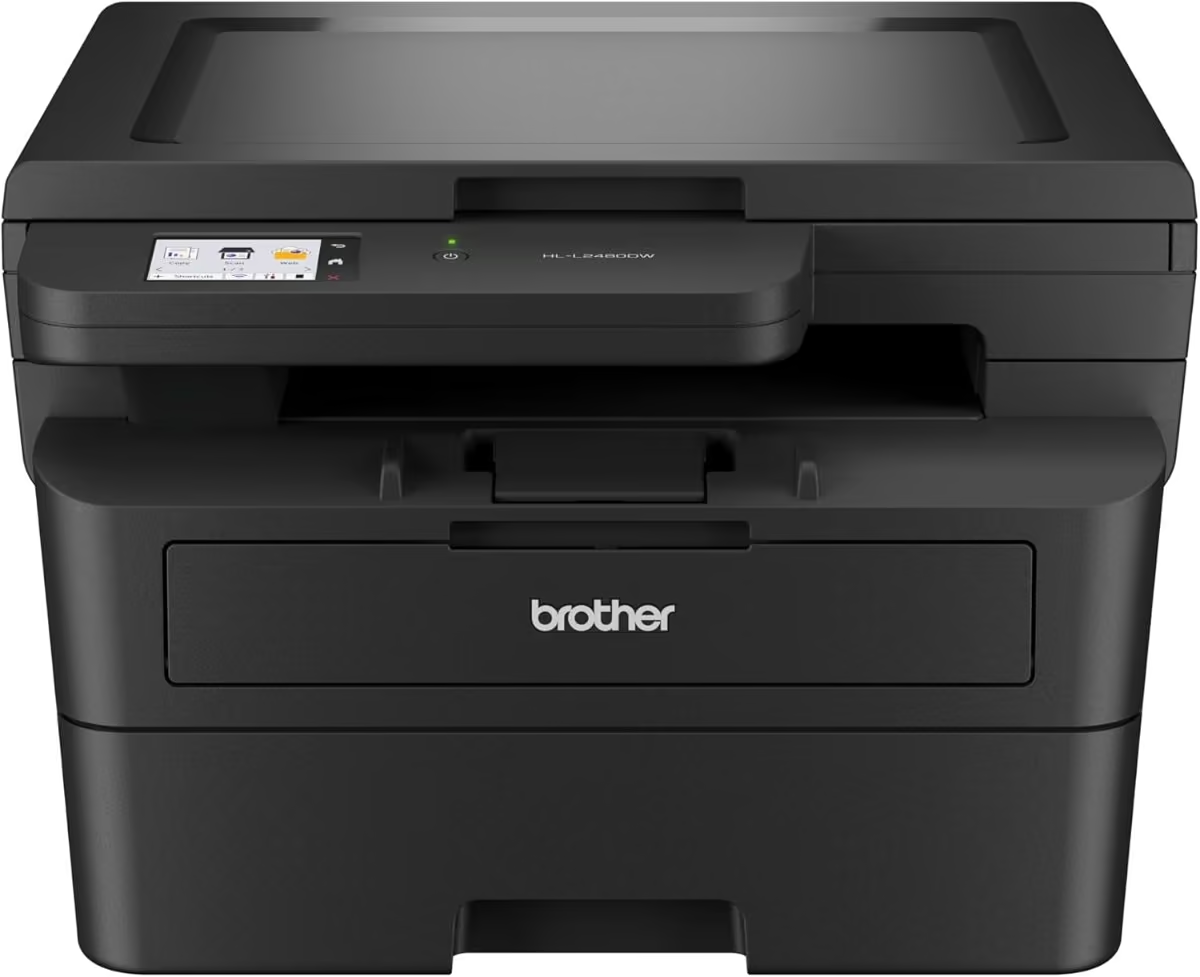
The Brother HL-L2480DW is a mono laser all-in-one aimed squarely at home offices that want print, scan and copy in a single compact machine without stepping up to a full workgroup MFC.
It is built around a 2.7-inch colour touchscreen for navigating menus, a 250-sheet main tray and a flatbed scanner glass rather than a sheet-fed document feeder. Connectivity covers Wi-Fi, Wi-Fi Direct, Ethernet and USB, so it can sit wired to a router or work wirelessly around a small office.
Print speed is rated at up to 34 pages per minute with automatic two-sided printing built in, and scan resolution reaches high detail from the glass. For everyday invoices, forms and school paperwork it should feel quick and predictable.
The flatbed-only scanner means multi-page double-sided scanning has to be done one sheet at a time, which will frustrate anyone digitising stacks of paper regularly.
Pros
- Print, scan and copy from one mono unit with a 2.7-inch touchscreen
- Automatic two-sided printing plus Ethernet and wireless connectivity
- 250-sheet paper tray, above average for this price point
- 34ppm print speed keeps pace with busier home offices
Cons
- Mono only
- Flatbed scanner only, no automatic document feeder for multi-page scan jobs
- Touchscreen is fairly small at 2.7 inches
Key specs: mono laser MFC · 34ppm · wireless/Ethernet · 2.7-inch touchscreen · auto duplex print & scan
4. Xerox C240 Colour Laser Printer
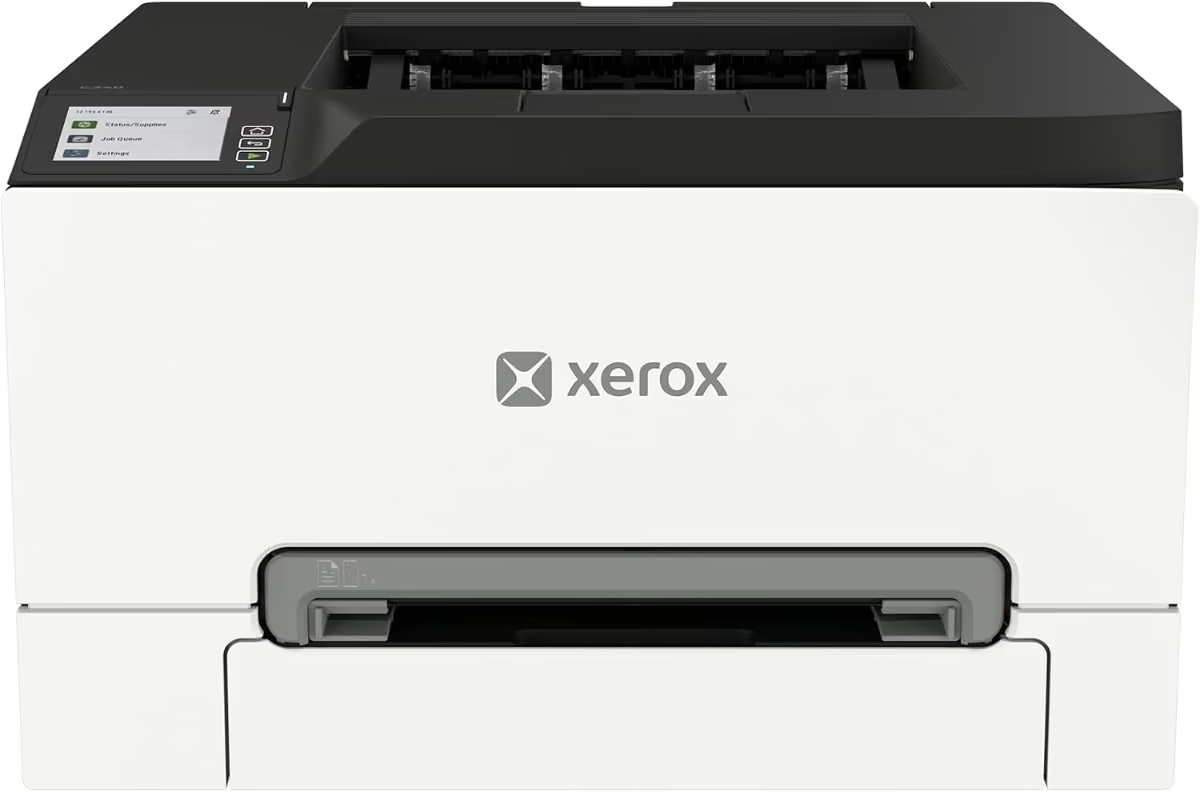
The Xerox C240 is a dedicated colour laser printer for small businesses, consultants and educators who need sharp colour documents without the running costs of an inkjet. As a print-only device, it is built for people who already have separate scanning arrangements or simply do not need them.
The C240 keeps a relatively compact footprint for a colour laser unit and is set up through a guided app rather than complex driver installs. It supports high-yield toner cartridges, which matters for a colour machine where running costs typically outpace mono printers.
Print speed is rated at up to 26 pages per minute in both colour and mono, and dual-band Wi-Fi plus AirPrint and Mopria support make it easy to print from laptops and phones on the same network. It is positioned for moderate monthly volumes of around 1,500 pages, suiting small teams rather than print-heavy departments.
Because it is print-only, anyone needing scan or copy functions will need a separate device. It is also worth budgeting for genuine or high-yield replacement cartridges, since colour laser consumables cost noticeably more than mono toner over time.
Pros
- Genuinely fast colour output at up to 26ppm for both colour and mono
- Dual-band Wi-Fi, AirPrint and Mopria support plus guided app setup
- Supports high-yield cartridges to lower running costs over time
- Compact footprint for a dedicated colour laser
Cons
- Print only, no scanning or copying built in
- Recommended for modest volumes (around 1,500 pages a month)
- Ships via Amazon Global Store
Key specs: colour laser · 26ppm colour & mono · dual-band Wi-Fi + AirPrint · single-function print
5. Lexmark MC3326ADWE
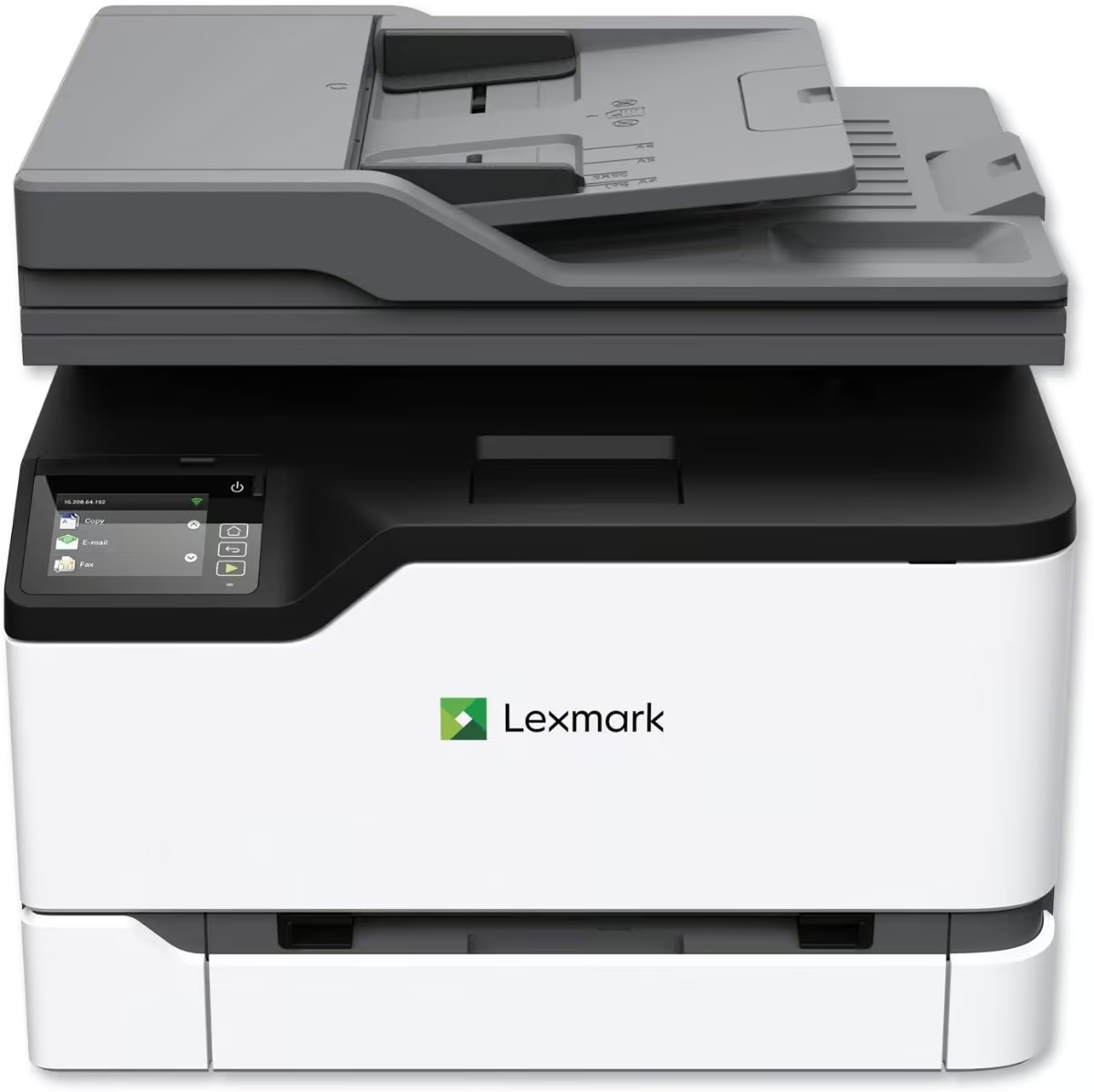
The Lexmark MC3326ADWE is a colour laser all-in-one built for small offices that want print, scan, copy and fax handled by a single networked machine. Lexmark is a less common name in this category next to Brother and HP, making it a useful alternative for buyers wanting genuine competition.
It is a solidly built unit at just over 19kg, reflecting the four-in-one hardware packed inside, with a touch control panel and both Ethernet and wireless connectivity for office networks. The sheet-fed scanner handles document feeding without needing to lift a lid for every page.
Print speed sits at up to 26 pages per minute in both colour and mono, with automatic duplex printing built in to save paper on longer jobs. Having fax alongside print, scan and copy means it can slot into offices that still occasionally rely on a faxed form or contract.
The extra functionality comes with extra bulk and weight compared with simpler single-function printers, so it needs a dedicated spot on a desk or shelf. Ongoing toner costs across four cartridges will run higher than a mono-only alternative.
Pros
- Full four-in-one functionality: print, scan, copy and fax
- 26ppm print speed in both colour and mono
- Touch-panel control with Ethernet and wireless connectivity
- A genuine alternative brand to Brother and HP
Cons
- Heavier and bulkier than single-function alternatives at over 19kg
- Ongoing colour toner costs are typically higher than mono-only machines
- Fewer local reviews than the Brother and HP equivalents
Key specs: colour laser MFC · 26ppm · print/scan/copy/fax · Ethernet + wireless · touch control panel
6. Brother DCP-L3520CDW
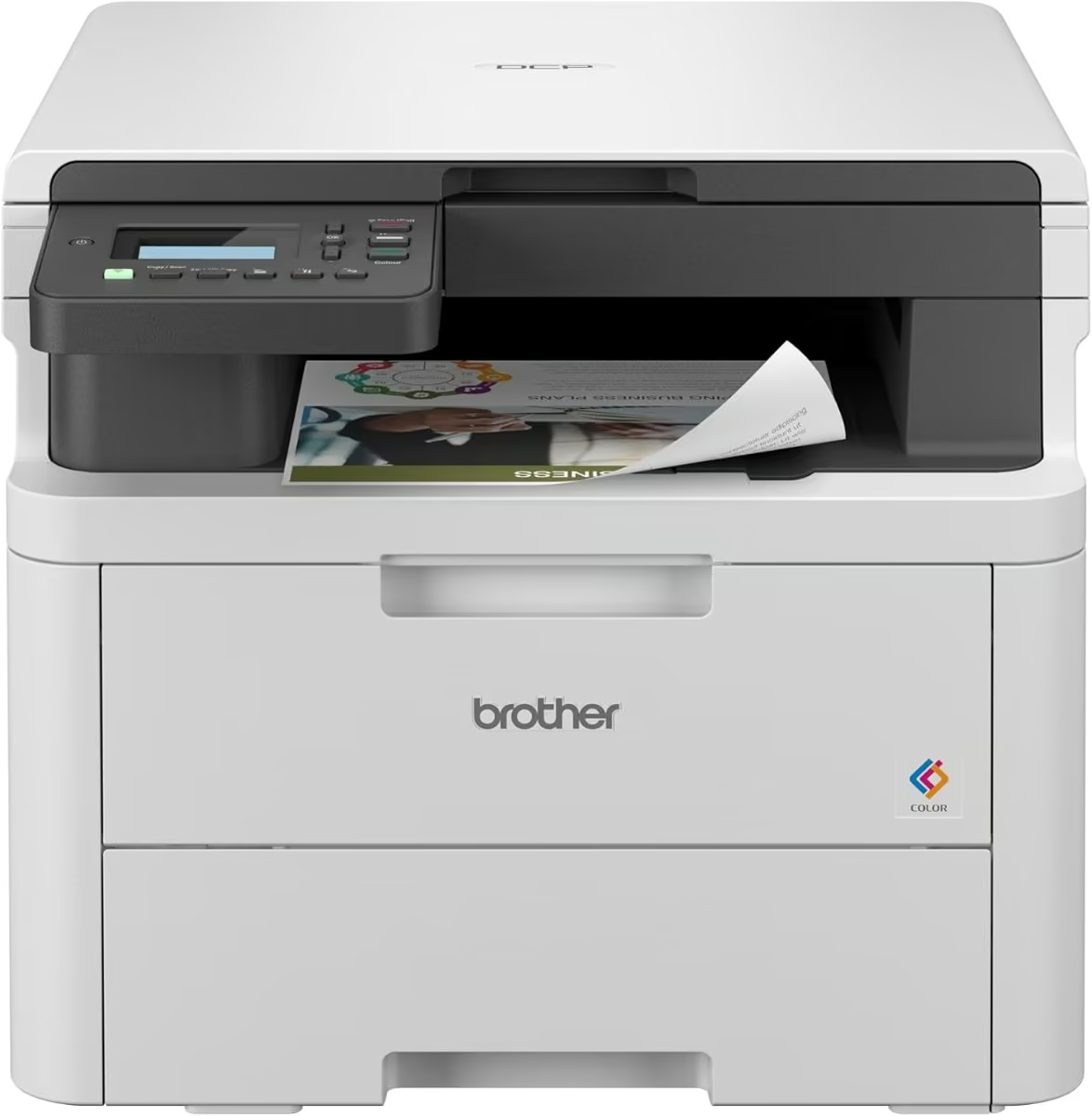
The Brother DCP-L3520CDW is a compact colour laser all-in-one aimed at home offices that want occasional colour output alongside everyday print, scan and copy tasks. Its smaller footprint makes it a reasonable fit for desks where space is tight.
Build quality includes an LCD display, a 250-sheet main tray and a flatbed scanner for copy and scan jobs. Automatic two-sided printing comes as standard, a welcome inclusion at this price for a colour machine.
Print speed is rated at up to 18 pages per minute in both colour and mono, on the modest side but reasonable for lighter, mixed colour and text workloads. Wireless and Wi-Fi Direct connectivity, along with AirPrint support, cover most home and small-office setups.
The main trade-off is speed: 18ppm is noticeably slower than the mono-only printers in this line-up, and colour toner will cost more to replace over time than mono cartridges.
Pros
- Compact colour all-in-one that fits tighter spaces than typical colour MFCs
- Automatic duplex printing plus flatbed scan and copy
- Wireless and Wi-Fi Direct connectivity with AirPrint support
- LCD display for straightforward navigation
Cons
- 18ppm print speed is modest next to mono equivalents at this price
- Single 250-sheet paper tray
- Colour toner running costs are higher than mono-only alternatives
Key specs: compact colour laser MFC · 18ppm · wireless + AirPrint · auto duplex print · 250-sheet tray
7. Kyocera Ecosys M2635DN
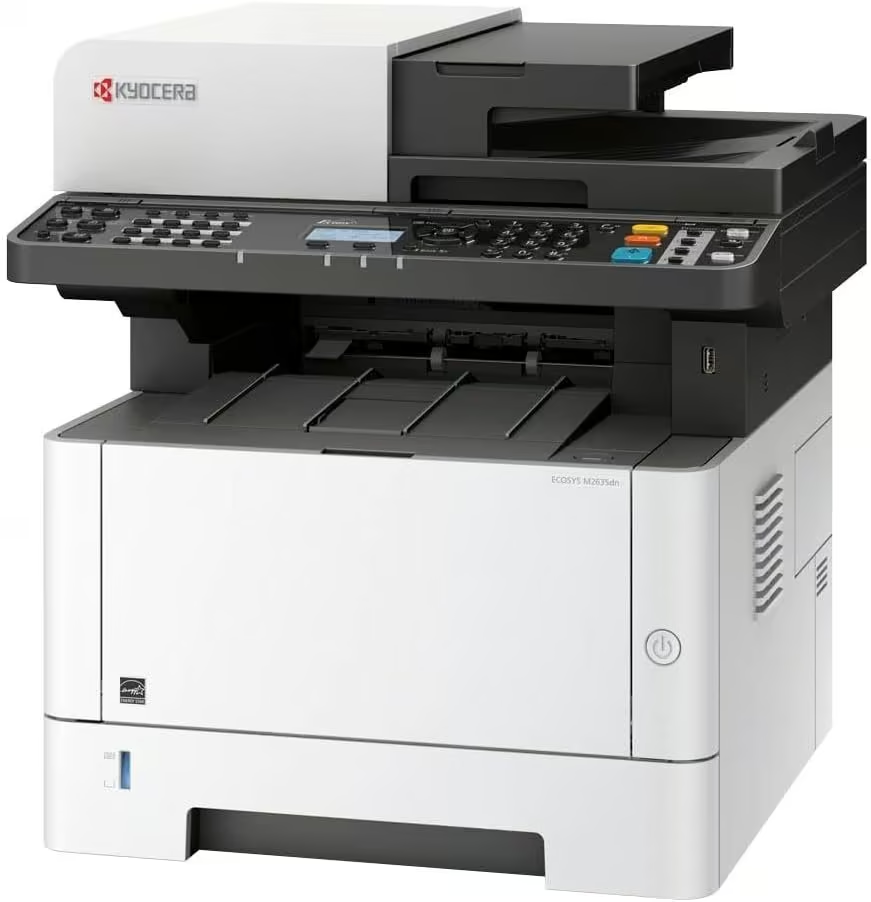
The Kyocera Ecosys M2635DN is a mono laser workhorse built for small offices that print, scan, copy and fax in real volume rather than occasional home use. Kyocera is a genuine alternative brand to the usual Brother and HP names, with a reputation built on its long-life Ecosys drum system.
It is a solidly built, business-grade unit weighing around 19kg, with a sheet-fed document feeder for scanning and two paper trays for handling mixed print jobs without constant refilling. The Ecosys approach means the drum unit is designed to last far longer than the toner, cutting long-term running costs and waste.
Print speed reaches up to 35 pages per minute with automatic duplex printing, and mobile printing is covered through a dedicated app alongside AirPrint support. For an office generating a steady stream of documents each day, this is built to keep up without drama.
This capability comes at a price, both in dollars and in desk space, making it a considered choice for genuine office use rather than a light home setup.
Pros
- Genuine four-in-one office workhorse: print, scan, copy and fax
- Ecosys long-life drum design reduces the parts needing regular replacement
- 35ppm print speed with duplex printing built in
- Two-tray paper input plus mobile printing
Cons
- Among the priciest options in this line-up
- Heavier and larger than typical home-office printers at around 19kg
- Duplex scanning not confirmed, so double-sided originals need scanning one side at a time
Key specs: mono laser MFC · 35ppm · print/scan/copy/fax · Ecosys long-life drum · Ethernet + USB
8. HP LaserJet M234dw
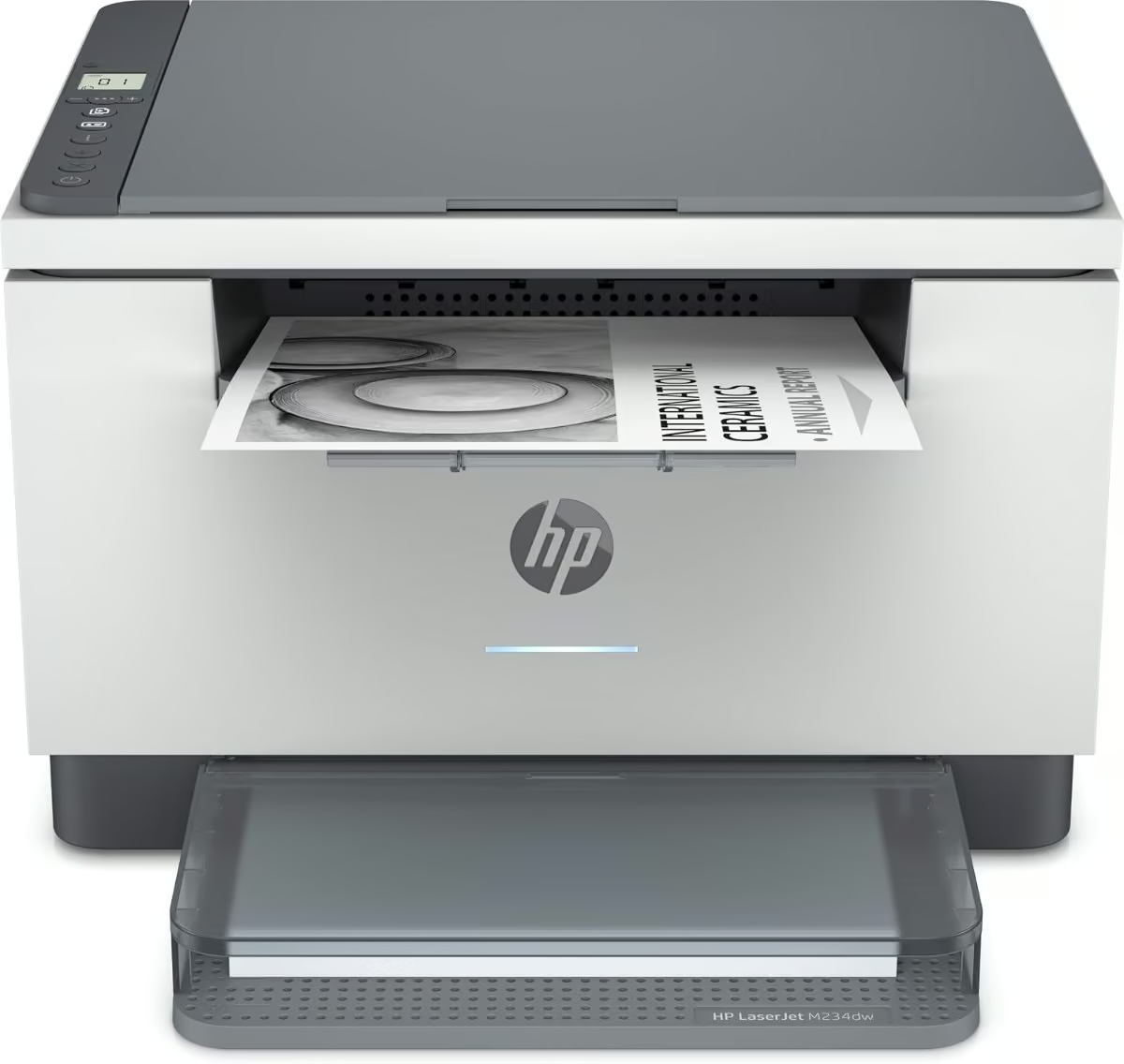
The HP LaserJet M234dw is a compact wireless mono multifunction printer built for home offices that value dependable Wi-Fi over a long feature list. It covers print, scan and copy from a single small-footprint unit.
The design keeps things simple, with smart-guided buttons and lighting to walk new users through setup, and a 100-sheet paper tray that suits lighter, more occasional printing. A companion app extends the printer’s usefulness by handling phone-based scanning and shortcut printing.
Two-sided printing on this model is rated among the fastest in its class, and dual-band Wi-Fi with automatic self-reset is designed to keep the printer connected without regular troubleshooting.
The 100-sheet tray means more frequent refilling than machines with 250-sheet trays, and there is no Ethernet port confirmed for wired networking.
Pros
- Fast two-sided printing described as class-leading
- Dual-band Wi-Fi with automatic self-reset for a more reliable wireless connection
- Companion app covers scanning and print shortcuts from a phone
- Compact multifunction footprint
Cons
- 100-sheet paper tray is smaller than most competitors in this line-up
- No Ethernet port confirmed, limiting wired networking options
- Basic paper handling compared with larger MFC units
Key specs: mono laser MFP · 29ppm · dual-band Wi-Fi · auto duplex print · app-based scanning
9. Brother HL-L6210DW
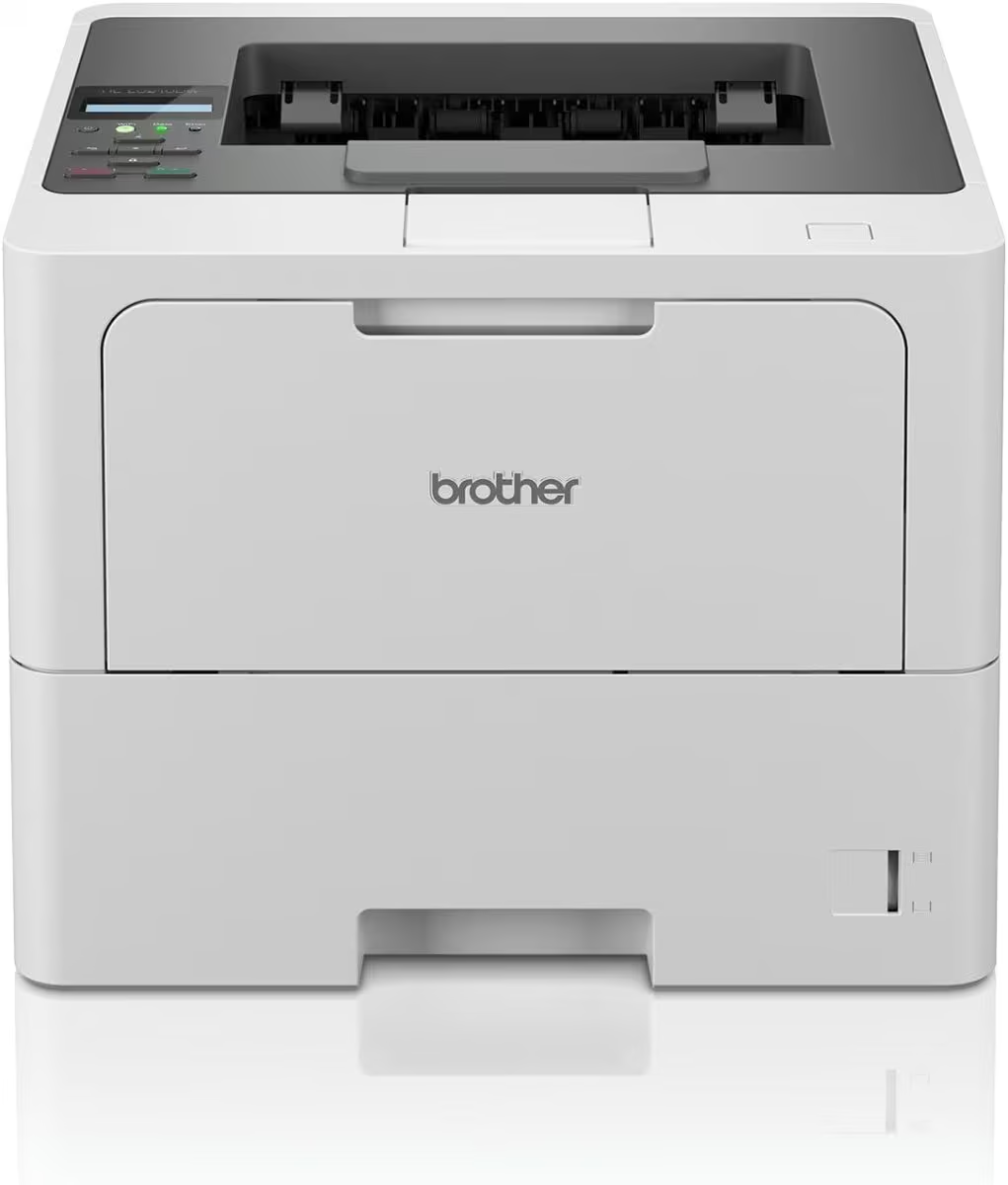
The Brother HL-L6210DW is a fast, single-function mono laser printer built for small offices that print in real volume and want a low cost per page over time. It skips scan and copy entirely to focus purely on getting print jobs done quickly.
It is built around a 520-sheet main paper tray plus a second tray, keeping refills infrequent even with regular use. There is no touchscreen here, just a straightforward control panel suited to a printer that is meant to be set up once and left alone.
Print speed is rated at up to 50 pages per minute with automatic duplex printing built in, making it noticeably quicker than most of the mono multifunction printers in this line-up. Compatible high-yield toner cartridges stretch up to roughly 18,000 pages, meaningfully lowering running costs for busy offices.
Being print-only is the clear trade-off: anyone needing to scan or copy documents will need a separate device.
Pros
- Very fast 50ppm print speed for a single-function mono printer
- Two paper trays with a 520-sheet main tray reduce refilling
- Compatible with high-yield toner cartridges up to around 18,000 pages
- Automatic duplex printing built in
Cons
- Print only, no scan or copy function
- No touchscreen, controls are more basic than Brother’s MFC range
- Larger footprint than compact single-function alternatives
Key specs: mono laser · 50ppm · auto duplex · 2 trays (520-sheet main) · high-yield toner up to 18,000 pages
10. Canon ImageCLASS MF462dw II
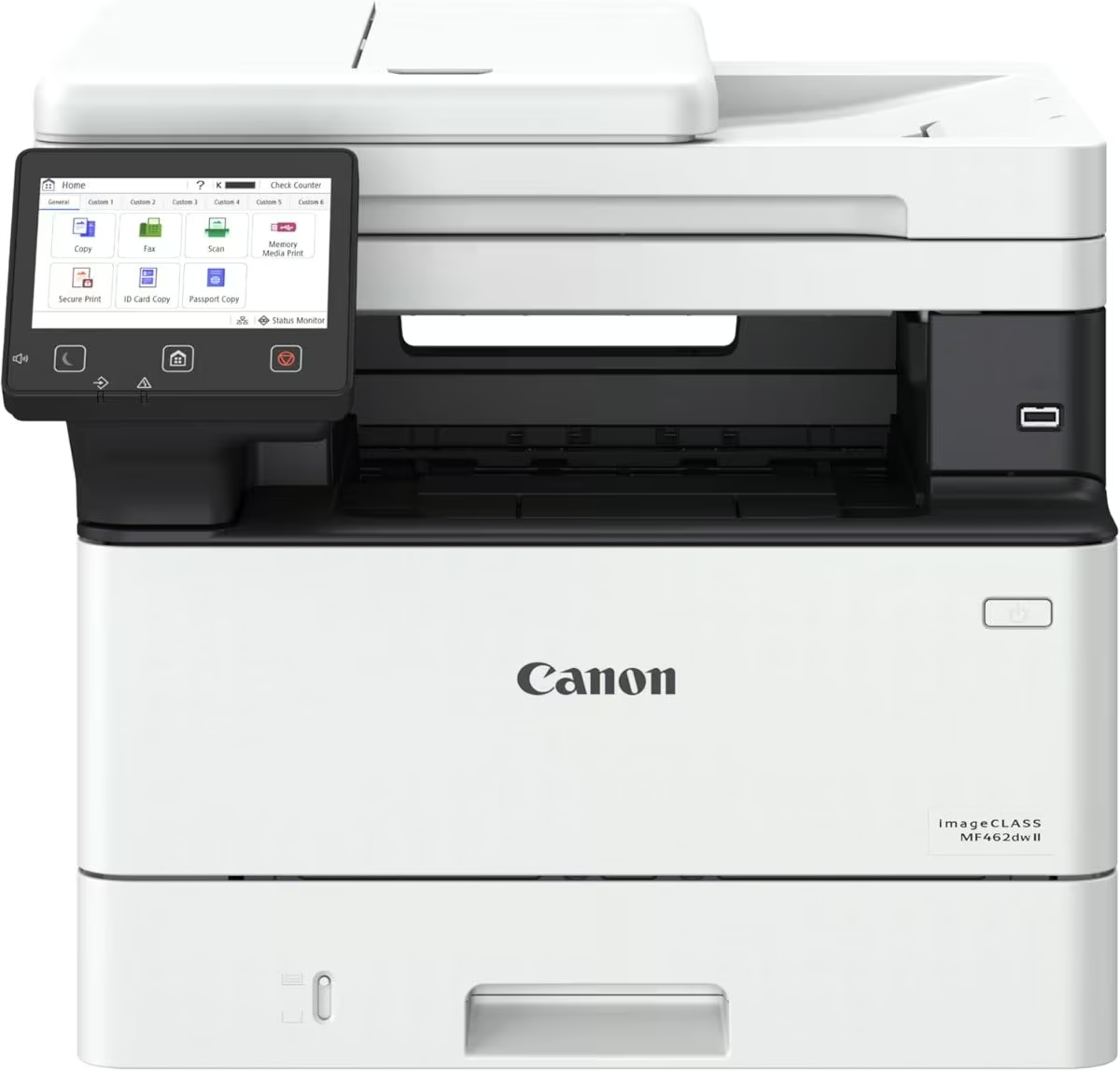
The Canon ImageCLASS MF462dw II is a mono laser all-in-one aimed at small offices that want fast, reliable four-in-one output covering print, scan, copy and fax. It is one of the more fully specified machines in this line-up, backed by an unusually long 3-year limited warranty.
It is built with a 5-inch colour touchscreen and an app library for quick access to common tasks, alongside a 50-sheet automatic document feeder that handles double-sided originals in one pass. The standard 250-sheet cassette can be expanded with an optional 550-sheet cassette for offices needing higher paper capacity.
Print speed reaches up to 37 pages per minute with a first page out in around 5 seconds, making it feel responsive for short, frequent print jobs as well as longer runs. Wireless setup is designed to be quick, and mobile printing is covered through a dedicated app, AirPrint and Mopria.
This is a mono-only machine, and it is one of the heavier and pricier units here, with reaching its full 800-sheet paper capacity requiring the optional cassette to be bought separately.
Pros
- Fast 37ppm print speed with a very quick approximately 5-second first print
- Full four-in-one: print, scan, copy and fax with a 50-sheet automatic document feeder
- 5-inch colour touchscreen with an app library for shortcuts
- 3-year limited warranty, longer than most in this category
Cons
- Reaching the full 800-sheet paper capacity requires buying an optional cassette separately
- Relatively heavy at around 20kg
- Mono only, despite the higher price point
Key specs: mono laser MFP · 37ppm · print/scan/copy/fax · 5-inch touchscreen · expandable to 800-sheet capacity
How to Choose a Laser Printer
Mono vs colour
Mono laser printers are cheaper to buy and run, and suit anyone mostly printing text. Colour laser printers cost more upfront and in toner, but handle graphics and photos properly.
Single-function vs all-in-one
A print-only printer is simpler and often faster for its price. A multifunction printer adds scan, copy and sometimes fax, which is more convenient if you occasionally digitise paperwork.
Print speed and paper capacity
Home users are usually well served by 18-34ppm and a 150-250 sheet tray. Busier offices benefit from 35ppm or more and two-tray paper input to avoid frequent refills.
Connectivity
Check for the wireless standards your devices use — Wi-Fi, AirPrint for Apple, Mopria for Android — and consider an Ethernet port as a reliable backup to Wi-Fi.
For the rest of a home office, the guides to home printers, gaming chairs and paper shredders are worth a look.
Print speed tops out at twenty pages per minute here, and AirPrint support means it works straight from a phone or tablet without any driver setup.
Verdict
The Brother MFC-L2880DW XL is our overall pick for most home offices, combining fast mono printing, automatic duplex and a generous in-box toner in one wireless unit. Anyone needing genuine colour output should look at the Xerox C240, while budget-conscious buyers can still get a real laser printer with the Xerox B110. Matching functions and running costs to how much you actually print will matter more than chasing the fastest spec sheet.
Frequently Asked Questions
What is the difference between a mono laser printer and a colour laser printer?
A mono laser printer only prints in black and white using a single toner cartridge, which keeps running costs low and suits offices that mostly print text documents. A colour laser printer uses four toner cartridges (cyan, magenta, yellow and black) to reproduce full colour graphics and photos, but the cartridges and the printer itself typically cost more. If most of your printing is text-based forms, invoices or reports, a mono laser printer is usually the more economical choice.
Are laser printers cheaper to run than inkjet printers?
For most households and small offices that print regularly, laser printers work out cheaper per page than inkjet printers, since toner cartridges last for hundreds or thousands of pages compared with a few hundred for many ink cartridges. Laser printers also do not suffer from dried-out print heads if left unused for weeks, which is a common inkjet problem. The trade-off is a higher upfront purchase price for most laser printers.
What does duplex printing mean, and why does it matter?
Duplex printing refers to a printer’s ability to print on both sides of a page automatically, without needing to manually flip the paper over. Automatic duplex printing saves paper and time on longer documents, and most mid-range and higher laser printers now include it as standard. Buyers focused on paper costs or environmental impact should look for automatic rather than manual duplex support.
How long does toner typically last in a laser printer?
Toner life is usually measured in page yield rather than time, and varies widely depending on whether a printer ships with a smaller starter cartridge or a full-size one. A typical home mono laser printer might get 700 to 1,500 pages from an included starter toner, while separately purchased high-yield cartridges can print 3,000 to 18,000 pages or more depending on the model. Actual page counts also depend on how much ink coverage each printed page uses.
Do I need a multifunction (all-in-one) laser printer, or is a single-function printer enough?
A single-function laser printer only prints, which suits anyone who rarely needs to scan or photocopy documents and wants a simpler, sometimes faster and cheaper machine. A multifunction printer adds scanning and copying, and often fax, in one unit, which is more convenient for home offices that occasionally need to digitise paperwork or make copies. The right choice comes down to how often scanning or copying is actually needed alongside printing.
What should I check before buying a laser printer for wireless printing?
Check that the printer supports the wireless standards your devices use, such as Wi-Fi, Wi-Fi Direct, AirPrint for Apple devices or Mopria for Android, since not all printers support every standard. It is also worth confirming whether the printer needs a manufacturer app for full functionality from a phone. Finally, an Ethernet port is a useful backup for offices where Wi-Fi reliability is a concern.
