
The best GPS navigation system in NZ overall is the Garmin DriveSmart 76 MT-S, thanks to its preloaded Australia and New Zealand maps, live traffic delivered through the Garmin Drive app, and a bright 7 inch touchscreen that keeps working even where phone signal disappears in rural New Zealand.
This guide compares five real options, from dedicated satellite navigators to wireless CarPlay and Android Auto screens that mirror a paired phone. The same GPS technology also underpins other tracking gear, including the pet trackers many New Zealand owners rely on to find a wandering dog or cat.
Quick comparison
| Product | Best for | Type | Screen |
|---|---|---|---|
| Garmin DriveSmart 76 MT-S | Best overall | Standalone GPS | 7 inch touchscreen |
| CARABC 9 inch Wireless CarPlay Screen | Upgrading an older car | Wireless CarPlay/Android Auto + dash cam | 9 inch touchscreen |
| TomTom GO Advanced | Live traffic and lane guidance | Standalone GPS | 6 inch touchscreen |
| 9 inch Budget GPS Navigator | Most budget friendly | Standalone GPS | 9 inch touchscreen |
| Plimpton 7 inch Portable CarPlay Screen | Compact wireless CarPlay screen | Wireless CarPlay/Android Auto | 7 inch touchscreen |
1. Garmin DriveSmart 76 MT-S – Best Overall
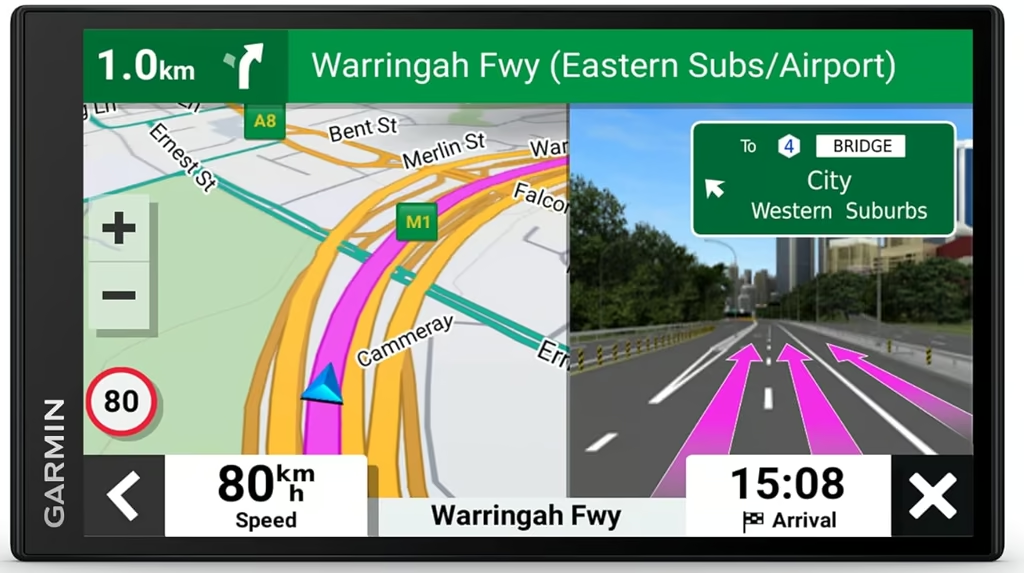
The Garmin DriveSmart 76 MT-S is the best all-round GPS navigation system in NZ, pairing a bright 7 inch touchscreen with preloaded Australia and New Zealand maps that need no phone signal to work.
The unit measures 17.3 x 9.9 x 1.9cm and weighs 239.6g, small enough to sit on a suction-cup windscreen mount without crowding the view in a typical NZ car. A WSVGA colour TFT gives an edge-to-edge glass touchscreen with no physical buttons beyond power, and a microSD slot allows extra map storage if needed.
Setup is a straightforward suction mount and 12V plug. Once paired with a phone over Bluetooth, the unit adds hands-free calling, notifications mirrored from the phone, live weather and fuel prices through the Garmin Drive app, plus voice assist and Garmin’s Real Directions, which calls out landmarks and street names rather than just distances. Map and software updates install over Wi-Fi with no computer required.
Standalone battery life is rated at only around one hour, so it is built to run plugged in rather than cordless for long stretches, and live traffic and fuel pricing rely on the paired phone’s data rather than a built-in SIM.
Owner reviews average 2.8 out of 5 on ProductReview.com.au, with build quality and in-town GPS accuracy rated well. Battery life scored lowest of any category, and one long-distance tester logged repeated routing errors and detours onto dead-end or gravel roads once away from the main routes, which Garmin support attributed to underlying map data issues.
Pros
- Bright, edge-to-edge 7 inch touchscreen with wireless map updates
- Voice assist and landmark-based spoken directions
- Live traffic, weather and fuel prices via the Garmin Drive app
Cons
- Short standalone battery life, designed for constant power
- Some owners report routing errors in regional and rural areas
Key specs: 7 inch WSVGA touchscreen (1024 x 600), 239.6g, model 010-02470-20, 12 months Garmin Australia warranty.
2. CARABC 9 Inch Wireless CarPlay Screen – Best for Upgrading an Older Car
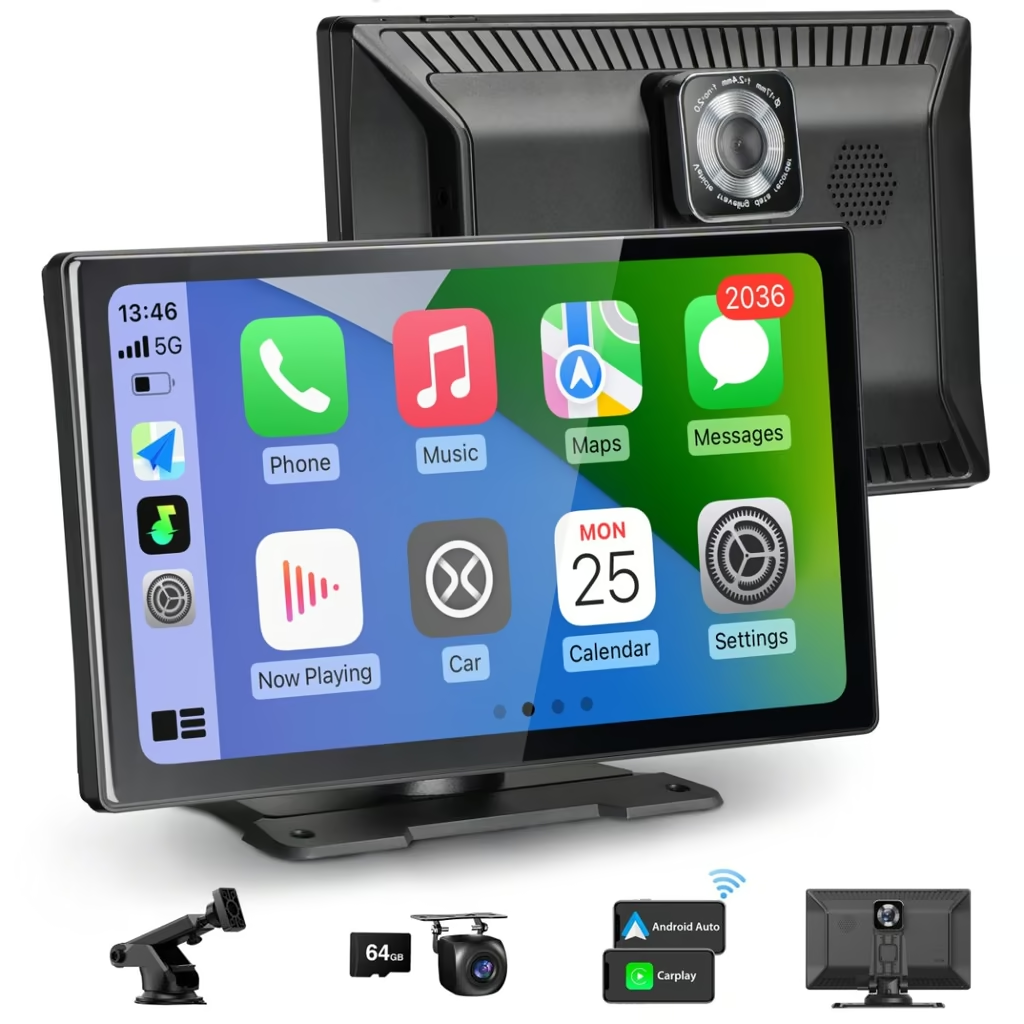
The CARABC 9 inch Wireless CarPlay Screen suits drivers whose car has no built-in navigation, turning any dashboard into a wireless Apple CarPlay and Android Auto display with a 4K front dash cam built in.
The 9 inch touchscreen sits on a 360-degree rotating suction mount or a self-adhesive dash base, clipping onto the dashboard without removing the factory stereo, and runs off the car’s 12V socket rather than an internal battery. The glossy black panel has a wider bezel than most screens this size to house the dash cam sensor, and some owners note it feels heavier in the hand than expected.
Setup takes minutes: plug it into the cigarette lighter socket, pair a phone over its own Wi-Fi network, and CarPlay connects with no lag reported by owners. Android Auto is less polished, running through the brand’s own casting app rather than native Android Auto, and the reverse camera needs to be switched on manually from the on-screen menu rather than triggering off the reverse gear.
Recording is handled by a 4K front camera and 1080p rear camera with a 170-degree view, saved to a bundled 64GB card with loop recording and night vision. Navigation itself runs entirely through the connected phone’s own maps app, since the screen has no built-in GPS chip.
The built-in speaker is quiet, so most owners route audio through Bluetooth, AUX or FM instead. Leaving the unit plugged in while the car is switched off can also quietly drain the car battery, since the screen keeps reconnecting to the paired phone in the background.
Pros
- Adds wireless CarPlay and Android Auto to any older car in minutes
- Built-in 4K front and 1080p rear dash cam with night vision
- No need to remove or rewire the factory stereo
Cons
- Android Auto runs through a casting app rather than natively
- Can drain the car battery if left connected while parked
Key specs: 9 inch touchscreen (approx. 1280 x 600), 4K front / 1080p rear dash cam, 64GB card included, suction or adhesive dash mount.
3. TomTom GO Advanced – Best for Live Traffic and Lane Guidance
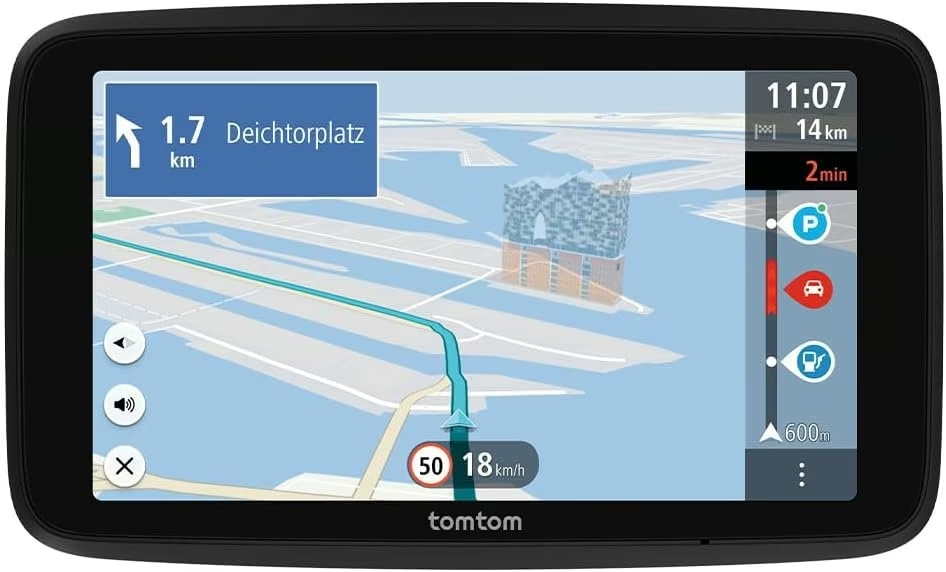
The TomTom GO Advanced suits drivers who want a dedicated navigator with real-time TomTom Traffic and clear lane guidance, as long as the New Zealand and Australia map is loaded before the first trip.
It uses a compact 6 inch capacitive touchscreen and an integrated reversible mount that clips to the windscreen, arriving with a charging cable, holder and 12V car charger in the box. The touchscreen-only design keeps the front panel minimal, with Wi-Fi built in for over-the-air updates without needing a computer.
Advanced Lane Guidance shows exactly which lane to be in on motorway interchanges, a genuinely useful touch reviewers single out. The device also syncs with a smartphone for hands-free calling and live traffic alerts, and includes speed camera alerts for the first 12 months before a subscription is needed.
TomTom advertises coverage across 150-plus countries, but this unit ships pre-loaded with European maps only. The New Zealand and Australia map has to be downloaded over Wi-Fi (or pre-installed by some sellers before shipping) before it is any use on local roads, a detail easy to miss when buying.
TomTom sits at just 1.5 out of 5 stars across 54 reviews on ProductReview.com.au. The most common complaint is that “lifetime” map updates get cut off once a device is declared end of life, alongside slow customer support. One reviewer preparing for a New Zealand trip was quoted a fee just to load the local map onto an existing TomTom and switched back to phone roaming instead, so the lifetime-update promise is worth treating with some scepticism.
Pros
- Advanced Lane Guidance for motorway interchanges
- Wi-Fi map updates with no computer required
- Live TomTom Traffic and 12 months of speed camera alerts
Cons
- Ships with European maps only, needs the local map downloaded first
- Brand-wide reviews report map updates being cut off on older hardware
Key specs: 6 inch touchscreen (800 x 480), integrated reversible mount, model 1YF6.001.03, 2 year retailer warranty.
4. 9 Inch Budget GPS Navigator – Most Budget-Friendly
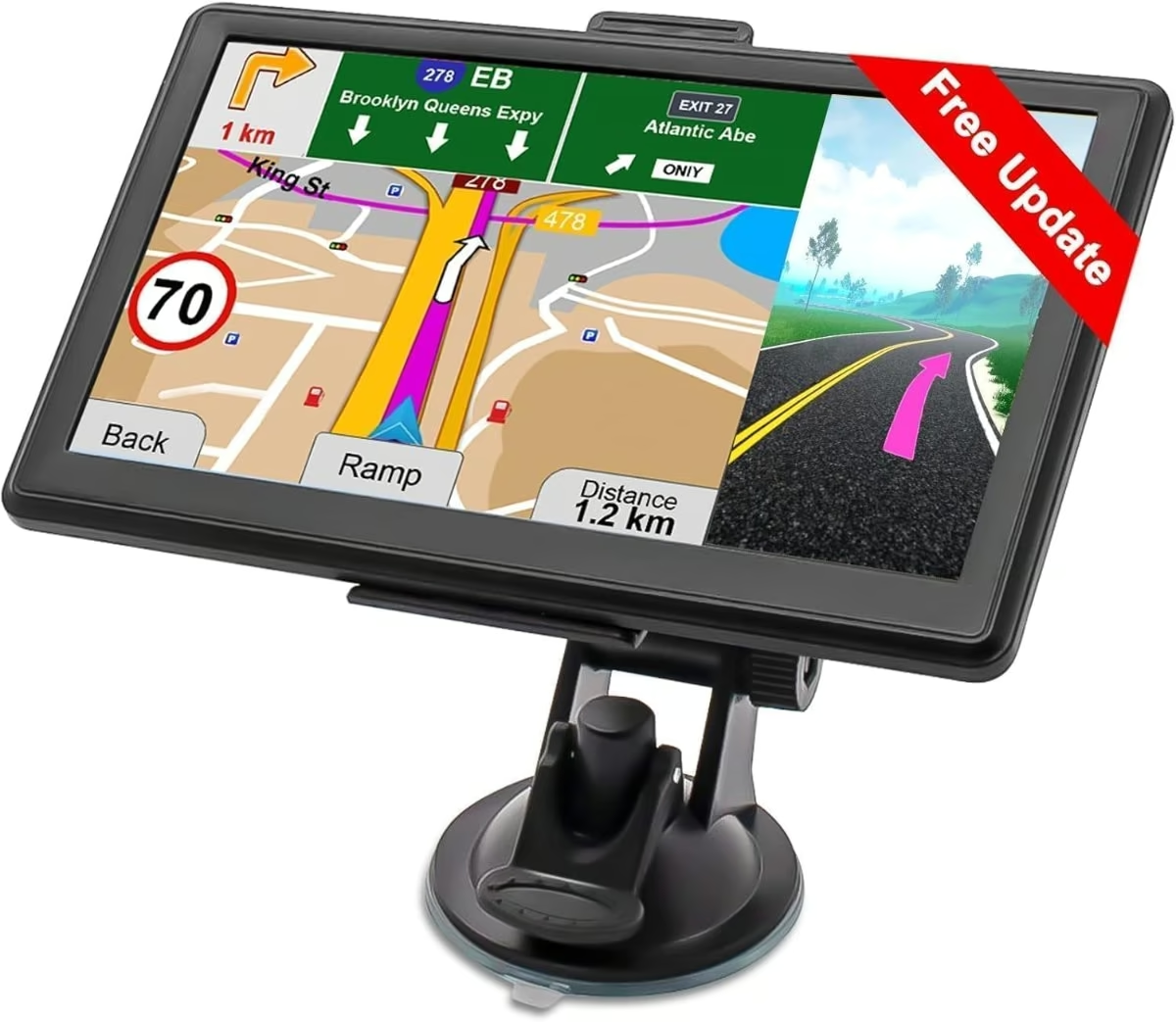
This 9 inch capacitive touchscreen navigator is the cheapest way into a standalone GPS unit, and it is best suited to shoppers who want the lowest upfront cost and are prepared to accept a rougher ownership experience in return.
Boxed with its mount and cables, the unit weighs around 2kg and is designed to sit on the dashboard of an older vehicle with no factory screen. A headphone jack is included, and the display switches between 2D and 3D, day and night modes, running on the ageing WinCE operating system with a built-in music, video and photo hub bundled in alongside the mapping software.
Turn-by-turn voice prompts are available in 33 languages, with audible alerts for speed cameras, red light zones and sharp curves. Drivers can pick from four route modes and seven vehicle profiles, including car, truck and bus, and the maps are preloaded for 101 regions including Australia so there is no ongoing subscription. No official battery life figure is published, and real-world reports on the identical hardware sold under other brand names describe slow satellite lock times.
Reviews of the same hardware sold as VEVOR in the United States average just 2 out of 5 stars, with recurring reports of units failing within weeks, needing a forced restart by removing the memory card and holding the power button, and arriving with outdated maps. This is a genuine budget pick best kept as a spare or backup device rather than a primary navigator.
Pros
- Large 9 inch screen with day/night and 2D/3D modes
- Offline maps preloaded for 101 regions, no subscription needed
- Voice alerts for speed cameras and sharp curves in 33 languages
Cons
- Reliability reports on the same hardware are poor, including early failures
- Slow satellite lock times reported by owners
Key specs: 9 inch capacitive touchscreen, 2500mAh battery, 101 preloaded map regions, seller-stated 1 year warranty.
5. Plimpton Portable CarPlay Screen – Best Compact Wireless CarPlay Screen
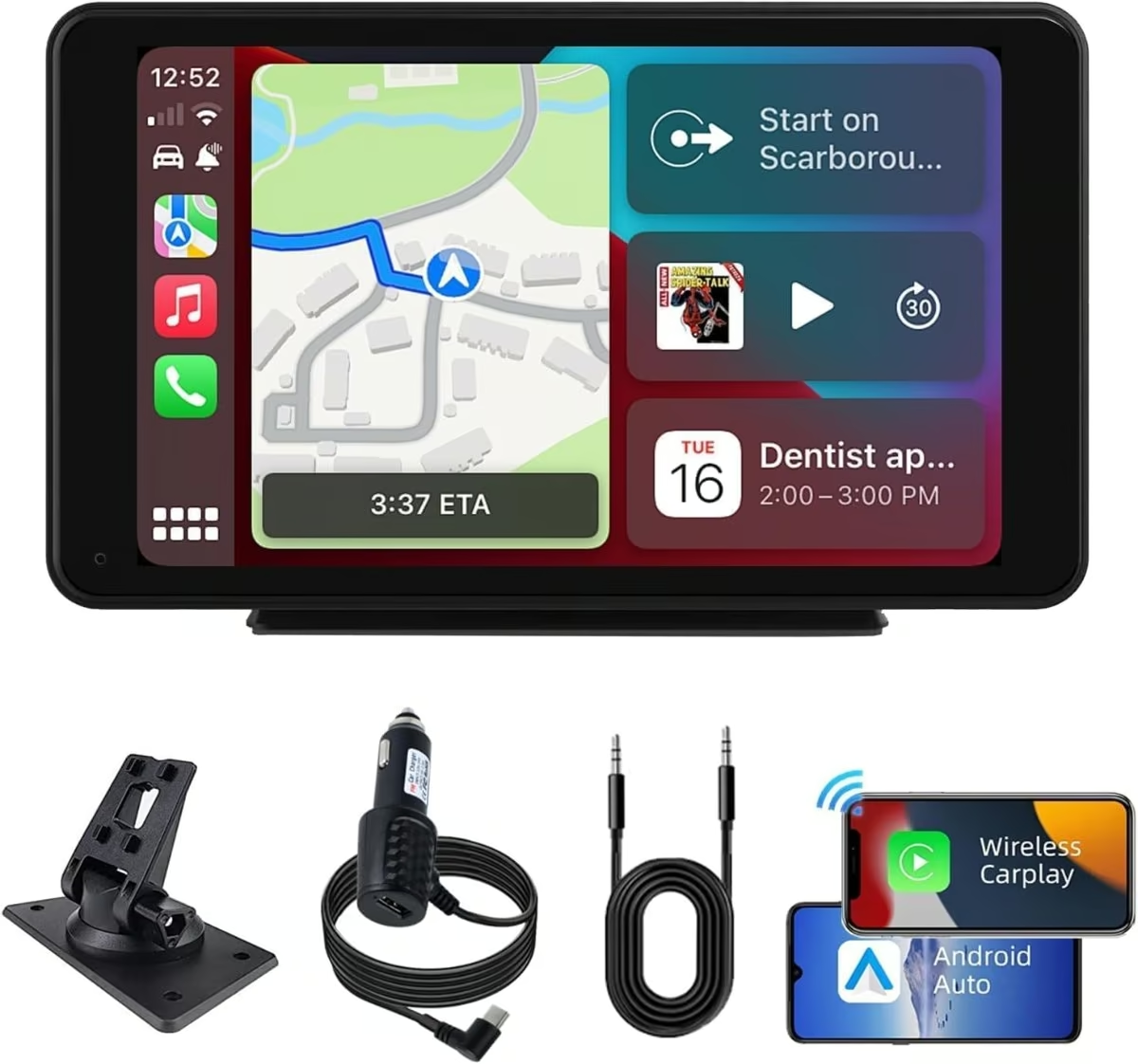
The Plimpton 7 inch screen suits drivers who just want wireless Apple CarPlay or Android Auto navigation on a small, unobtrusive dashboard display rather than a bulkier 9 inch unit.
It measures 7.3 x 21.6 x 11.4cm and weighs 325g, sitting on a compact 9.5 x 11.5 x 6.7cm adhesive dash-mount base that needs no dismantling of the car’s interior. The 7 inch IPS panel in black has a smaller footprint that suits compact dashboards better than the larger screens on this list, and it runs entirely off the vehicle’s own power with no internal battery to manage.
The screen connects over its own Wi-Fi network for wireless CarPlay or Android Auto, auto-connecting to a paired phone after the first setup and powering on and off with the car’s ignition. Voice control through Siri or Google Assistant works for hands-free navigation commands, though routing audio through the car’s own speakers takes a manual menu step rather than happening automatically.
Four audio paths are available: Bluetooth, AUX, FM transmitter and the built-in speaker, and the screen also supports an optional reverse camera input. As with the other mirroring screen on this list, actual navigation quality depends entirely on the connected phone’s own maps app and signal, since there is no dedicated GPS chip inside.
The seller’s own listing acknowledges a known Bluetooth reconnection glitch that sometimes needs a manual “forget device” reset to fix. Warranty information on the brand’s own website is also inconsistent, referencing a different brand name entirely, so it is safer to rely on the seller’s stated return terms than to assume a specific manufacturer warranty period.
Pros
- Compact 7 inch footprint suits smaller dashboards
- Simple adhesive mount, no dismantling of the dashboard needed
- Wireless CarPlay and Android Auto with voice control
Cons
- Known Bluetooth reconnection glitch noted in the seller’s own FAQ
- Warranty information from the brand is inconsistent
Key specs: 7 inch IPS touchscreen (1024 x 600), 325g, adhesive dash-mount base, no built-in GPS chip (phone-mirroring only).
How to choose the right GPS navigation for NZ
Standalone GPS or phone mirroring? A standalone unit like the Garmin or TomTom stores its own maps and finds a satellite fix without needing a phone at all. A wireless CarPlay or Android Auto screen instead mirrors whatever maps app is already on a connected phone, so its navigation is only ever as good as the phone’s own signal and battery. Many drivers already lean on their phone for turn-by-turn help, so it is worth comparing today’s best smartphones for GPS accuracy and battery life before paying for a dedicated unit.
Rural coverage and offline maps. Large parts of New Zealand, including Fiordland, the Southern Alps passes, the central North Island and stretches of the West Coast, regularly lose cell signal. A phone relying purely on live data will fail in these spots unless offline maps were downloaded in advance, while a standalone GPS with preloaded maps keeps working regardless.
Map updates. Treat “lifetime updates” claims carefully. Several brands eventually declare older hardware end of life and stop supporting further map downloads, and some units ship with the wrong region’s maps preloaded. Confirm the current New Zealand and Australia map is included and easy to install before buying.
Windscreen mounting rules. Under NZTA rules, any mounted device must sit outside the windscreen’s critical vision area and be securely fixed rather than propped up loosely. Drivers cannot hold or operate a device while the vehicle is moving, and learner and restricted licence holders are banned from touching a phone at all while driving, mounted or not.
Speed camera alerts. Unlike some countries, it is legal in New Zealand to own and use a radar detector or speed camera alert feature, so this is a genuine convenience rather than a legal risk. The only restriction is on devices that actively jam police speed equipment.
Power on long trips. A plug-in GPS unit or CarPlay screen draws power constantly, and a paired phone running its own maps app drains its battery quickly too. Carrying a reliable power bank is a cheap way to avoid a flat phone halfway through a long New Zealand road trip.
Screen size. A 9 inch screen is easier to read at a glance but takes up more dashboard space, while 6 to 7 inch units and compact suction or adhesive mounts suit smaller cars better.
If you spend real time on the road, the guides to car GPS trackers, tyre inflators and dash cams cover the rest of the kit.
Verdict
The Garmin DriveSmart 76 MT-S is the best all-round pick for most New Zealand drivers, with preloaded local maps and useful live features once paired with a phone. The TomTom GO Advanced is worth considering for its lane guidance and live traffic, provided the New Zealand map is downloaded first. Drivers upgrading an older car without built-in navigation are better served by the CARABC or Plimpton wireless CarPlay screens, while the budget 9 inch navigator only suits those who accept the reliability trade-offs of a lower price.
For a longer New Zealand road trip, it also pays to keep the car interior tidy with one of the best car vacuum cleaners. Anyone continuing on foot from the trailhead at the end of the drive should also pack a sturdy pair of hiking boots suited to the terrain.
Frequently Asked Questions
Do you need a dedicated GPS device to get around New Zealand, or is a phone enough?
A phone with offline maps downloaded in advance covers most touring routes. A dedicated GPS unit still helps in remote areas with no cell signal, on long trips where phone battery matters, or when live traffic and voice guidance need to keep working without using mobile data.
Does phone GPS navigation work in New Zealand without cell signal?
Yes. A phone’s GPS chip finds location without cell signal, but the map data itself usually needs a data connection unless it was downloaded for offline use beforehand. Rural areas like Fiordland, the Southern Alps and parts of the West Coast regularly lose signal, so downloading offline maps before setting off matters.
Is it legal to mount a phone or GPS unit on the windscreen while driving in New Zealand?
Yes, provided the mount sits outside the windscreen’s critical vision area and is securely fixed, per NZTA rules. Drivers must not hold or operate the device while moving, and learner and restricted licence holders are banned from touching a phone at all while driving, mounted or not.
Are radar detectors or speed camera alert devices legal in New Zealand?
Yes, it is legal to own and use radar detectors and speed camera alert features in New Zealand, unlike in some other countries. The only restriction is on devices that actively jam or interfere with police speed detection equipment, which remains illegal regardless of the device type.
Are lifetime map updates on a GPS navigator worth paying for?
They can be, but read the fine print first. Some brands eventually declare older hardware end of life and stop supporting further updates, despite the lifetime promise. Confirm current New Zealand and Australia map coverage is included before buying, rather than assuming an older or imported unit already has it loaded.
Which offline map app works best for a New Zealand road trip?
Google Maps offers offline areas, but they expire after around 30 days, so they need refreshing before a long trip. HERE WeGo keeps offline maps available indefinitely and includes turn-by-turn voice guidance, making it a solid free backup alongside any dedicated GPS unit on a New Zealand trip.