
The best Wi-Fi extender in NZ overall is the TP-Link RE705X, thanks to its Wi-Fi 6 speed, OneMesh compatibility, and the kind of consistently strong owner reviews that are rare in this category.
Most New Zealand homes have their modem or router tucked into a hallway, garage, or laundry, which suits the installer but leaves bedrooms, home offices, and outdoor security cameras fighting for a weak signal. Thick internal walls and concrete foundations, common in NZ construction, make the problem worse.
A Wi-Fi extender solves this without replacing the whole router setup. This guide covers nine extenders available in New Zealand and Australia, from simple budget wall-plug units through to a rugged outdoor model and a higher-end pick built for large homes, based on real retailer listings, verified owner reviews, and independent testing.
| Product | Best for | Wi-Fi standard | Ethernet |
|---|---|---|---|
| Netgear EX6110 AC1200 | Simple wall-plug setups | Dual-band AC1200 | 1 x Fast Ethernet |
| WAVLINK WL-WN588HX3 | Outdoor and rural coverage | Dual-band AX3000 Wi-Fi 6 | 1 x Gigabit (PoE) |
| TP-Link RE205 | Value dual-band extending | Dual-band AC750 | 1 x Fast Ethernet |
| TP-Link RE705X | Best overall | Dual-band AX3000 Wi-Fi 6 | 1 x Gigabit |
| TP-Link RE315 | Budget pick | Dual-band AC1200 | 1 x Fast Ethernet |
| Tenda A23 | Budget Wi-Fi 6 | Dual-band AX1500 Wi-Fi 6 | 1 x Gigabit |
| TP-Link RE650 | Large homes | Dual-band AC2600 | 1 x Gigabit |
| TP-Link TL-WA850RE | Ultra-budget fix | Single-band N300 | 1 x Fast Ethernet |
| D-Link EAGLE PRO AI E15 | AI-optimised mesh-style | Dual-band AX1500 Wi-Fi 6 | 1 x Gigabit |
1. Netgear EX6110 AC1200 Wi-Fi Extender – Best for Simple Wall-Plug Setups
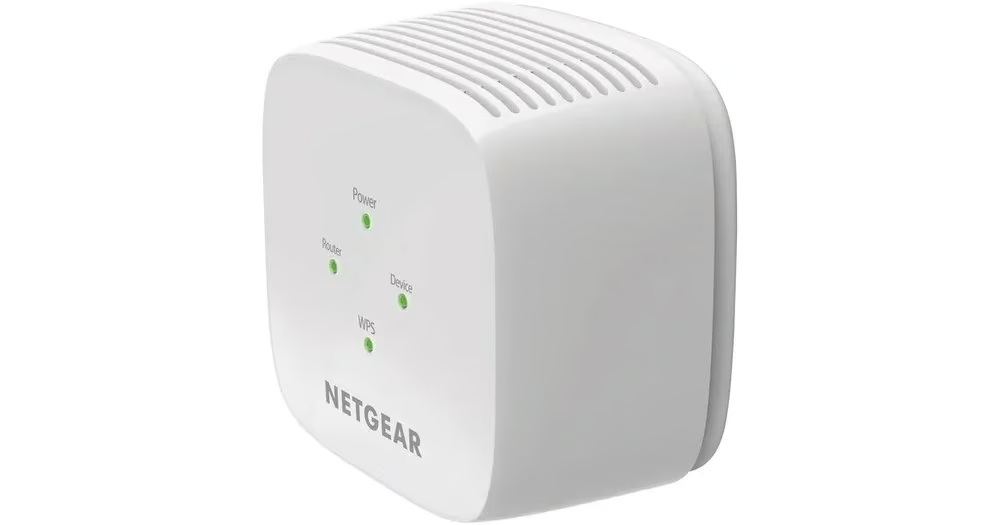
The Netgear EX6110 is the pick for shoppers who want a straightforward wall-plug extender with no cables or software fuss, and that simplicity is its whole appeal.
It plugs directly into a power outlet with no cord hanging off it, in a compact white housing measuring about 7.25cm square and 6.5cm deep. There is no antenna sticking out, so it tucks neatly into a hallway or bedroom power point without drawing attention.
The plastic casing feels light rather than premium, weighing only 150 grams, and a Smart LED on the front glows to help find the strongest connection point during setup. Configuration goes through Netgear’s Nighthawk app, and the extender broadcasts on both 2.4GHz and 5GHz bands with a single RJ45 port for a wired device.
Everyday use is simple: plug it in halfway between the router and the dead zone, wait for the LED, then connect. Owners on ProductReview.com.au reported a noticeable coverage gain in previously weak rooms once installed. Several also reported the extender occasionally drops its connection and needs a power cycle to reconnect, which is worth knowing before relying on it for anything mission critical like a security camera or a work laptop.
For light browsing and streaming in one extra room, it earns its keep. For rock-solid always-on coverage, a model with a more consistent reliability record may serve better.
Pros
- No-cord wall-plug design that tucks away neatly
- Simple Nighthawk app setup with a placement LED
- Genuine coverage improvement reported by owners
Cons
- Some owners report occasional dropped connections needing a reset
- Single Ethernet port only
- Plastic housing feels budget rather than premium
Key specs: dual-band AC1200 (2.4GHz + 5GHz), 1 x RJ45 LAN port, Nighthawk app setup, model EX6110, 24-month warranty.
2. WAVLINK AX3000 Outdoor Wi-Fi 6 Extender – Best for Outdoor and Rural Coverage
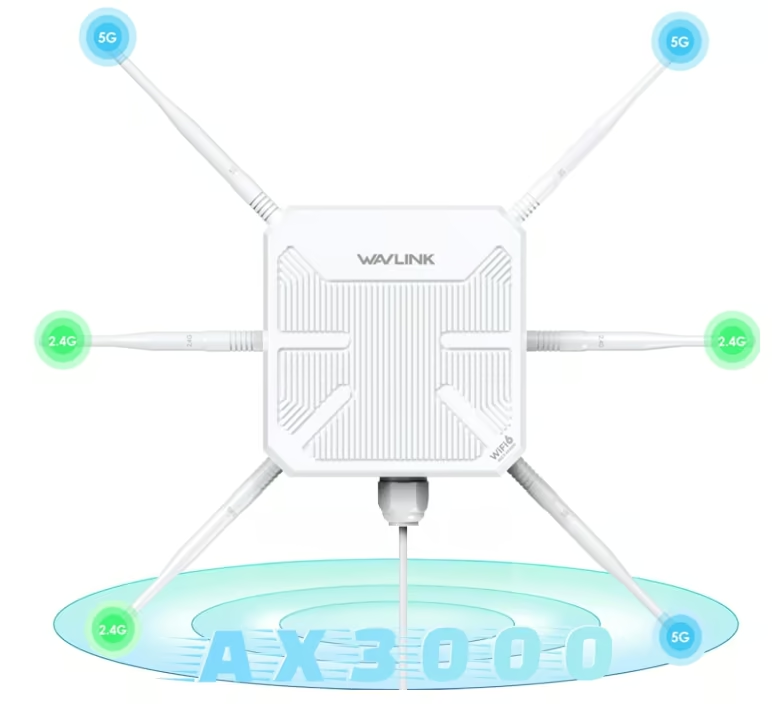
The WAVLINK WL-WN588HX3 is the one to reach for when the dead zone is not indoors at all, but out in the garage, shed, or back paddock.
Housed in a chunky white IP67-rated enclosure roughly 24cm square and 7cm deep, weighing just over a kilogram, it is built to survive rain and direct sun rather than sit discreetly on a shelf. Four 12dBi directional antennas jut from the unit, giving it a distinctly industrial look next to a typical indoor extender.
Power comes via a separate PoE injector rather than a wall plug, so the unit itself can be mounted outdoors while the small PoE converter, about 44mm across, stays inside plugged into a wall socket and connected by a single Ethernet run. It supports Mesh, Access Point, Router, and Repeater modes, plus WPA2/WPA3 security, and includes one Gigabit Ethernet port for a wired device such as an outdoor camera.
Real buyers on eBay Australia describe using it specifically to extend Starlink Wi-Fi out to a shed and to power outdoor cameras, and another reported extending signal to multiple separate structures on a property. That rural and semi-rural use case is clearly where this extender is happiest.
It is overkill, and considerably bulkier, for someone who just needs to fix a weak signal in a spare bedroom. For a lifestyle block, farm, or anyone chasing signal into a detached garage, it solves a problem indoor extenders cannot.
Pros
- IP67 weatherproof housing built for true outdoor use
- PoE powered, so it can be mounted away from a power point
- Owners confirm it works well extending Starlink to outbuildings
Cons
- Much bulkier and more industrial-looking than an indoor extender
- Needs a PoE injector and Ethernet run rather than a simple wall plug
- Overkill for a simple indoor dead zone
Key specs: dual-band AX3000 Wi-Fi 6, IP67 weatherproof, PoE powered, 1 x Gigabit Ethernet port, model WL-WN588HX3, 1-year warranty.
3. TP-Link RE205 AC750 Wi-Fi Extender – Best Value Dual-Band Extender
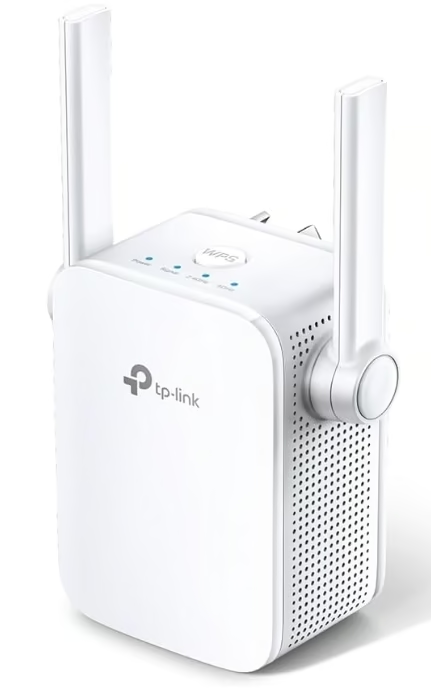
The TP-Link RE205 is the safe, no-drama choice for anyone who just wants a dead zone gone without spending big, backed by dozens of genuinely happy owner reviews.
It is a compact white wall-plug unit measuring 80 by 78 by 77mm and weighing just 153 grams, with two external antennas poking out either side. There is nothing flashy about the design; it is built to disappear into a hallway power point rather than draw the eye.
Setup runs through TP-Link’s Tether app, and a two-colour Intelligent Signal LED shifts from red to blue as it is moved closer to or further from the router, taking the guesswork out of placement. A single WPS button offers a faster pairing option for routers that support it.
Owners describe it repeatedly as fixing dead spots “at the back of the house” and elsewhere within minutes of setup, with several noting it held up reliably over months of daily use, rating it 4.6 out of 5 across dozens of verified reviews. The main gripe is size: its wall-plug body is bulky enough to block the second socket on a double outlet. One reviewer also found its Ethernet port capped at 100Mbps in access point mode, noticeably slower than the wireless side.
For everyday web browsing, streaming, and keeping a phone connected in a weak room, it is hard to beat for the price and its reliability track record.
Pros
- Strong, consistent owner reviews over hundreds of installs
- Intelligent Signal LED makes placement straightforward
- Tether app setup takes minutes
Cons
- Bulky wall-plug body can block an adjacent power socket
- Ethernet port limited to 100Mbps in access point mode
- Single Ethernet port only
Key specs: dual-band AC750 (300Mbps 2.4GHz + 433Mbps 5GHz), 1 x 10/100M Ethernet port, model RE205, 36-month warranty.
4. TP-Link RE705X AX3000 Wi-Fi 6 Extender – Best Overall
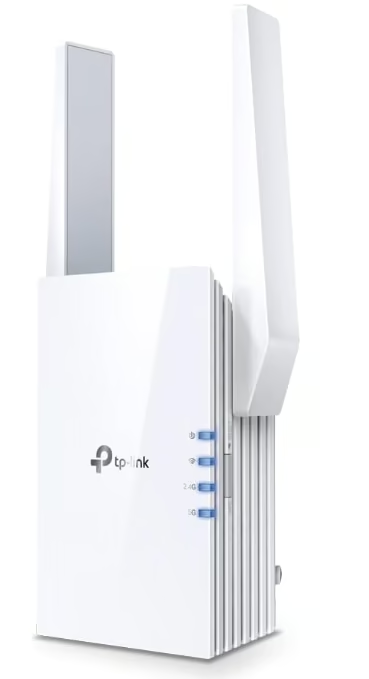
The TP-Link RE705X earns the overall pick because it pairs modern Wi-Fi 6 speed with the kind of consistently glowing owner feedback that is rare for any networking gadget.
It is a taller wall-plug unit than most rivals here, at 97 by 46 by 158mm and half a kilogram, built to house the extra antennas and radios that Wi-Fi 6 needs. The white plastic body is plain rather than stylish, clearly designed to be tucked away rather than shown off.
Setup runs through the Tether app, and the extender supports TP-Link’s OneMesh technology, which folds it into a single seamless network name when paired with a OneMesh-compatible router rather than creating a separate network. A single Gigabit Ethernet port lets a wired device, like a smart camera, join the network too.
Owners describe it as self-connecting and plug and play, with one successfully pairing it to a Starlink router and another using it in access point mode over a powerline connection to feed a Wi-Fi camera. Several noted it worked fine even with non-TP-Link routers, and one even paired it, unofficially, with a much pricier TP-Link mesh system. The main complaint is a soft one: it costs more than older AC-class extenders, and one owner found the 5GHz band grew unreliable at longer range, falling back to 2.4GHz only.
For a household with a genuine mix of modern phones, laptops, and smart-home gear, this is the extender most likely to disappear into the background and simply work.
Pros
- Wi-Fi 6 speed with strong, near-perfect owner ratings
- OneMesh support keeps one seamless network name
- Confirmed to work with non-TP-Link routers
Cons
- Pricier than older AC-class extenders
- 5GHz range can weaken noticeably at longer distances
- Taller housing takes up more space on a wall socket
Key specs: dual-band AX3000 Wi-Fi 6 (574Mbps 2.4GHz + 2402Mbps 5GHz), 1 x Gigabit Ethernet port, OneMesh, model RE705X, 36-month warranty.
5. TP-Link RE315 AC1200 Wi-Fi Extender – Best Budget Pick
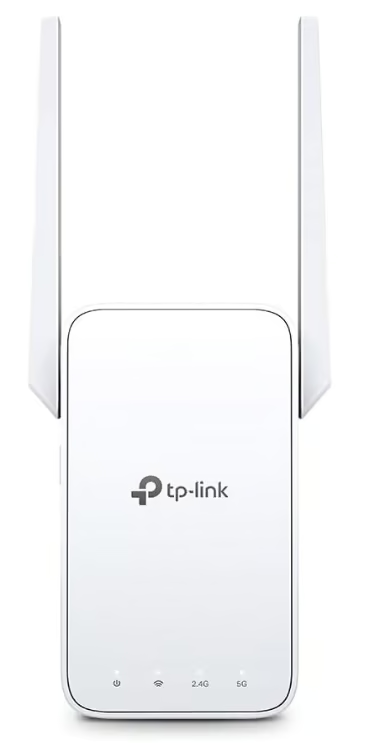
The TP-Link RE315 is the pick for anyone who wants the cheapest realistic fix for a dead zone without gambling on an unknown brand.
It follows the now-familiar TP-Link wall-plug shape, a compact white unit around 89mm wide and 124mm tall with two external antennas, small enough to disappear into a power point in a hallway or spare room. There is no display or physical setup screen; a Smart Signal LED and the Tether app handle placement and configuration.
A single WPS button pairs it with a compatible router in around a minute, or the Tether app can be used for a full setup with more control, including toggling the 2.4GHz and 5GHz bands independently. One RJ45 port lets a single wired device join the network, and OneMesh or EasyMesh support keeps it under one network name when paired with a compatible router.
Independent testing by Wirecutter of this exact model found it kept a detached garage connected at a usable 25Mbps for security cameras and smart devices, from around 23 metres away, a solid real-world result for the price bracket. The trade-off with any dual-band, budget-tier extender like this is that it creates a second network name unless paired with a mesh-compatible router, and heavier households with many devices will feel the bandwidth ceiling sooner than with a pricier model.
For a single dead zone in an otherwise well-covered home, it is difficult to justify spending more.
Pros
- Cheapest realistic fix for a single dead zone
- Verified to hold a usable signal at real-world distance
- OneMesh/EasyMesh support when paired with a compatible router
Cons
- Creates a separate network name without a mesh-compatible router
- Dual-band only, so it strains with many connected devices
- No hardware display beyond a single signal LED
Key specs: dual-band AC1200, 1 x RJ45 Ethernet port, OneMesh/EasyMesh compatible, model RE315, 36-month warranty.
6. Tenda A23 AX1500 Wi-Fi 6 Extender – Best Budget Wi-Fi 6 Extender
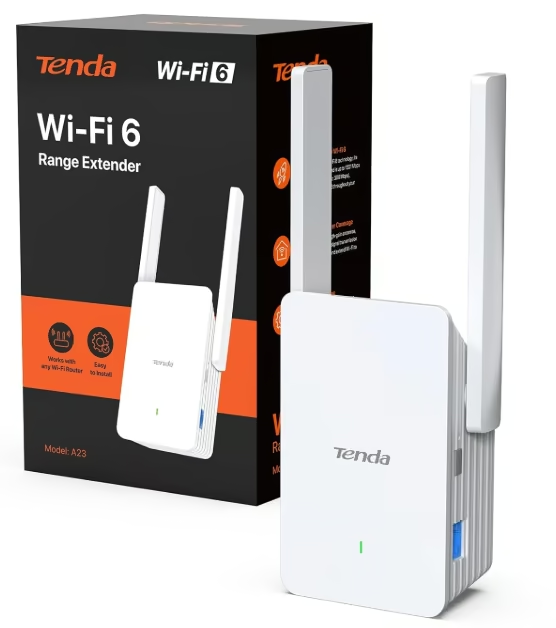
The Tenda A23 is the pick for shoppers who want Wi-Fi 6 speed without paying Wi-Fi 6 prices, and it is refreshingly light on complication.
It is a plain white wall-plug unit measuring 123 by 72 by 47.5mm, with two 5dBi external antennas angled outward. There is no app, no dedicated hardware button beyond WPS, and no signal-strength light; a browser setup page pops up automatically the first time a device connects to it.
That simplicity carries through to daily use. Independent testing by Expert Reviews found the A23 delivered better-than-expected real-world throughput for a Wi-Fi 6 device at this price, alongside a genuinely low power draw of around 2.5 watts idle. A single Gigabit Ethernet port supports a wired device or lets the unit run in access point mode.
The dual-band AX1500 rating splits into 300Mbps on 2.4GHz and 1201Mbps on 5GHz, with a manufacturer coverage claim around 140 square metres for up to 30 devices. The same review noted one genuine drawback: when switching to a different router, the extender sometimes failed to reconnect automatically and needed a manual reset, and there is no companion app for anyone who wants deeper control or diagnostics.
For a household that wants a modern Wi-Fi 6 signal in a spare room without spending on a premium extender, it delivers more than its price suggests.
Pros
- Wi-Fi 6 speed at a budget price
- Low power draw and simple browser-based setup
- Gigabit Ethernet port included
Cons
- No companion app for advanced settings
- Can need a manual reset after switching to a new router
- No dedicated signal-strength indicator
Key specs: dual-band AX1500 Wi-Fi 6, 1 x Gigabit Ethernet port, model A23, 3-year warranty.
7. TP-Link RE650 AC2600 Wi-Fi Extender – Best for Large Homes
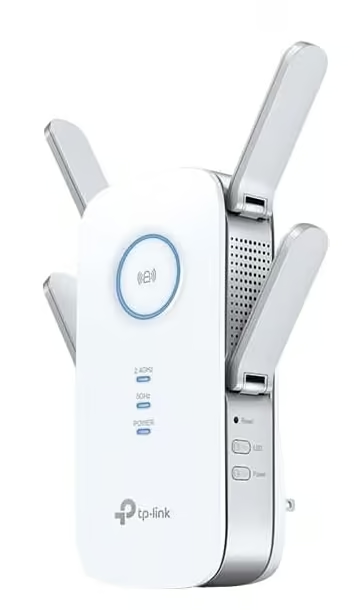
The TP-Link RE650 is built for the biggest, hardest-to-cover New Zealand homes, where a basic extender simply cannot push a signal far enough.
Four fixed external antennas dominate its 163 by 86 by 40mm wall-plug body, giving it a noticeably larger footprint than the entry-level extenders in this list, and it weighs nearly half a kilogram. It is not a discreet unit; it is built to be seen and to work hard.
Under the plastic shell sits AC2600-class dual-band Wi-Fi with 4×4 MU-MIMO and beamforming, plus an Intelligent Signal Light for placement and a single Gigabit Ethernet port for a wired device. TP-Link rates its coverage at up to 1,300 square metres, well beyond what a typical wall-plug extender attempts.
Owners consistently describe great speed throughout the house after installing it, with several specifically noting an upgrade from a smaller three-antenna extender delivered a noticeably stronger result, and it holds a 4.6 out of 5 rating across nearly thirty reviews. Setup runs through the Tether app and was described as straightforward by most reviewers. One owner, however, reported the unit repeatedly dropped its connection and would not reconnect after switching from a different brand’s extender, eventually reverting to their old device, a reminder that even well-reviewed hardware can behave unpredictably in a specific router combination.
For a large, multi-storey, or oddly shaped home where one extender needs to cover real distance, this is the model built for that job.
Pros
- Large claimed coverage backed by strong owner ratings
- 4×4 MU-MIMO and beamforming for a stronger signal at range
- Straightforward Tether app setup
Cons
- Large, noticeable wall-plug footprint
- Priced above the budget extenders in this list
- One reported case of persistent reconnect issues after switching brands
Key specs: dual-band AC2600 (800Mbps 2.4GHz + 1733Mbps 5GHz), 4×4 MU-MIMO, 1 x Gigabit Ethernet port, model RE650, 36-month warranty.
8. TP-Link TL-WA850RE N300 Wi-Fi Extender – Best Ultra-Budget Extender
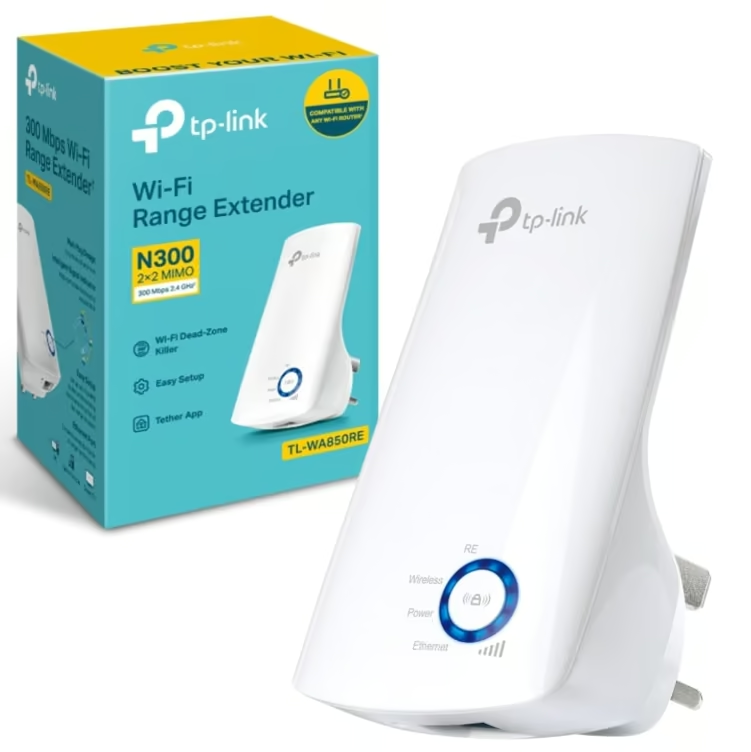
The TP-Link TL-WA850RE is the pick for anyone who just needs one weak room fixed as cheaply as possible, without caring about Wi-Fi 6 or gigabit speeds.
It is a small white wall-plug unit, 110 by 65.8 by 75.2mm, drawing under 4 watts of power. Five small LEDs run down the front to show signal strength at the current position, a simple but genuinely useful way to find the best spot without needing a phone app.
It runs on the older single-band 2.4GHz standard only, rated N300, with one Fast Ethernet port for a single wired device like a smart TV or games console. Setup is via WPS button or TP-Link’s Tether app.
Reviewers describe it bluntly as the cheapest Wi-Fi extender on the market that still does the job well, with several praising how it cut through brick walls to fix a dead zone in around two minutes of setup. One owner found the WPS and wireless setup methods failed until they moved it to a power outlet with a stronger existing signal, and because it is single-band, speeds noticeably sag once several devices connect through it at once. Its wall-plug body is also bulky enough to block the second socket on a double outlet.
For a single room that just needs email, browsing, and basic streaming to work, it remains a genuinely cheap fix.
Pros
- Genuinely one of the cheapest extenders available
- Five-LED signal display helps with placement
- Simple WPS or app-based setup
Cons
- Single-band 2.4GHz only, so speed sags with multiple devices
- Some owners needed to reposition it before setup worked
- Bulky body can block an adjacent socket
Key specs: single-band N300 (2.4GHz only), 1 x Fast Ethernet port, model TL-WA850RE, 36-month warranty.
9. D-Link EAGLE PRO AI E15 Wi-Fi Extender – Best AI-Optimised Mesh-Style Extender
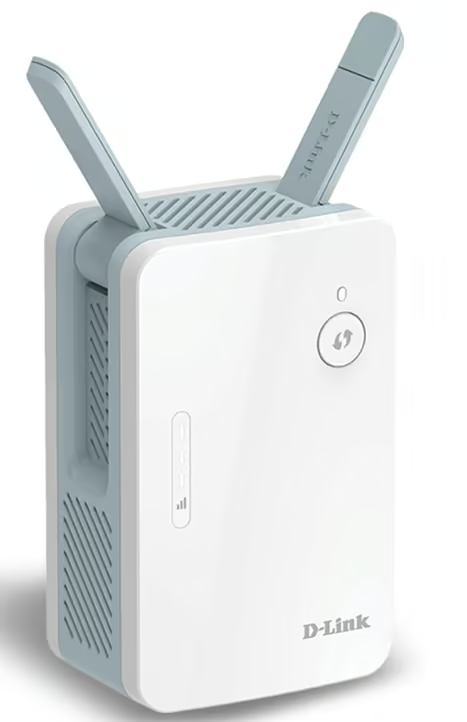
The D-Link EAGLE PRO AI E15 is the pick for anyone who wants their extender to actively manage itself rather than needing much hands-on tweaking.
It uses a slim wall-plug design, 105 by 63.5 by 50mm before the antennas, finished in white with a pale blue accent panel. Its narrower profile compared with bulkier extenders like the RE650 means it is less likely to block the second socket on a double power point.
Setup happens through the Eagle Pro AI app by scanning a QR code, or via the WPS button for a faster pairing. Once running, its AI Wi-Fi Optimizer picks the best channel automatically and its AI Mesh Optimizer steers beamforming toward the router or other Eagle Pro AI nodes, effectively working as a mesh system when paired with compatible D-Link hardware.
Independent reviewers found it handled everyday tasks like 4K streaming without issue and praised its low power draw and simple app-based setup. The same testing flagged two genuine trade-offs worth knowing: raw throughput gains through the extender were fairly modest in one benchmark, and the unit ran noticeably warm during extended use. Some owners also reported occasional connection drops that needed a router restart to clear.
For a household that already has, or plans to add, other Eagle Pro AI devices, it is a tidy way to build toward whole-home mesh coverage one extender at a time.
Pros
- AI-based channel and mesh optimisation with little manual setup
- Slim housing avoids blocking the second socket
- Low power draw, handles 4K streaming without issue
Cons
- Modest real-world throughput gain in independent testing
- Runs noticeably warm during extended use
- Shortest warranty period of the extenders in this list
Key specs: dual-band AX1500 Wi-Fi 6, 2×2 MU-MIMO, 1 x Gigabit Ethernet port, model E15, 12-month warranty.
How to choose a Wi-Fi extender
Match the Wi-Fi standard to the devices in the house. Older single-band extenders like the TL-WA850RE are fine for basic browsing on smartphones or a smart TV, but anyone running modern devices, or gaming on a 144Hz gaming monitor over Wi-Fi, benefits from a dual-band Wi-Fi 6 model instead.
Check the Ethernet port. A single Gigabit Ethernet port lets a wired device, such as a games console, a computer monitor’s docking hub, or a security camera, join the network directly rather than relying on wireless backhaul.
Think about indoor versus outdoor coverage. A standard wall-plug extender is built for a hallway or bedroom; a shed, garage, or outbuilding needs a weatherproof, PoE-powered model instead.
Look for mesh compatibility if the goal is one seamless network name rather than a separate one for the extended area. TP-Link’s OneMesh and D-Link’s AI Mesh both fold a compatible extender into the main network, provided the router supports the same system.
Place it about halfway between the router and the weak-signal area, at roughly the same height as the router, and away from thick walls, metal, or large appliances where possible.
If coverage is the real problem rather than speed, the guide to Wi-Fi routers is worth a look.
Verdict
For most New Zealand homes, the TP-Link RE705X is the best all-round choice, combining Wi-Fi 6 speed with OneMesh support and some of the strongest owner feedback of any extender in this list. Anyone on a tighter budget can get a genuinely reliable result from the TP-Link RE205 or the TP-Link RE315, while a large or multi-storey home is better served by the TP-Link RE650. Outdoor and rural properties should look to the WAVLINK WL-WN588HX3, and anyone wanting a taste of AI-managed mesh coverage can start with the D-Link EAGLE PRO AI E15.
Frequently Asked Questions
Do Wi-Fi extenders actually work?
Yes, in most cases. A Wi-Fi extender picks up an existing router signal and rebroadcasts it into a dead zone, which genuinely eliminates dropouts in that spot. The trade-off is a traditional extender can roughly halve throughput in the extended zone, so a strong signal near the extender still beats a weak signal stretched too far.
How far should a Wi-Fi extender be placed from the router?
Extenders work best about halfway between the router and the weak-signal area, roughly 8 to 12 metres from the router for external-antenna models. The extender still needs a solid signal from the router itself. Placing it too close wastes its range, while placing it too far gives it a weak signal to amplify.
What is the difference between a Wi-Fi extender, a booster, and a mesh system?
For most brands, extender and booster describe the same device: something that rebroadcasts an existing router’s signal into a new area, usually on a separate network name unless it supports OneMesh or similar. A mesh system replaces the router entirely with matching nodes sharing one seamless network, which suits larger homes better but costs more.
Does a Wi-Fi extender slow down internet speed?
A traditional extender can cut speed roughly in half in the extended area, since it uses part of its bandwidth to communicate back to the router. Extenders with OneMesh, dual-band operation, or a wired Ethernet backhaul reduce this loss considerably, which is why newer Wi-Fi 6 models perform noticeably better than older single-band units.
Why doesn’t Wi-Fi reach every room in an NZ home?
Many New Zealand homes have the modem tucked in a hallway, garage, or laundry, leaving bedrooms and living areas at the far end with a weak signal. Thick internal walls, concrete foundations, and multiple stories all weaken a router’s signal further, which is exactly the gap a well-placed extender is built to close.
Can a Wi-Fi extender be used with any router brand?
Most standalone extenders work with any router regardless of brand, since they simply connect to the existing wireless network like any other device. Brand-matched features such as TP-Link’s OneMesh or D-Link’s AI Mesh need a compatible router from the same brand to unlock seamless single-network roaming, but the extender still works as a standard repeater without it.
