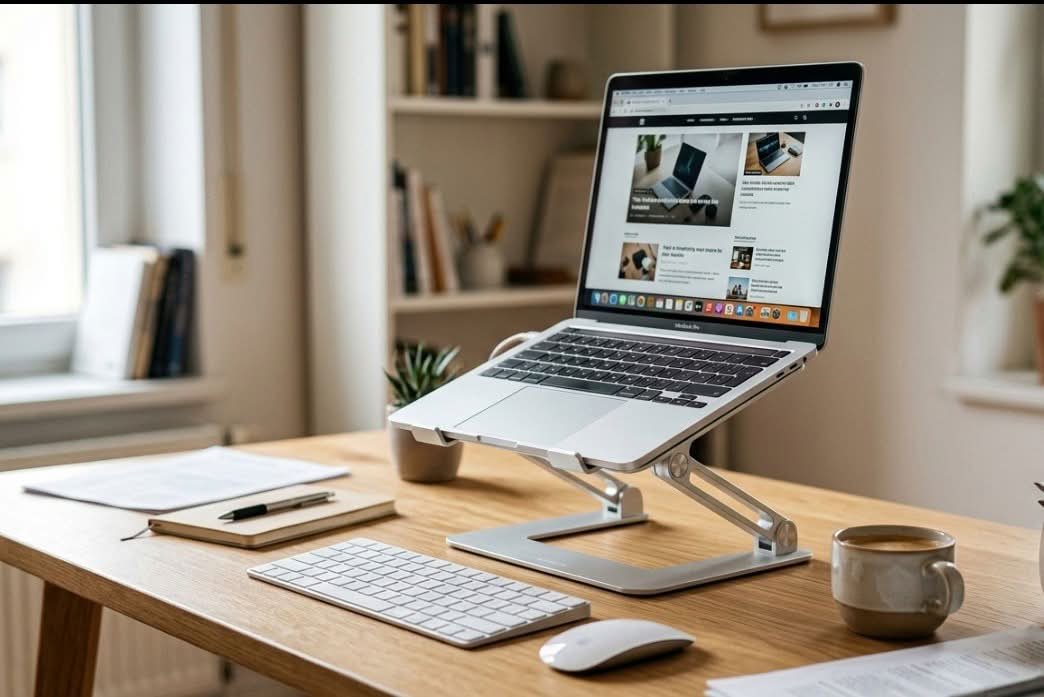
An adjustable laptop stand raises a laptop screen toward eye level so you stop craning your neck down at it, which is the single most common cause of desk-related neck and shoulder strain. Most also open airflow underneath the chassis, which helps a laptop throttle less under load.
Two very different products are both sold as “laptop stands”, and they solve opposite problems. Ergonomic risers hold the laptop open at a raised, tilted angle for typing and screen height, usually with a folding aluminium frame and ventilation cut-outs. Vertical docks hold a closed laptop upright like a book, purely to reclaim desk space when the machine is plugged into an external monitor.
A riser only fixes your neck if you pair it with a separate keyboard and mouse, because raising the screen also raises the built-in keyboard out of a comfortable typing position. Check the stated size range and weight limit against your machine, since a 17-inch laptop will overhang a stand built around a 13 to 15-inch footprint. Aluminium frames shed heat better than plastic, and a rubberised lip matters more than it sounds — it is what stops the laptop sliding off a tilted stand.
This guide compares five adjustable laptop stands available in New Zealand, covering both types, with adjustment range, cooling design, supported laptop sizes and how much desk space each one actually saves.
| Laptop Stand | Best For |
|---|---|
| 1. Twelve South Curve Flex | Best Overall / Most Height Adjustment |
| 2. OMOTON LA10 360 Rotating Laptop Stand | Best Value |
| 3. LIENS Adjustable Laptop Stand with 360 Base | Best for Laptops and Tablets |
| 4. OMOTON Vertical Laptop Stand | Best Space-Saving (Vertical Storage) |
| 5. OMOTON Dual Vertical Laptop Stand | Best for Two Laptops |
1. Twelve South Curve Flex – Best Overall / Most Height Adjustment

The most adjustable riser in this guide: the Curve Flex lifts the base of your laptop anywhere from about 5cm to 28cm off the desk, so you can bring the screen up to eye level whether you are sitting at a low table or working at a higher desk.
The arms are covered end to end in textured silicone rather than a few rubber dots, which stops the laptop sliding and protects it from scratches. The open aluminium frame leaves the underside clear for airflow, and the matte finish hides fingerprints.
It fits laptops from 10 to 17 inches up to about 3.2kg, and folds flat into the included neoprene pouch, with a slot for the adjustment tool so it does not go missing.
Key Specs
- Material: Aluminium with silicone-covered arms
- Height: About 5cm to 28cm
- Fits: 10-17 inch laptops, up to about 3.2kg
- Folds flat, travel pouch included
Pros
- Widest height range in this guide
- Full-length silicone grip protects the laptop
- Folds flat for travel
Cons
- Priciest stand in this guide
- Height and angle are set with a tool rather than adjusted on the fly
2. OMOTON LA10 360 Rotating Laptop Stand – Best Value

A cheaper aluminium riser that adds a feature the Curve Flex lacks: the X-shaped base swivels a full 360°, so you can turn the screen toward a colleague on a video call or presentation without moving the stand.
Height and tilt adjust by hand with a firm push or pull, with no tools or screws, raising the screen from about 4.5cm to 26cm. The open X-frame keeps the laptop’s bottom vents clear.
It folds down to roughly 29 x 4.3cm and weighs well under a kilo, so it slips into a laptop sleeve if you work from different desks. It holds about 4.7 stars from more than 1,500 ratings.
Key Specs
- Material: Aluminium
- Height: About 4.5cm to 26cm
- Rotation: 360°
- Fits: Laptops and tablets up to 17 inches
Pros
- 360° swivel for sharing your screen
- Tool-free height and angle adjustment
- Folds small for travel
Cons
- Remove the laptop before adjusting height or angle
- Silver only
3. LIENS Adjustable Laptop Stand with 360 Base – Best for Laptops and Tablets
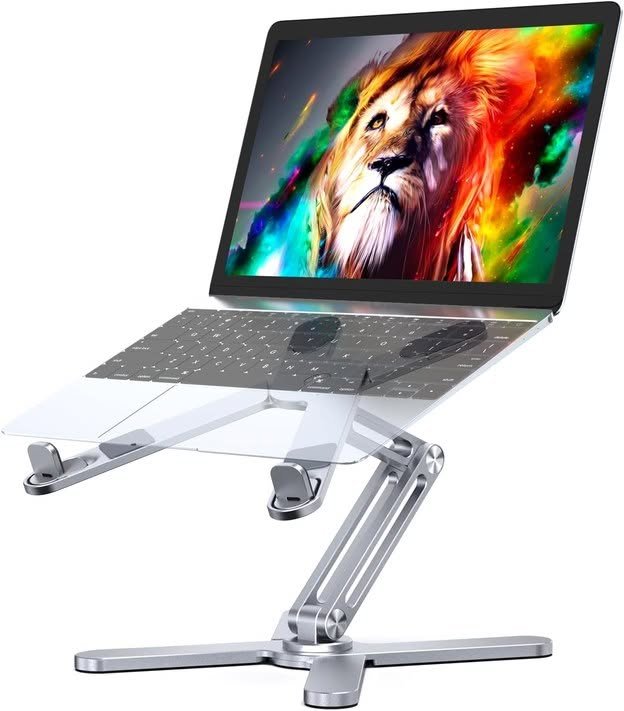
Another rotating aluminium riser, this one sitting on a square base with a two-axis joint so the laptop can swivel to any angle and tilt anywhere from flat to 180°.
Height runs from about 4cm to 26.5cm, enough to work sitting down or to lift the screen higher for a standing session. Soft rubber pads on the top stop the laptop sliding and protect it from scratches.
It fits laptops up to 16 inches and also holds an iPad or other tablet, and folds down for carrying to a cafe or the office.
Key Specs
- Material: Aluminium alloy
- Height: About 4cm to 26.5cm
- Angle: 0-180°, with 360° rotating base
- Fits: Laptops up to 16 inches, plus tablets
Pros
- Rotating base and wide tilt range
- Works with tablets as well as laptops
- Foldable for travel
Cons
- Tops out at 16-inch laptops, so not for 17-inch models
- Square base takes up more desk space than the folding X-frame stands
4. OMOTON Vertical Laptop Stand – Best Space-Saving (Vertical Storage)
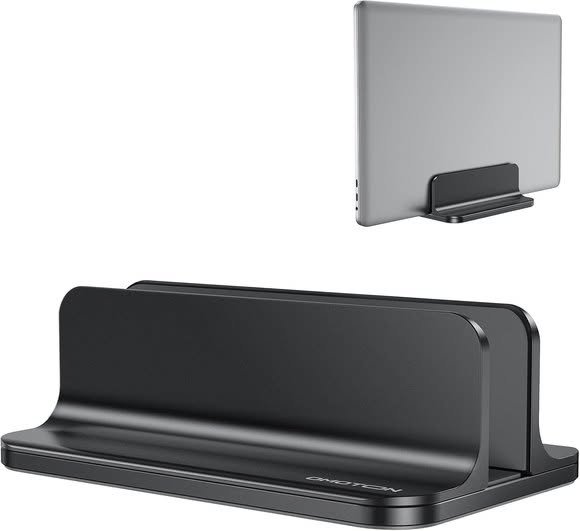
A different kind of “adjustable” to the ergonomic risers above: this holds your laptop closed and upright to free up desk space, rather than raising it to eye level for typing.
The slot width adjusts to fit laptops from 14mm to 69mm thick, and the anodised aluminium body is sandblasted and CNC-machined, with a wide base that keeps the laptop from tipping.
This is the pick if your priority is a tidy desk with your laptop plugged into an external monitor, since the laptop stays closed while docked. It holds about 4.8 stars from close to 9,000 ratings.
Key Specs
- Material: Anodised aluminium
- Adjustable slot width: 14mm to 69mm
- Fits: Laptops up to 17.3 inches
- Use: Vertical storage, not for typing while docked
Pros
- Frees up real desk space compared to a flat, open laptop
- Adjustable slot fits very thick gaming laptops
- Very large number of buyer ratings
Cons
- Storage only, not an ergonomic typing stand
- Width is adjusted with an Allen key rather than by hand
5. OMOTON Dual Vertical Laptop Stand – Best for Two Laptops
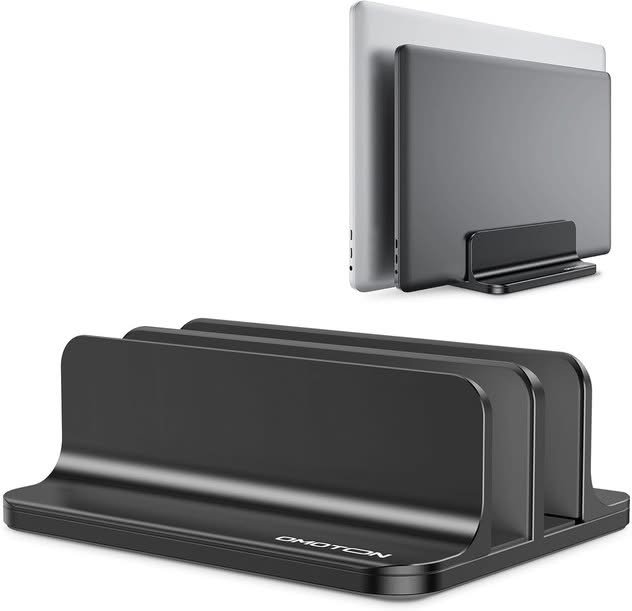
The same vertical storage idea as the pick above, but with two slots side by side, so two laptops stand upright in about the space one flat laptop would take on your desk.
Each slot adjusts to fit laptops from 14mm to 42mm thick, and non-slip silicone mats line the slots while silicone pads on the base keep the stand from sliding.
Useful for a shared home office, or for anyone who wants a work and a personal laptop stored neatly side by side rather than stacked.
Key Specs
- Material: Anodised aluminium
- Adjustable slot width: 14mm to 42mm
- Slots: 2 (fits 2 laptops)
- Colour: Black
Pros
- Stores 2 laptops upright in roughly the footprint of 1 flat laptop
- Adjustable width fits a wide range of laptop thicknesses
- Silicone mats protect both laptops
Cons
- Storage only, not for typing while docked
- Slots are narrower than the single-dock version, so very thick laptops will not fit
How to Choose an Adjustable Laptop Stand in NZ
Decide if you want an ergonomic stand or a storage stand. An ergonomic riser stand raises your laptop while you use it, to reduce neck and eye strain. A vertical storage stand does the opposite — it holds the laptop closed and upright to save desk space when you are not using it. Both are sold as “laptop stands,” but they solve different problems.
Check the load rating against your laptop’s weight. A 13″ ultrabook and a 17″ gaming laptop can differ by several kilograms. If you have a larger, heavier laptop, look for a stand with a clearly stated weight capacity rather than assuming any stand will hold it securely.
Cooling design matters for longer sessions. A stand with a hollow or vented heat-dissipation design helps your laptop run cooler than sitting flat on a desk, useful if you regularly run demanding tasks or simply notice your laptop getting warm during long use.
If portability matters, check it actually folds flat. Not every “adjustable” stand folds down small enough to carry. If you plan to move between desks or travel with it, look for a stand explicitly described as foldable or travel-friendly.
Screen height matters most on budget machines, where a low fixed hinge is standard rather than a flaw, so it is worth factoring in while you are still choosing the best affordable laptop for the desk.
Verdict
For most people who want an ergonomic stand to actually type at, the Twelve South Curve Flex is the strongest all-round pick, with the widest height range and a frame that folds flat. If you want to spend less, the OMOTON LA10 adds a 360° swivel base, and the LIENS stand rotates too and holds a tablet as well as a laptop. If your goal is a tidier desk rather than an ergonomic typing position, the two OMOTON vertical stands are a genuinely different tool built for that job instead.
Frequently Asked Questions
What is the difference between an ergonomic laptop stand and a vertical laptop stand?
An ergonomic stand raises an open laptop to a better height and angle for typing, to reduce neck and eye strain. A vertical stand holds a closed laptop upright purely to save desk space, and is not meant to be typed on while docked.
Do adjustable laptop stands actually help cool a laptop down?
A stand with a hollow or vented design improves airflow underneath the laptop compared to sitting flat on a desk, which can genuinely help keep it cooler during longer or more demanding sessions.
What laptop sizes do adjustable stands fit?
Most adjustable laptop stands in this guide fit laptops from around 10 inches up to 17.3 inches, covering everything from a small ultrabook to a full-size gaming laptop, though it is worth checking the specific size range on each listing.
Can a laptop stand hold a tablet as well?
Some can. The LIENS stand in this guide is listed as fitting tablets such as an iPad as well as laptops up to 16 inches, so check the listing if you want one stand to cover more than one device.
How much weight can an adjustable laptop stand hold?
Load capacity varies by model. The Twelve South Curve Flex in this guide is rated to about 3.2kg, which covers most laptops up to 17 inches, but always check the specific weight rating before buying if you have an unusually heavy laptop.
Is a vertical laptop stand worth buying if I already have a laptop stand for typing?
Yes, if desk space is a separate concern. A vertical stand and an ergonomic typing stand solve different problems, so owning both is common if you want a tidy desk when the laptop is not in active use, and an ergonomic position when it is.
