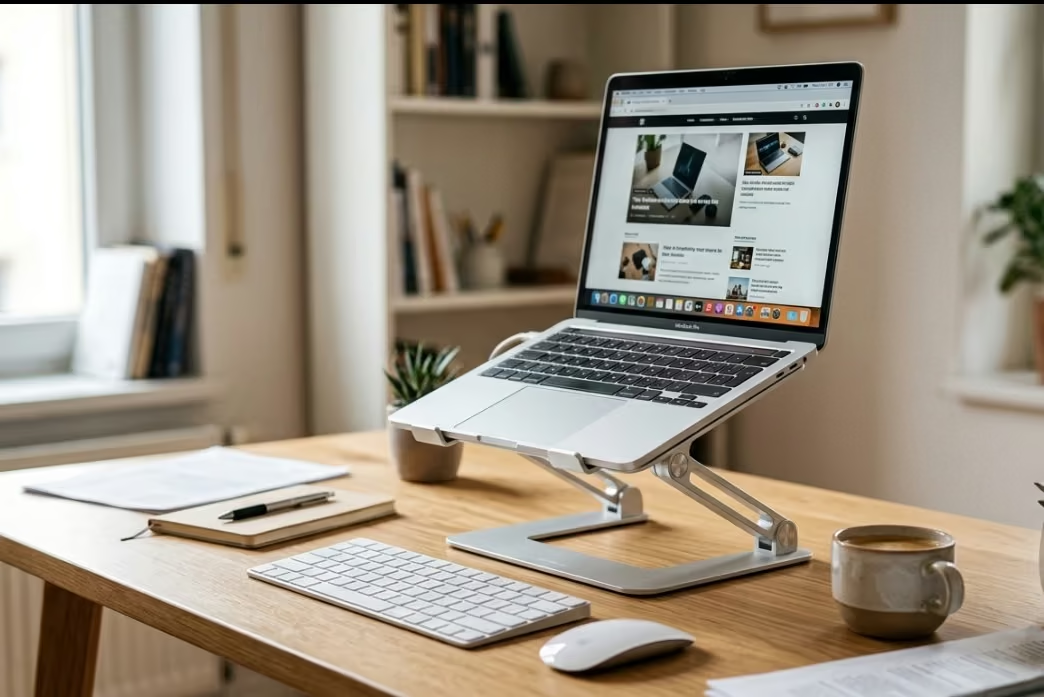
An adjustable laptop stand raises a laptop screen toward eye level so you stop craning your neck down at it, which is the single most common cause of desk-related neck and shoulder strain. Most also open airflow underneath the chassis, which helps a laptop throttle less under load.
Two very different products are both sold as “laptop stands”, and they solve opposite problems. Ergonomic risers hold the laptop open at a raised, tilted angle for typing and screen height, usually with a folding aluminium frame and ventilation cut-outs. Vertical docks hold a closed laptop upright like a book, purely to reclaim desk space when the machine is plugged into an external monitor.
A riser only fixes your neck if you pair it with a separate keyboard and mouse, because raising the screen also raises the built-in keyboard out of a comfortable typing position. Check the stated size range and weight limit against your machine, since a 17-inch laptop will overhang a stand built around a 13 to 15-inch footprint. Aluminium frames shed heat better than plastic, and a rubberised lip matters more than it sounds — it is what stops the laptop sliding off a tilted stand.
This guide compares five adjustable laptop stands available in New Zealand, covering both types, with adjustment range, cooling design, supported laptop sizes and how much desk space each one actually saves.
| Laptop Stand | Best For |
|---|---|
| 1. Alloy Laptop Holder, Adjustable Foldable Cooling Bracket | Best Overall / Best Cooling |
| 2. Adjustable Laptop Stand, Aluminium Alloy 360 Rotatable | Best Value |
| 3. 2 in 1 Adjustable Laptop, Tablet & Phone Stand | Best Budget / Best Multi-Device |
| 4. Vertical Laptop Stand, Cradle Holder | Best Space-Saving (Vertical Storage) |
| 5. Vertical Laptop Stand, Double Desktop Dock (Up to 17.3″) | Best for Two Laptops |
1. Alloy Laptop Holder, Adjustable – Best Overall / Best Cooling
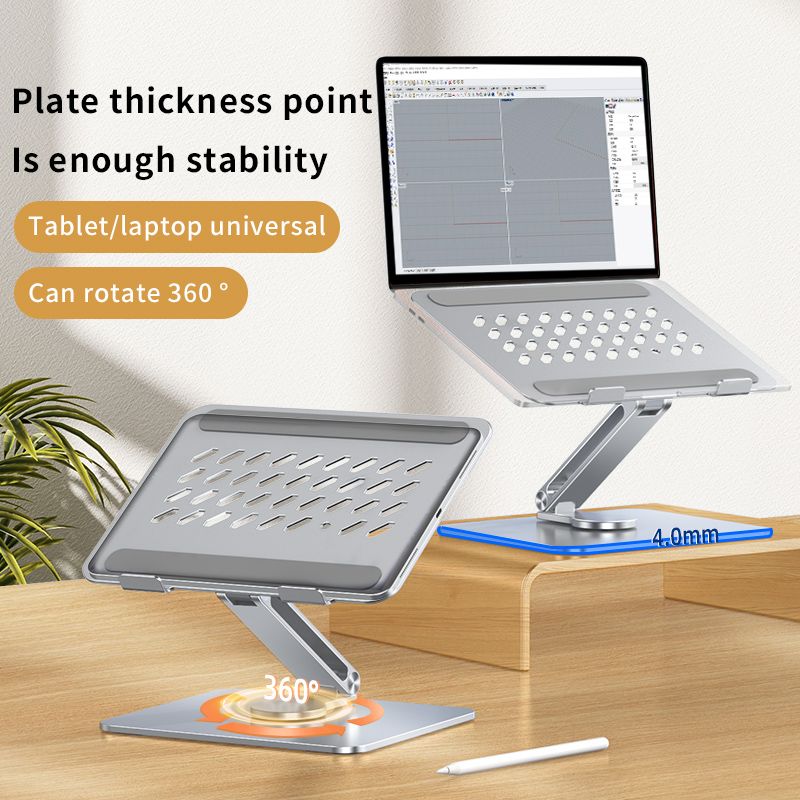
This is the most fully-featured stand in this guide: a 360° rotating aluminium alloy bracket with a hollow heat-dissipation design that actually helps keep your laptop cooler during long sessions, not just an ergonomic riser.
It adjusts up to 201mm in height with a double-layer damping hinge, holds up to 5kg, and the high-energy aluminium alloy frame is solid enough that typing does not cause any wobble.
It fits laptops and tablets from 10 to 17 inches, so it works for anything from a small ultrabook to a full-size gaming laptop.
Key Specs
- Material: Aluminium alloy
- Height adjustment: Up to 201mm
- Rotation: 360°
- Load capacity: 5kg
- Fits: 10-17 inch laptops/tablets
Pros
- Genuine cooling design with hollow heat dissipation, not just a riser
- 201mm height range, the most adjustable stand in this guide
- 5kg load rating handles larger laptops
Cons
- Priciest stand in this guide
- Some model variants cannot rotate (check listing before buying if 360° rotation matters to you)
Price: $44.26 $95.26
2. Adjustable Laptop Stand, 360 Rotatable – Best Value
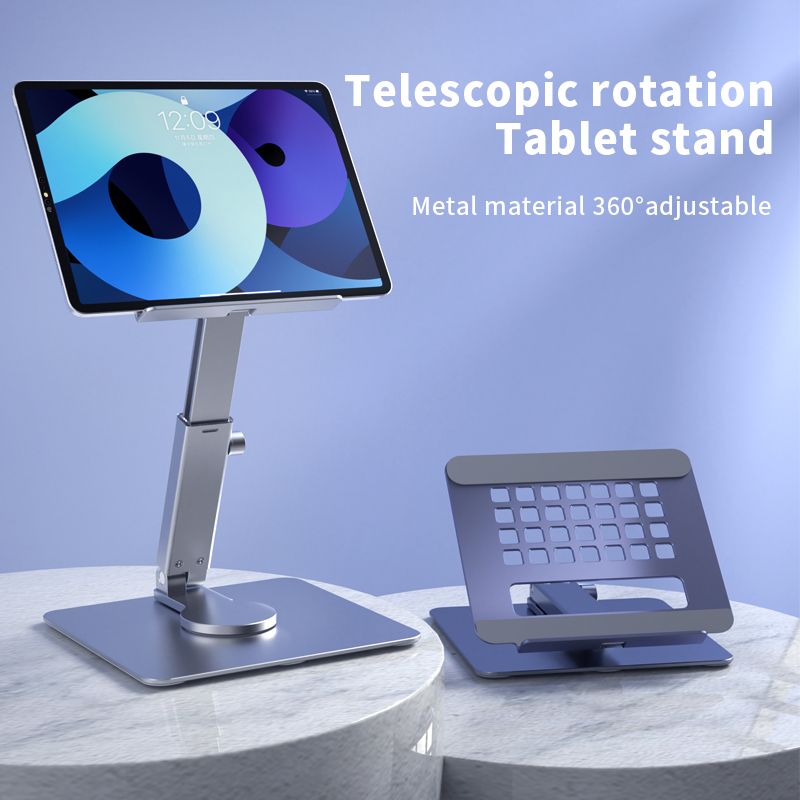
A simpler, cheaper take on a 360° rotating aluminium stand than our Best Overall pick, still with the same hollow heat-sink design and a solid alloy shaft for stability.
It folds flat for travel or storage, and the ergonomic height adjustment is aimed specifically at reducing eye and neck strain during long typing sessions.
At 15.7 x 5.1 x 17cm folded, it is compact enough to keep in a laptop bag if you regularly work from different desks.
Key Specs
- Material: Aluminium alloy
- Size (folded): 15.7 x 5.1 x 17cm
- Rotation: 360°
- Colour: Silver
Pros
- Cheaper than the Best Overall pick with the same core cooling/rotation features
- Folds flat and compact for travel
- Ergonomic height adjustment for eye/neck strain
Cons
- Smaller load capacity than the heavier-duty Best Overall pick
- Silver-only colour option
Price: $35.17 $74.17
3. 2 in 1 Adjustable Laptop Stand – Best Budget / Best Multi-Device
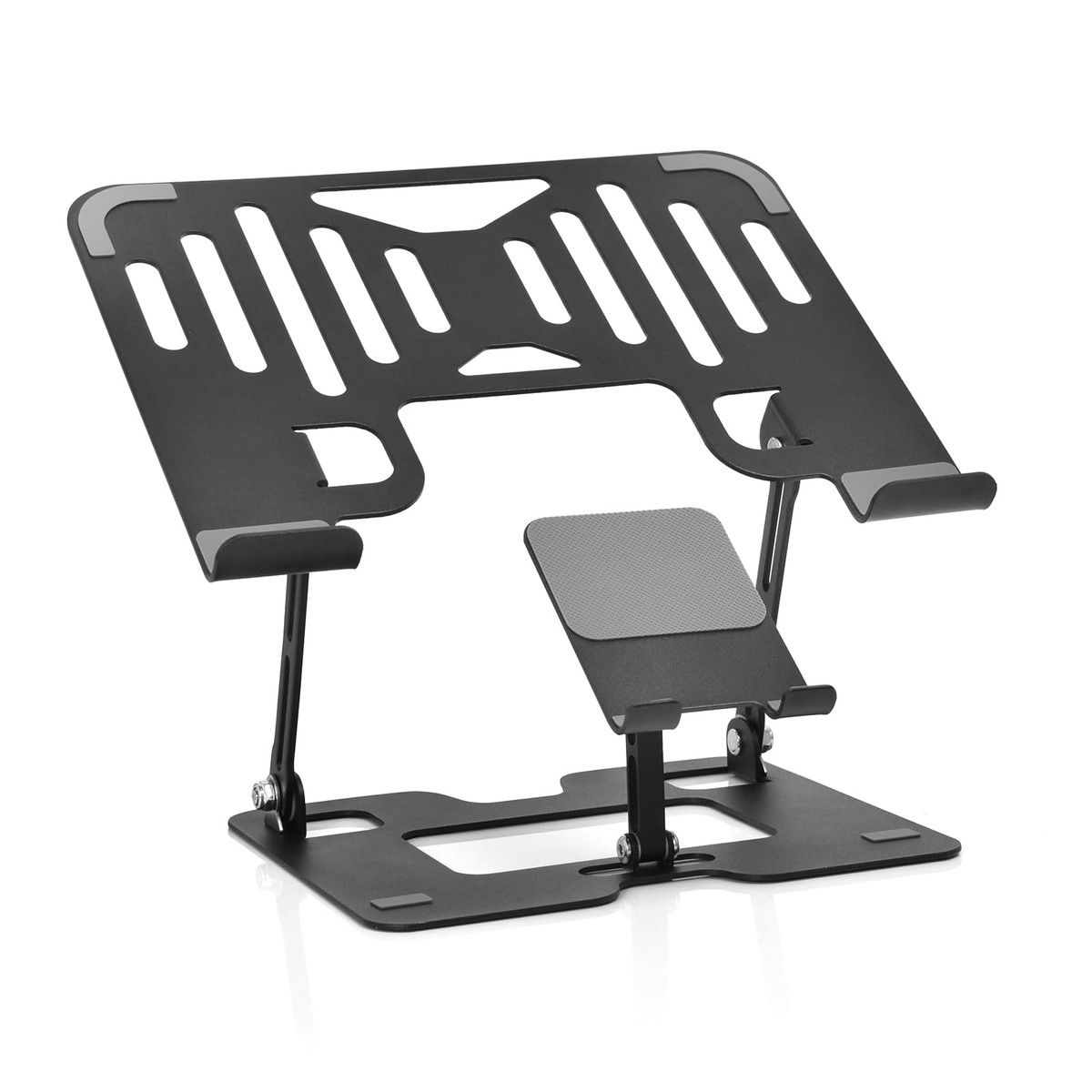
The cheapest stand in this guide, and the only one built to double as a phone stand as well as a laptop and tablet stand.
It is compatible with any 10″ to 17.3″ laptop, covering everything from a MacBook Air to a 17″ Dell XPS or Alienware, and folds down for genuinely portable use on business trips.
If you want one stand that covers your laptop, tablet, and phone rather than buying separate accessories, this is the pick.
Key Specs
- Material: Aluminium alloy, carbon steel
- Fits: 10-17.3 inch laptops, plus tablets and phones
- Foldable for travel
Pros
- Cheapest stand in this guide
- Doubles as a tablet and phone stand, not laptop-only
- Foldable, portable design for travel
Cons
- Lighter-duty build than the dedicated cooling stands above
- No rotation feature
Price: $22.31 $53.31
4. Vertical Laptop Stand – Best Space-Saving (Vertical Storage)
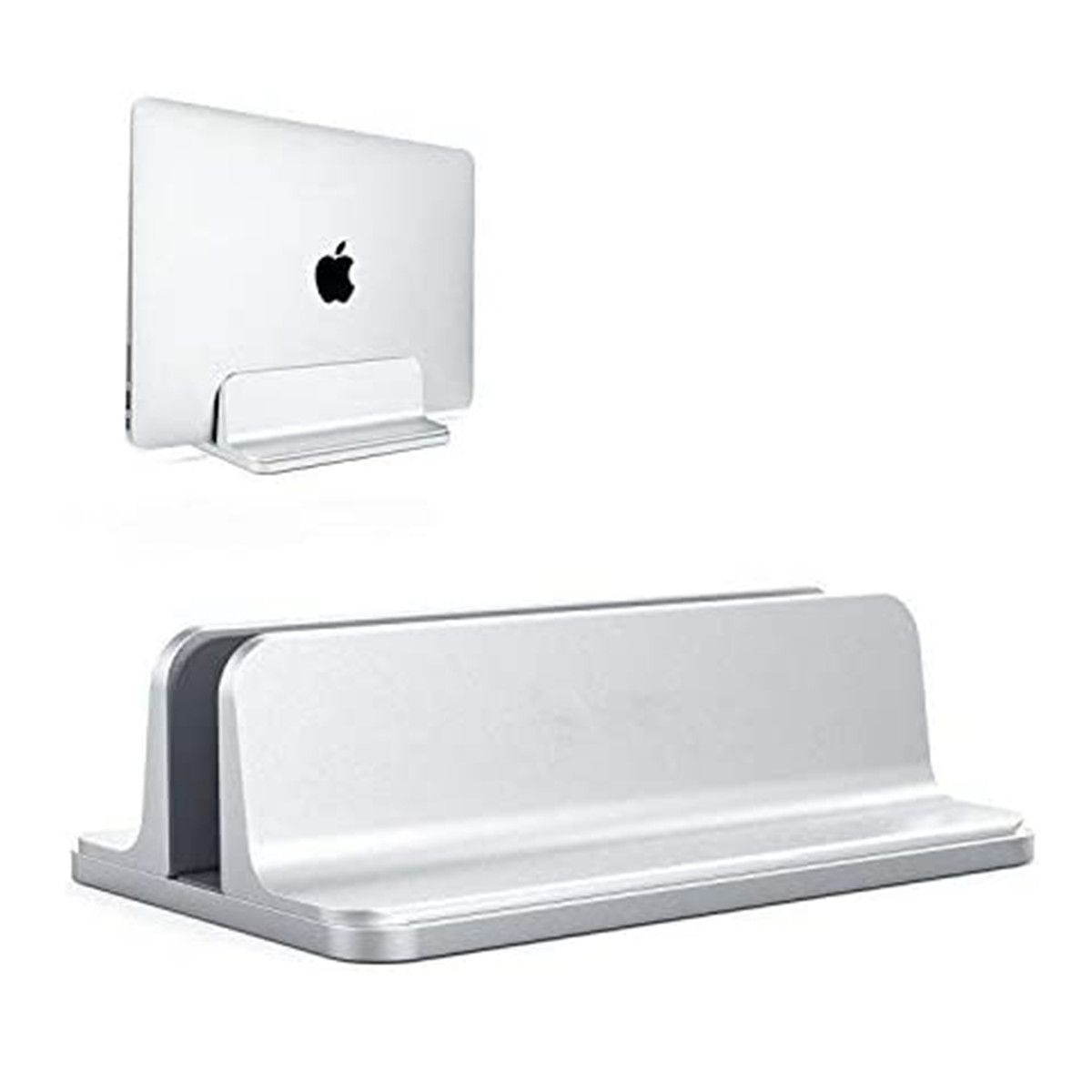
A different kind of “adjustable” to the ergonomic riser stands above: this holds your laptop upright and vertical to free up desk space, rather than raising it to eye level for typing.
The dock size adjusts from 0.6 to 2.6 inches to fit laptops of different thicknesses, and rubberised grips plus a non-slip silicone mat keep it scratch-free and stable in the slot.
This is the pick if your priority is a tidy, organised desk rather than an ergonomic typing position, since the laptop stands closed and stored rather than open and in use.
Available in Silver or Black.
Key Specs
- Material: Anodized aluminium
- Adjustable dock size: 0.6 to 2.6 inches
- Colour: Silver or Black
- Use: Vertical storage, not for typing while docked
Pros
- Frees up real desk space compared to a flat, open laptop
- Adjustable dock fits laptops of varying thickness
- Available in two colours
Cons
- Not usable while the laptop is docked, storage only, not an ergonomic typing stand
- Different use case to the other 4 stands in this guide, worth confirming this is what you need before buying
Price: $27.13 $63.13
5. Vertical Laptop Stand – Best for Two Laptops
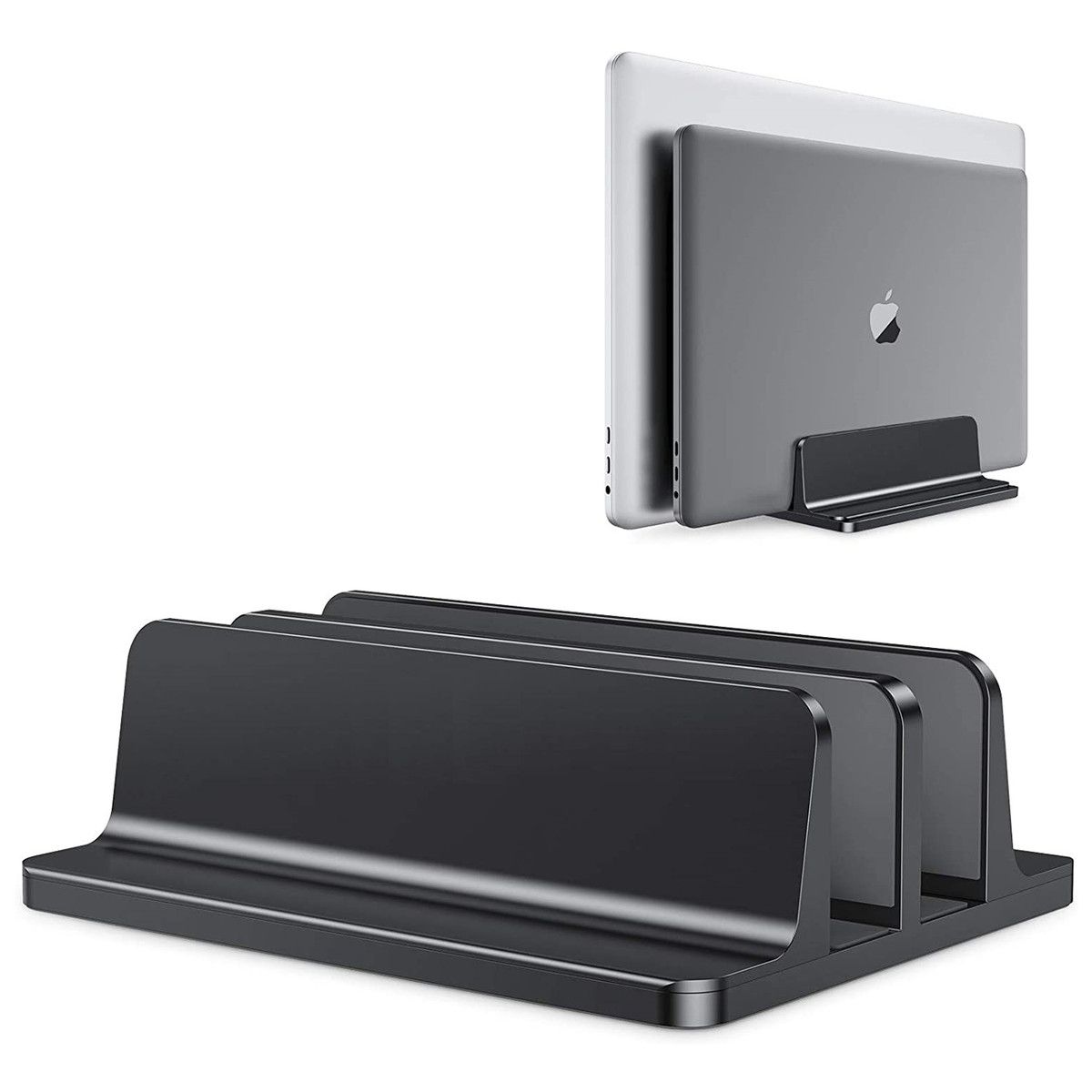
The same vertical storage concept as the pick above, but with two docks side by side, letting you store two laptops upright in the same footprint a single flat laptop would take on your desk.
The adjustable dock width fits laptops from 14mm to 42mm thick, and non-slip silicone mats in each slot plus rubber pads on the base protect your laptops and keep the stand itself from sliding.
Useful for a shared home office, a household with two laptops, or anyone who wants their work and personal laptop stored neatly side by side rather than stacked or lying flat.
Available in Black or Grey.
Key Specs
- Material: Anodized aluminium
- Adjustable dock width: 14mm to 42mm per slot
- Slots: 2 (fits 2 laptops)
- Colour: Black or Grey
Pros
- Stores 2 laptops upright in roughly the footprint of 1 flat laptop
- Adjustable width fits a wide range of laptop thicknesses
- Non-slip mats protect both laptops and the desk surface
Cons
- Same storage-only limitation as the single-dock version, not for typing while docked
- Priced close to the ergonomic cooling stands despite serving a different purpose
Price: $35.18 $84.18
How to Choose an Adjustable Laptop Stand in NZ
Decide if you want an ergonomic stand or a storage stand. An ergonomic riser stand raises your laptop while you use it, to reduce neck and eye strain. A vertical storage stand does the opposite — it holds the laptop closed and upright to save desk space when you are not using it. Both are sold as “laptop stands,” but they solve different problems.
Check the load rating against your laptop’s weight. A 13″ ultrabook and a 17″ gaming laptop can differ by several kilograms. If you have a larger, heavier laptop, look for a stand with a clearly stated weight capacity rather than assuming any stand will hold it securely.
Cooling design matters for longer sessions. A stand with a hollow or vented heat-dissipation design helps your laptop run cooler than sitting flat on a desk, useful if you regularly run demanding tasks or simply notice your laptop getting warm during long use.
If portability matters, check it actually folds flat. Not every “adjustable” stand folds down small enough to carry. If you plan to move between desks or travel with it, look for a stand explicitly described as foldable or travel-friendly.
Screen height matters most on budget machines, where a low fixed hinge is standard rather than a flaw, so it is worth factoring in while you are still choosing the best affordable laptop for the desk.
Verdict
For most people who want an ergonomic stand to actually type at, the Alloy Laptop Holder is the strongest all-round pick, with the most height adjustment and a genuine cooling design. If you want to spend less for the same core features, the Adjustable Laptop Stand (360 Rotatable) covers the essentials at a lower price, and the 2 in 1 stand is the cheapest option if budget is the main priority. If your goal is a tidier desk rather than an ergonomic typing position, the Vertical Laptop Stand picks are a genuinely different tool built for that job instead.
Frequently Asked Questions
What is the difference between an ergonomic laptop stand and a vertical laptop stand?
An ergonomic stand raises an open laptop to a better height and angle for typing, to reduce neck and eye strain. A vertical stand holds a closed laptop upright purely to save desk space, and is not meant to be typed on while docked.
Do adjustable laptop stands actually help cool a laptop down?
A stand with a hollow or vented design improves airflow underneath the laptop compared to sitting flat on a desk, which can genuinely help keep it cooler during longer or more demanding sessions.
What laptop sizes do adjustable stands fit?
Most adjustable laptop stands in this guide fit laptops from around 10 inches up to 17.3 inches, covering everything from a small ultrabook to a full-size gaming laptop, though it is worth checking the specific size range on each listing.
Can a laptop stand hold a tablet as well?
Several stands in this guide, including the 2 in 1 model, are explicitly designed to also hold a tablet or phone in addition to a laptop, so check the listing if you want one stand to cover multiple devices.
How much weight can an adjustable laptop stand hold?
Load capacity varies by model. The Alloy Laptop Holder in this guide is rated to 5kg, which comfortably covers most laptops including larger 17-inch models, but always check the specific weight rating before buying if you have an unusually heavy laptop.
Is a vertical laptop stand worth buying if I already have a laptop stand for typing?
Yes, if desk space is a separate concern. A vertical stand and an ergonomic typing stand solve different problems, so owning both is common if you want a tidy desk when the laptop is not in active use, and an ergonomic position when it is.
